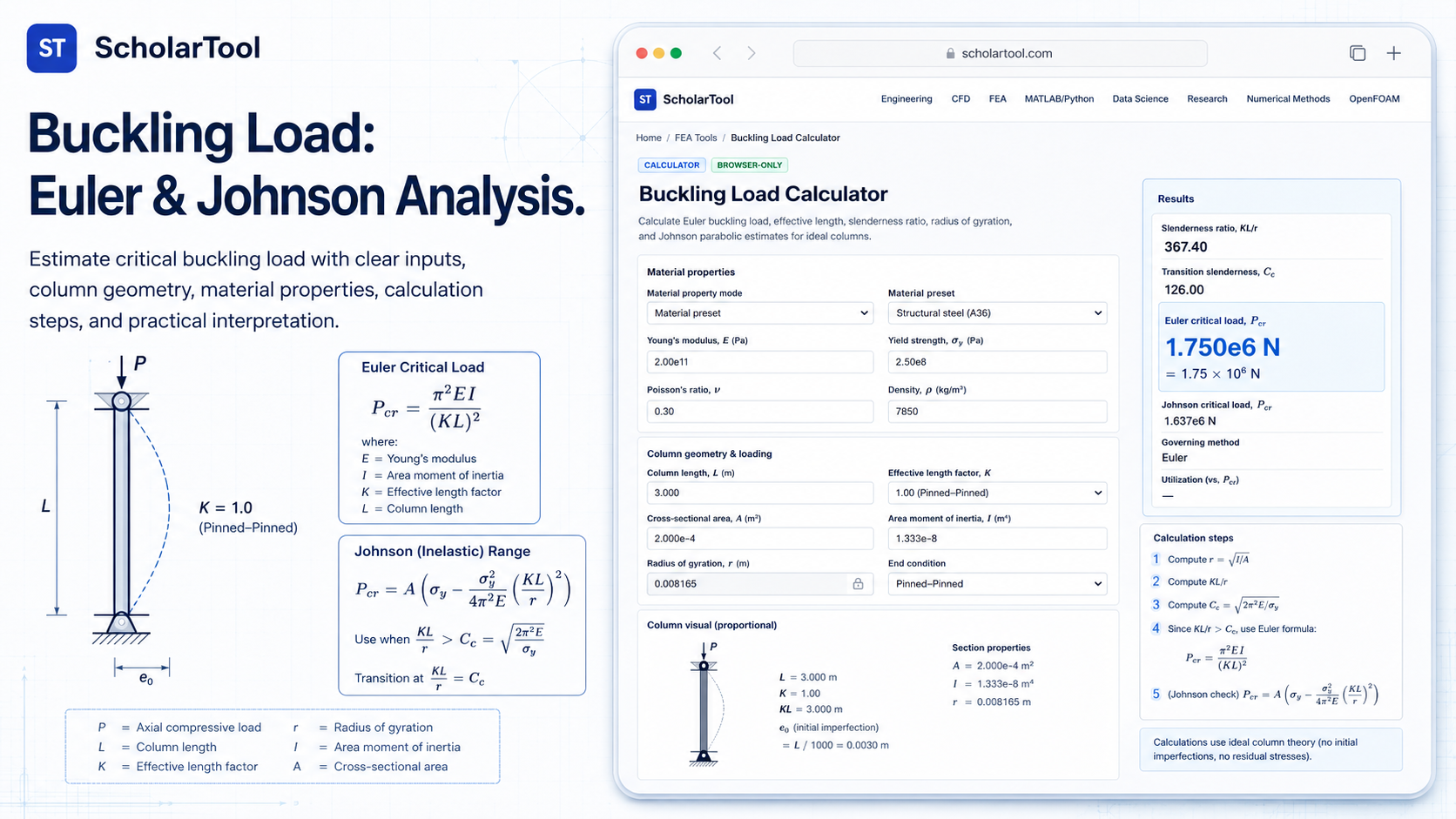
Buckling Load Calculator: Euler & Johnson Column Tool
When I am starting a new structural design or auditing a complex Finite Element Analysis (FEA) model, the most dangerous failure mode is often the one that occurs suddenly and without yielding: buckling. As Dominique Madier emphasizes in FEA Academy’s guidelines for good modeling practices, documenting mathematical checks and performing preliminary estimations are essential steps for verifying a model’s validity. Before I trust a solver-generated buckling factor for a slender support member, I need to know the theoretical critical load based on established analytical methods.
What I find indispensable for these foundational checks is the Buckling Load Calculator from ScholarTool. It is a deterministic, browser-local utility designed to apply Euler and Johnson formulas to ideal columns. Whether I am sizing a support bracket or grounding a research paper in physical reality, this tool ensures my stability assumptions are mathematically sound while keeping my proprietary project data private.
What the Buckling Load Calculator Helps You Do
In technical terms, buckling is a mathematical instability that leads to a sudden failure of a structural member under compression. The primary purpose of this tool is to identify the critical buckling load ($P_{cr}$)—the maximum load a column can support before it becomes unstable.
I find the interface particularly helpful because it provides a “Comparative Perspective” between two critical regimes. For very slender columns, it applies the Euler method, which assumes elastic behavior. For “intermediate” columns where the material might yield before reaching the Euler limit, it offers the Johnson parabolic estimate. The interface removes the risk of manual eigenvalue errors by providing a “browser-only” engine. Because the math happens locally on your device, your sensitive manufacturing specs or proprietary dimensions are never submitted to a third-party calculation API.
Inputs You Can Use
The interface is built with a logical, “method-first” layout that allows you to configure the tool based on the data you have available.
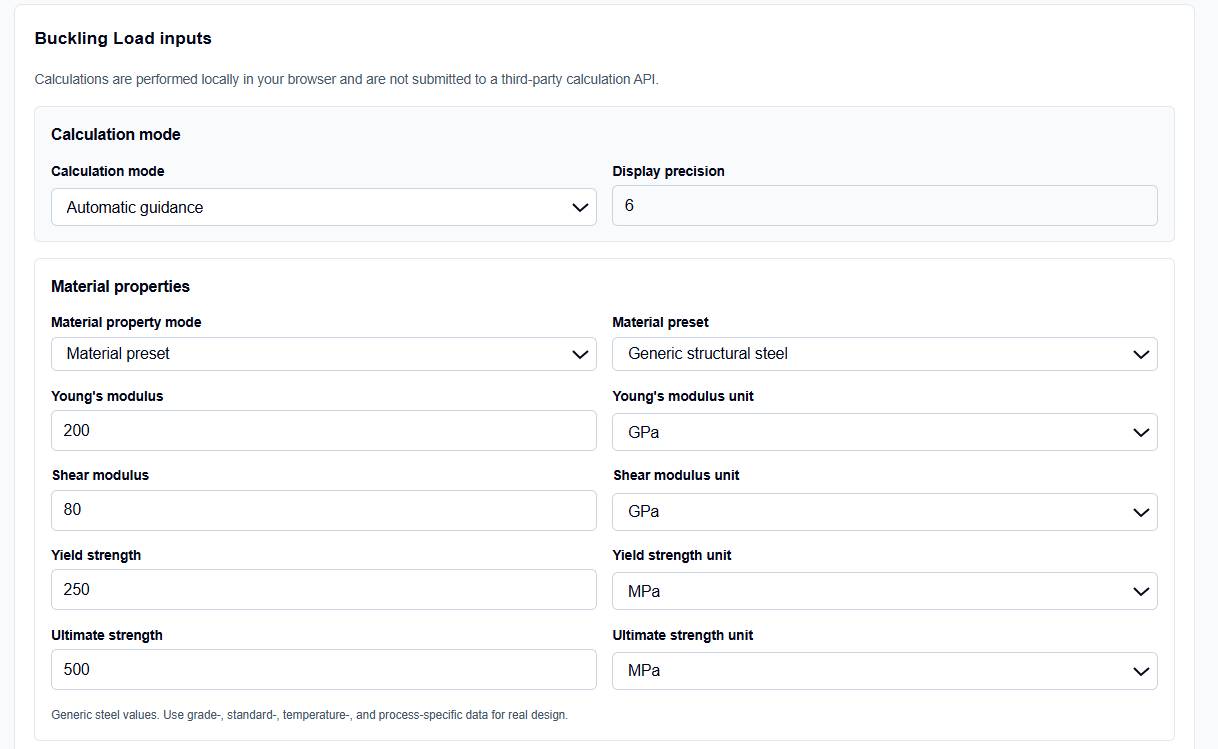
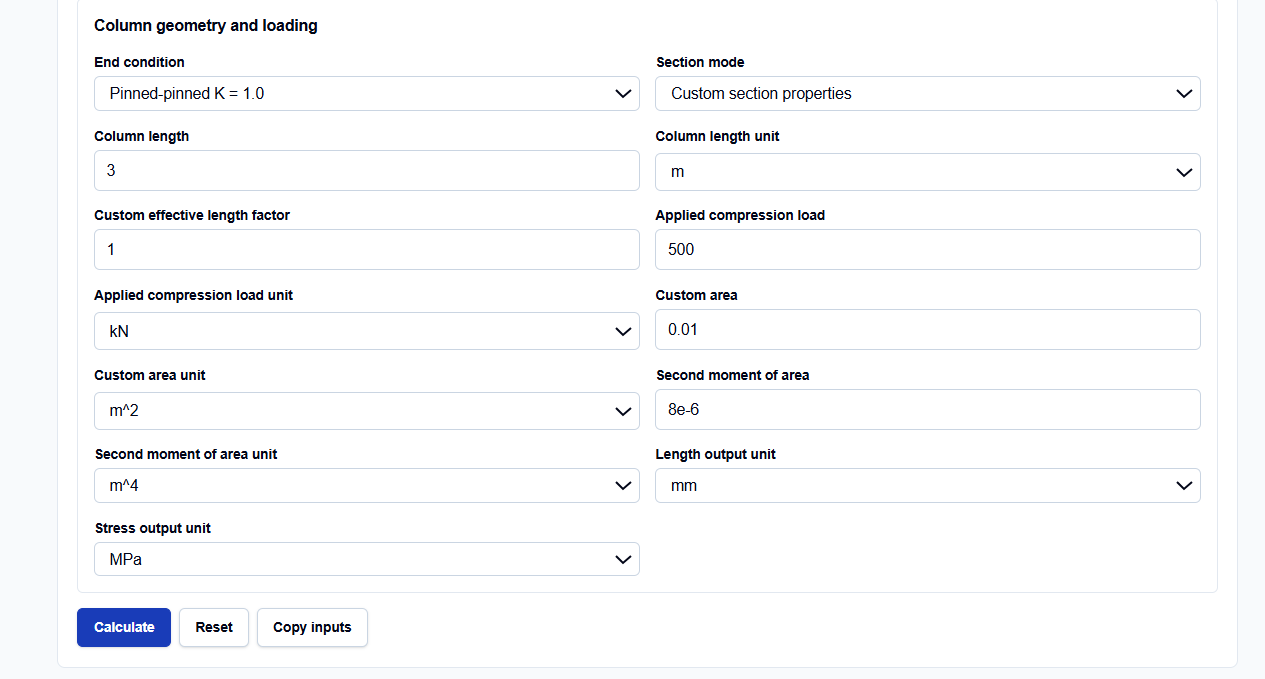
Calculation Modes
I start by selecting the Calculation mode that matches my task. You can choose Direct E I L K if you have your section properties ready, or Geometry-derived section to have the tool calculate the area and second moment for you. What I appreciate is that in geometry mode, the tool automatically uses the weaker axis for buckling, as columns naturally fail about the axis with lower flexural rigidity.
Material and End Conditions
You can choose from Material presets for generic steel, aluminum, or copper, or enter manual properties for proprietary alloys. Below this, selecting the End condition is vital. The tool allows you to select standard restraints—like fixed-fixed or pinned-pinned—which automatically assigns the correct effective-length factor ($K$). If your restraint is non-standard, you can enter a custom $K$ value directly.
How I Use the Tool
My typical workflow begins by extracting the column geometry and material properties from a data sheet. For instance, if I am verifying a 3-meter steel pipe, I select the “Euler load” mode.
Once I enter the values, I click the calculate action. I appreciate the transparency of the Result section. The tool doesn’t just give the load; it reports the Slenderness ratio ($\lambda$) and the Transition slenderness ($C_c$). This is a professional touch I find useful for determining if the Euler assumption is actually valid for my specific column. Because the calculations are performed locally in TypeScript, I can audit sensitive specifications without fear of data leakage. After the check, I use the “Use results in Factor of Safety Calculator” link to move the data directly into a yielding check.
Understanding the Results
The result section provides the Critical buckling load prominently at the top. However, for a professional audit, the secondary values are often more critical:
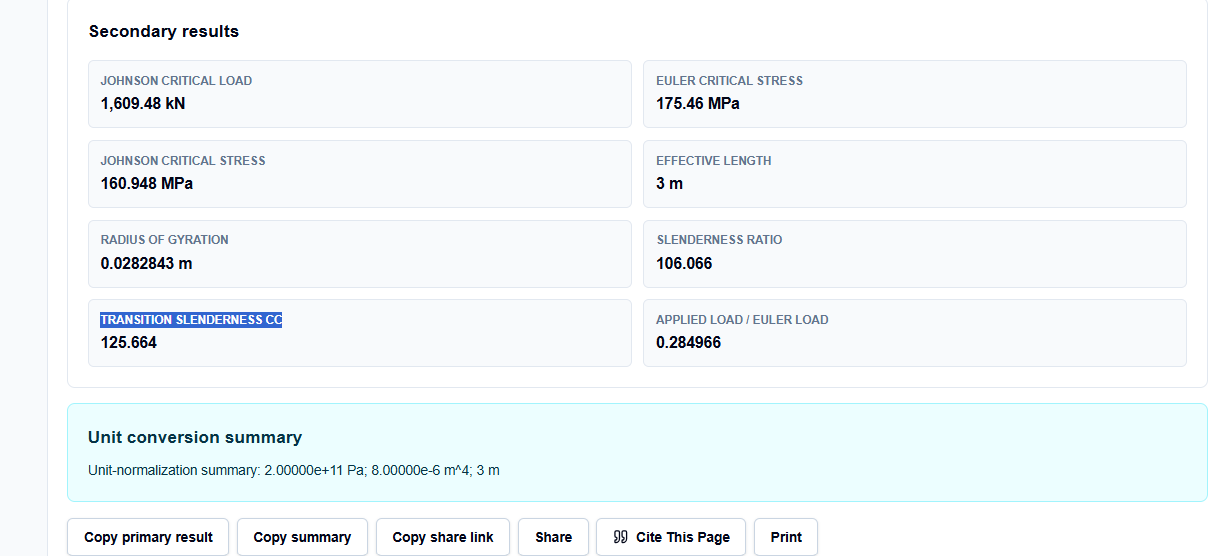
- Effective length ($L_e$): The physical length adjusted for end restraints.
- Radius of gyration ($r$): Characterizes the distribution of the cross-section area around the neutral axis.
- Transition slenderness ($C_c$): The threshold between Euler (long) and Johnson (intermediate) behavior.
I also find the Unit-normalization summary indispensable. It acts as a “math receipt,” showing me exactly what base SI values were used to reach the result, making it easy to include in a design review.
A Practical Example
Suppose I am verifying a steel column where $E = 200\text{ GPa}$, $I = 8\text{e-}6\text{ m}^4$, and the physical length is $3\text{ m}$ with pinned ends ($K=1$).
When I enter these and click calculate, the tool returns an Euler load of approximately $1,754,596\text{ N}$. If I then change the end condition to “Fixed-Free” ($K=2$), I can instantly see the load drop to one-quarter of that value. This immediate resolution allows me to see the massive impact that boundary conditions have on structural stability before I commit to a long-running FEA simulation.
Mistakes I Would Avoid
One common pitfall is ignoring intermediate buckling. As the tool’s input explanations remind us, the Euler formula overestimates the capacity of short, stout columns. I always check the transition slenderness; if my slenderness ratio is less than $C_c$, I switch to the Johnson estimate for a more realistic result.
Another mistake is treating this as a design certification. As the engineering disclaimer states, this tool is for educational estimation and preliminary support. Real design decisions require applicable codes (like AISC or Eurocode), material testing, and professional judgment, as the tool does not model local buckling, eccentricity, or residual stresses.
Try the Free Buckling Load Calculator
Before you finalize your next structural report or initialize your buckling modes in a solver, take a minute to verify your stability demands. It is the fastest way to ground your structural assumptions in physical reality.
Try the Buckling Load Calculator here. To complete your failure analysis, you may also find the Beam Bending Stress Calculator, Factor of Safety Calculator, or the Stress-Strain Calculator essential for your workflow.
FAQ
1. When should I use the Johnson method instead of Euler?
You should use the Johnson parabolic estimate when your column’s slenderness ratio ($\lambda$) is less than the transition slenderness ($C_c$). In this range, the material is likely to yield before it buckles elastically, and the Euler formula will be non-conservative.
2. Does the tool account for crooked columns?
No. As noted in the warnings, this calculator assumes ideal, straight columns. Practical effects like initial imperfections, eccentricity of load, or residual stresses are not included and must be checked using applicable design codes.
3. Does this tool save my proprietary geometry data?
No. This calculator is “browser-only,” meaning all mathematics are performed locally on your computer using TypeScript. Your inputs and results are never submitted to a third-party server or API.