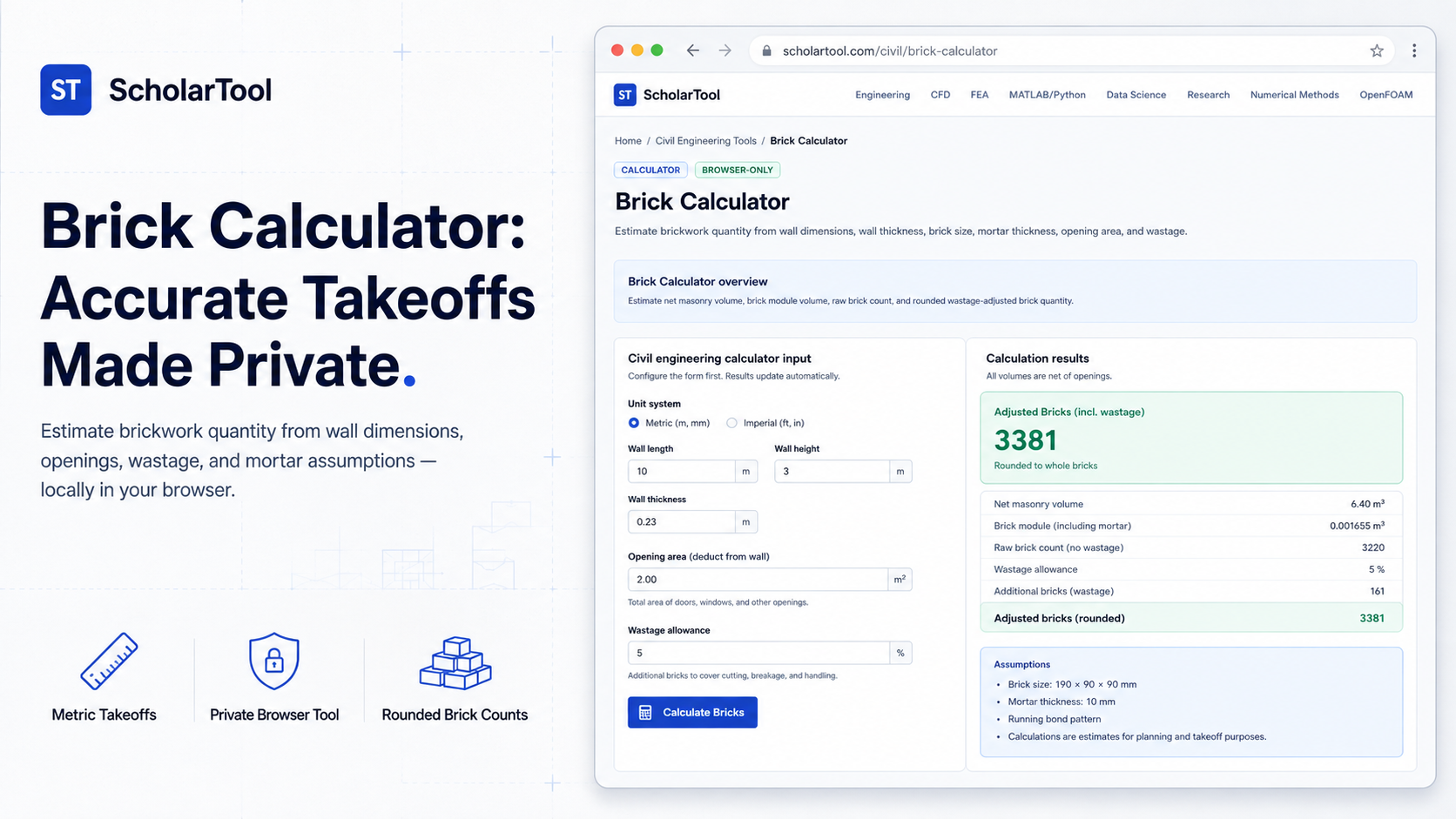
Brick Calculator: Online Masonry Estimation Tool
Determining the exact brick quantity is a critical step in any construction project. As building construction handbooks highlight, manual takeoff estimation is highly prone to errors. Overestimating ties up valuable project capital in idle inventory, while underestimating causes costly construction delays and labor downtime on-site.
To solve this problem with high accuracy and absolute privacy, I use the Brick Calculator from ScholarTool. This browser-local civil engineering utility computes net masonry volumes, module sizes, and wastage-adjusted brick totals locally on your device. Your dimensions and layout plans are never uploaded to a cloud database or external AI API, keeping your sensitive data private.
What the Brick Calculator Helps You Do
The primary purpose of this tool is to replace error-prone spreadsheets with a deterministic, rule-based quantity takeoff. It helps you estimate wall boundaries, automatically deduct doors and windows, and incorporate mortar joints directly into volumetric calculations.
Using this utility, you can easily evaluate standard straight wall runs or perform preliminary quantity audits before drawing reviews. It provides a standardized “math receipt” that splits the raw takeoff from the final procurement order, ensuring your estimation is physically sound before requesting supplier quotes.
Inputs You Can Use
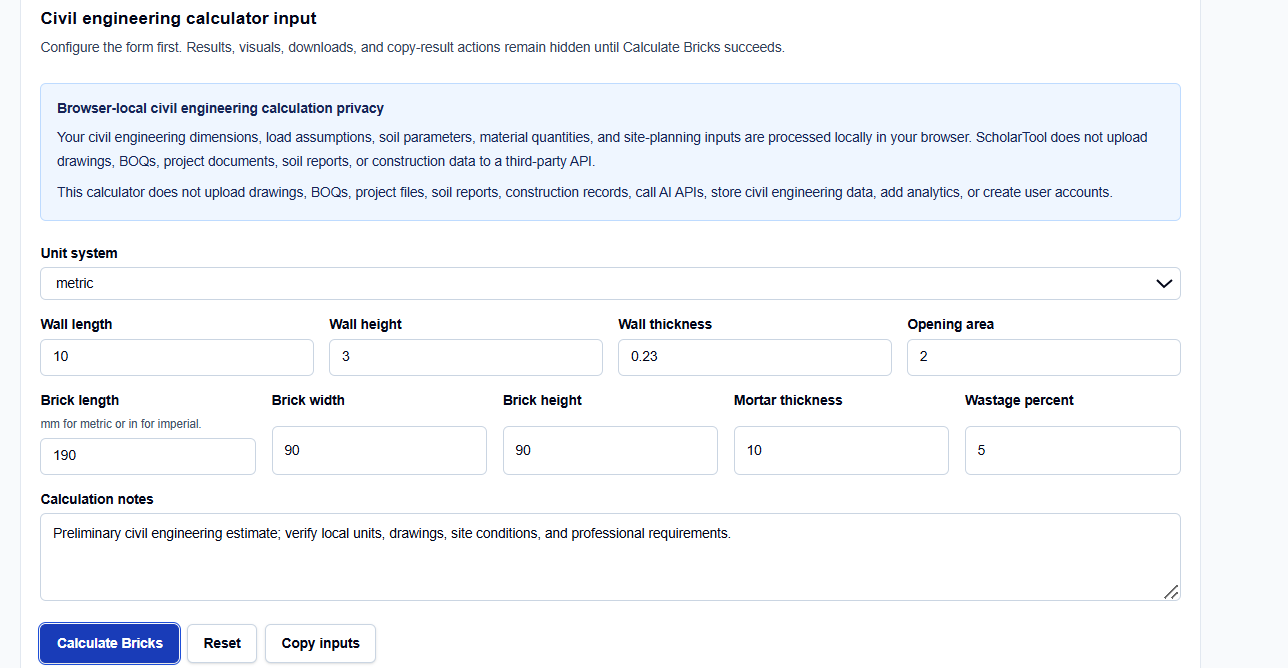
The ScholarTool interface uses a configuration-first layout. Before viewing results, you must configure several key structural variables:
How I Use the Tool
When I receive a structural layout, I open the Brick Calculator and select the unit convention that matches the blueprint. I enter the gross wall height and length, then input the total area of windows and door reveals to ensure accurate volume deductions. After entering the brick dimensions and setting our wastage factor, I click Calculate Bricks. The results, visuals, and copy actions remain hidden until this explicit button is clicked, preventing the accidental use of default parameters on procurement sheets.
Understanding the Results
Once calculated, the tool presents several auditable outputs:
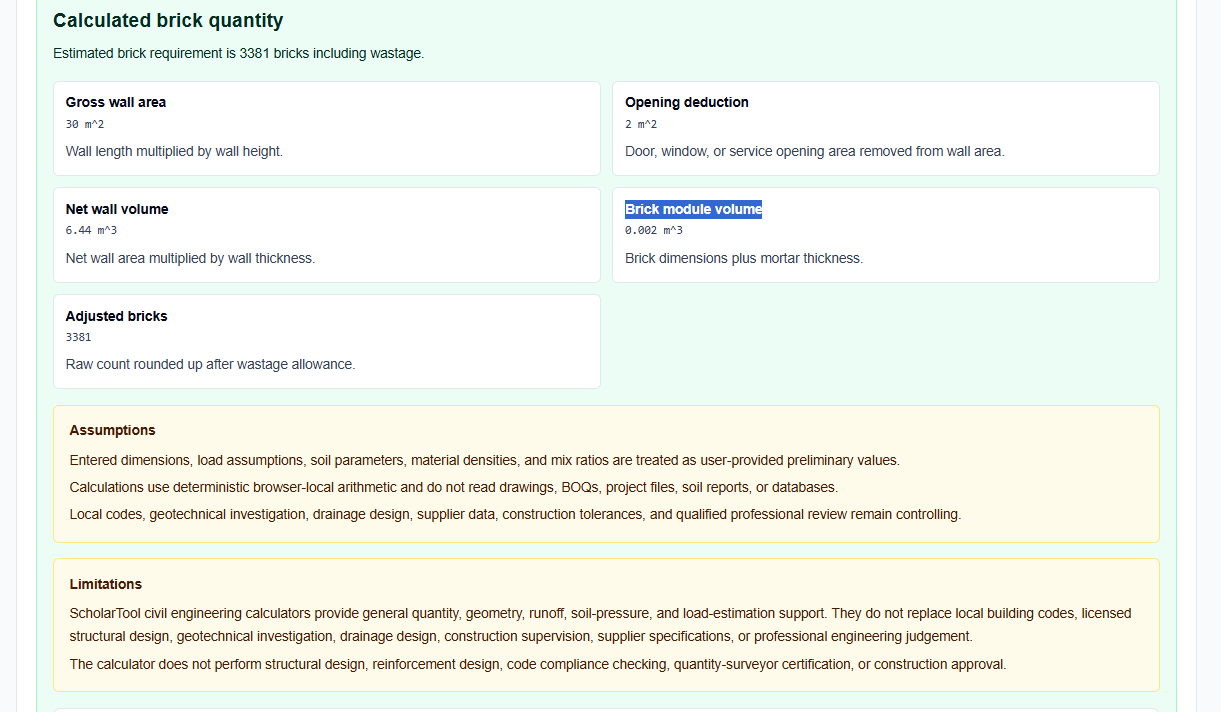
- Net Wall Volume ($V_{\text{wall}}$): Wall volume after subtracting openings: $V_{\text{wall}} = (L \times H – \text{opening area}) \times \text{wall thickness}$.
- Brick Module Volume ($V_{\text{module}}$): Footprint of a brick plus mortar: $V_{\text{module}} = (l + \text{joint}) \times (w + \text{joint}) \times (h + \text{joint})$.
- Raw Brick Count ($N$): Mathematical division of wall volume by module volume: $N = V_{\text{wall}} / V_{\text{module}}$.
- Adjusted Bricks: The raw count adjusted for wastage and rounded up for ordering.
A Practical Example: The Partition Wall
Consider a realistic metric takeoff. I am estimating a standard 10-meter-long, 3-meter-high partition wall with a thickness of 0.23 meters and a window opening of 2 square meters. The brick dimensions are 190 mm x 90 mm x 90 mm, with a 10 mm mortar joint and 5% wastage.
The tool calculates the net wall volume as: $$V_{\text{wall}} = (10 \times 3 – 2) \times 0.23 = 6.44 \text{ m}^3$$
The module volume is: $$V_{\text{module}} = 0.20 \times 0.10 \times 0.10 = 0.002 \text{ m}^3$$
This results in a raw count of exactly 3220 bricks. Factoring in the 5% wastage yields an adjusted order quantity of 3381 bricks.
Mistakes I Would Avoid
One critical mistake is mixing up units. Confusing millimeters and meters throws off volume calculations by a factor of a thousand, leading to massive procurement errors. Another pitfall is treating preliminary takeoffs as a certified bond pattern or structural masonry design. This tool is an estimation aid; it does not calculate load capacities, cavity insulation, corner returns, or building code compliance.
Try the Free Brick Calculator
If you want to eliminate manual takeoff errors, try the tool today. It is free, private, and runs entirely in your local browser.
Try the Brick Calculator on ScholarTool To complete your civil engineering workflow, chain this estimate with the Plaster Calculator, the Cement Sand Aggregate Calculator, or the Concrete Volume Calculator.
FAQ
1. Does this tool estimate the required mortar quantity?
No. It uses mortar thickness to find the joint allowance and estimate the brick count. For mortar materials, use the Plaster Calculator or Cement Sand Aggregate Calculator as a separate estimate.
2. Can this tool handle specialized brick bonds or curved walls?
No. It estimates purely by volume and module size. It does not calculate specific cutting schedules, corner returns, arches, half-brick splits, or complex bond patterns.
3. Are my proprietary architectural dimensions uploaded to a server?
No. All coordinates, thickness values, and wastage coefficients are processed locally in your browser tab. ScholarTool does not upload your project documents, CAD files, or bills of quantities (BOQs), ensuring absolute data sovereignty.