Journal Readiness Checklist: Online Manuscript
When I reach the final stages of a research project whether I am investigating the thermal efficiency of micro-channels or drafting a nursing dissertation the “first point of friction” is rarely the high-level math. Instead, it is the daunting administrative task of ensuring the manuscript meets the rigorous standards of a target journal. As noted in Practical Research, a formal review process by university committees or journal editorial boards ensures that all reports meet basic standards of scholarship, accuracy, and scientific rigor. If you submit a manuscript with a vague problem statement, incomplete methodology, or missing ethics declarations, you risk immediate rejection before your results are even considered.
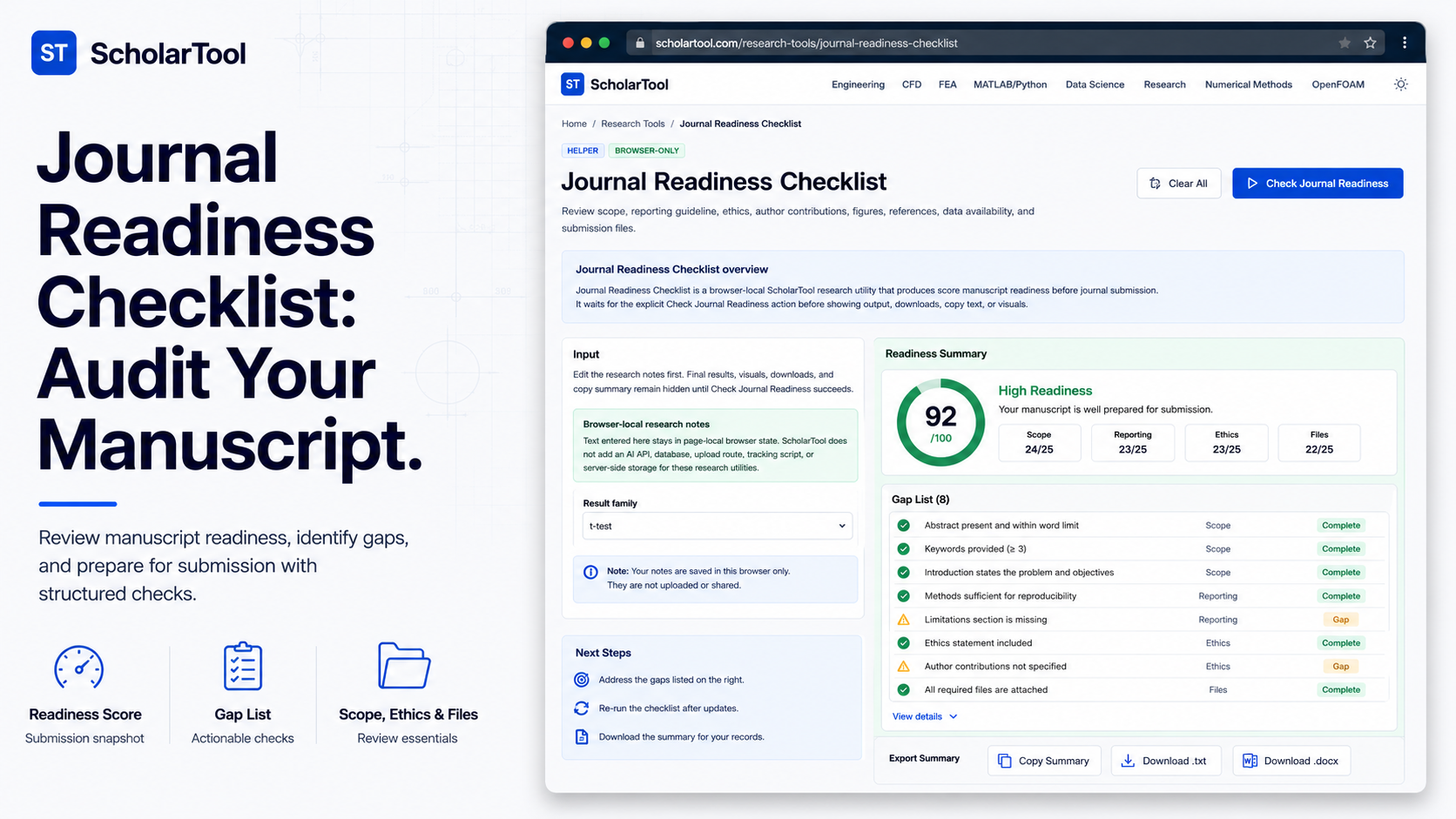
I have found that for many graduate students, the gap between a “finished” draft and a “ready” submission is often filled with undocumented decisions and missed requirements. That is why I use the Journal Readiness Checklist from ScholarTool. It is a deterministic, browser-local research utility designed to convert your structured submission notes into a transparent “manuscript audit” featuring readiness scores, gap lists, and action plans. It prioritizes instructional clarity and data residency, ensuring your proprietary research plans never leave your machine.
What the Journal Readiness Checklist Helps You Do
The primary purpose of this tool is to act as a structured auditor for your submission workflow. In technical terms, it performs a rule-based parse of your checklist rows to report readiness percentages and identify unresolved manuscript items.
What I find useful here is the focus on “data sovereignty.” Unlike standard AI-based assistants that might send your specific research objectives or proprietary notes to a cloud-analysis API, this builder processes everything locally in your browser tab. It addresses the common problem of “submission anxiety” by encouraging you to review critical areas journal scope, ethics approval, author contributions, and data availability statements before you ever hit the “submit” button on a journal portal.
Inputs You Can Use
The interface is built with a configuration-first layout to ensure your internal audit is sound before any summary is generated.
Submission Rows and Status Markers
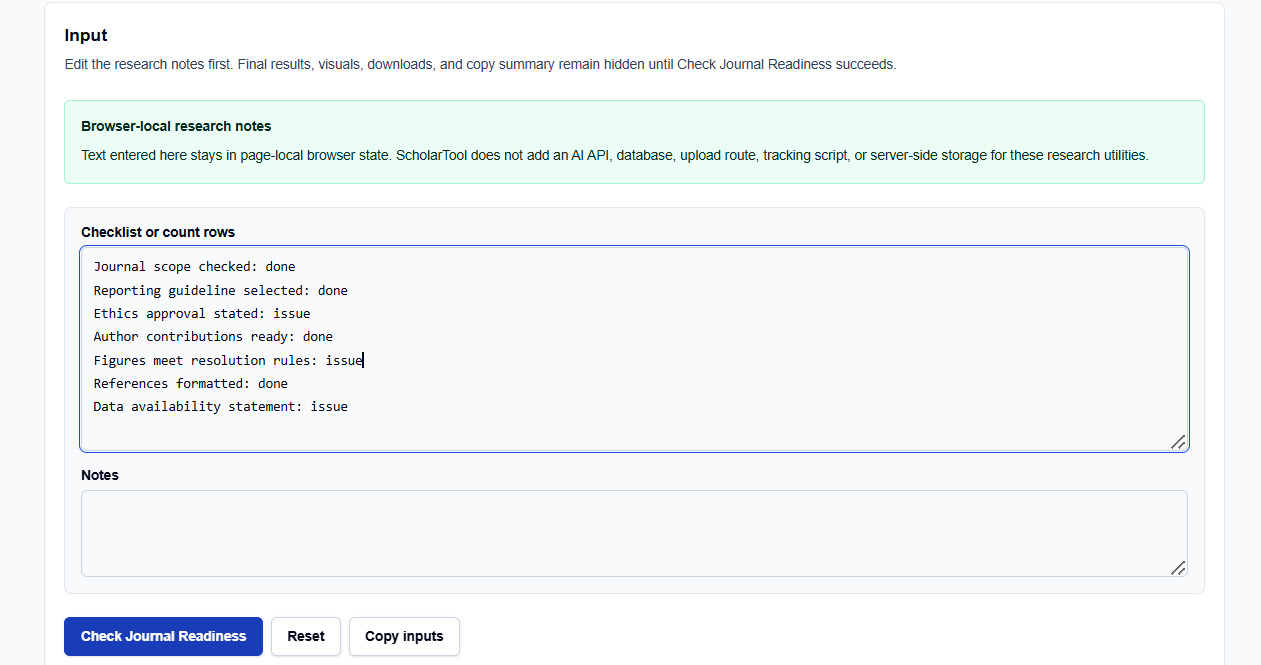
In the Submission rows field, you enter your criteria and their current status using a simple “criterion: status” format. I typically use the standard categories provided by the tool:
- Journal scope checked: Ensuring the topic aligns with the editor’s mission.
- Ethics approval stated: A non-negotiable requirement for human or animal subjects.
- Figures meet resolution rules: Preventing technical delays during typesetting.
- Data availability statement: Providing the necessary transparency for reproducibility.
I appreciate that you can assign one of four specific categories to every row: done, issue, review, or not applicable.
Free-Text Research Notes
Below the rows, you can enter free-text Notes regarding your specific database choices or supervisor feedback. What I find indispensable is that all this text is parsed locally only after you click the action button, maintaining total research privacy.
How I Use the Tool
My typical workflow starts when I transition from the drafting phase to the final submission prep. I open the Journal Readiness Checklist.
I replace the default example rows with my project-specific requirements. Once I have identified which items are “done” and which are still an “issue,” I click Check Journal Readiness. I find it practical that the result section and visuals remain hidden until this action succeeds, preventing me from acting on stale data. If I edit a single row later, the tool automatically hides the old result, requiring a rerun—a vital professional safeguard to ensure the output always matches the current plan.
Understanding the Results
The result section provides a Readiness score and a structured Submission gap list first. For a professional audit, I focus on:
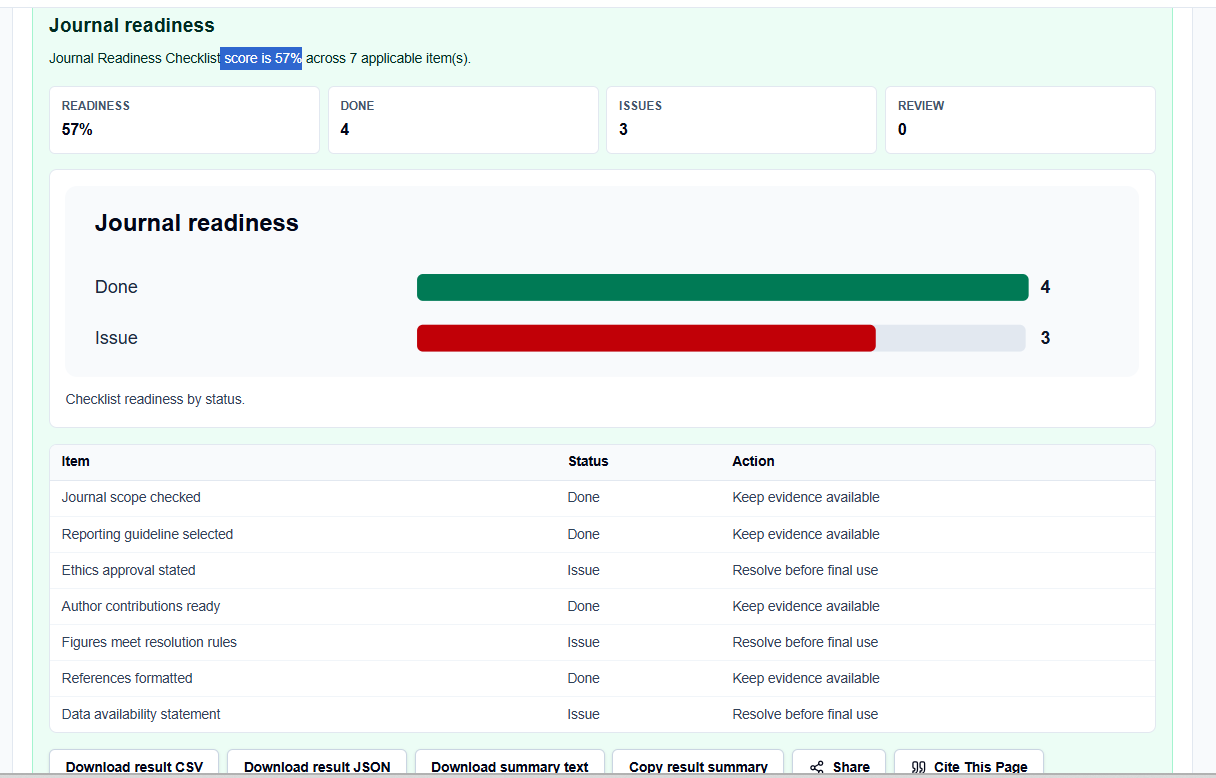
- n and Score: The tool reports the count of parsed records ($n$) and a readiness percentage ($score$). I follow the tool’s guidance: treat these as progress metrics for documentation, not as final academic approval.
- Status Classification: The tool visually groups my tasks, helping me identify “missing decisions” early.
- Exports: I frequently use the copy and download features to move this artifact into my research log or methodology chapter for a team review.
A Practical Example: The Medical Manuscript
Suppose I am preparing a clinical manuscript and enter: Ethics approval: issue and References formatted: done. After clicking the action button, the tool applies the deterministic formula ($readiness = done / applicable \times 100$). It returns a score of 50% and flags the ethics approval as a pending gap. Seeing this “math receipt” allows me to justify the next steps in my workflow before finalizing the submission.
Mistakes I Would Avoid
One common pitfall is using the readiness score as proof of completion. As the tool’s practical guidance reminds us, a high score means fewer checklist gaps, but it cannot assess peer-review outcome or editorial fit.
Another mistake is leaving example rows in place. Always replace pre-filled text with project-specific notes to avoid generating a misleading audit for your supervisor.
Try the Free Journal Readiness Checklist
Before you manually juggle a mental list of journal requirements, take a minute to generate a transparent readiness audit. It is the fastest way to ground your submission planning in structured logic while maintaining total browser privacy.
Try the Journal Readiness Checklist here.
To complete your research workflow, you may also find the APA Results Formatter, the Literature Review Matrix Builder, or the Thesis Chapter Planner essential for your academic success.
FAQ
1. Does this tool upload my proprietary research text?
No. The utility runs entirely in your browser using page-local state. ScholarTool does not add a database, API upload route, or AI service for your research text, ensuring total data residency.
2. Can this checklist replace my supervisor’s final approval?
No. It is a workflow aid for organizing research decisions and drafts. You should always confirm final requirements with your supervisor, ethics board, and target-journal instructions.
3. Why do the results disappear when I edit a row?
The tool is designed to prevent “stale” or misleading artifacts. If you change your inputs, the old output is hidden until you click “Check Journal Readiness” again, ensuring that your exported summary always matches your current progress.