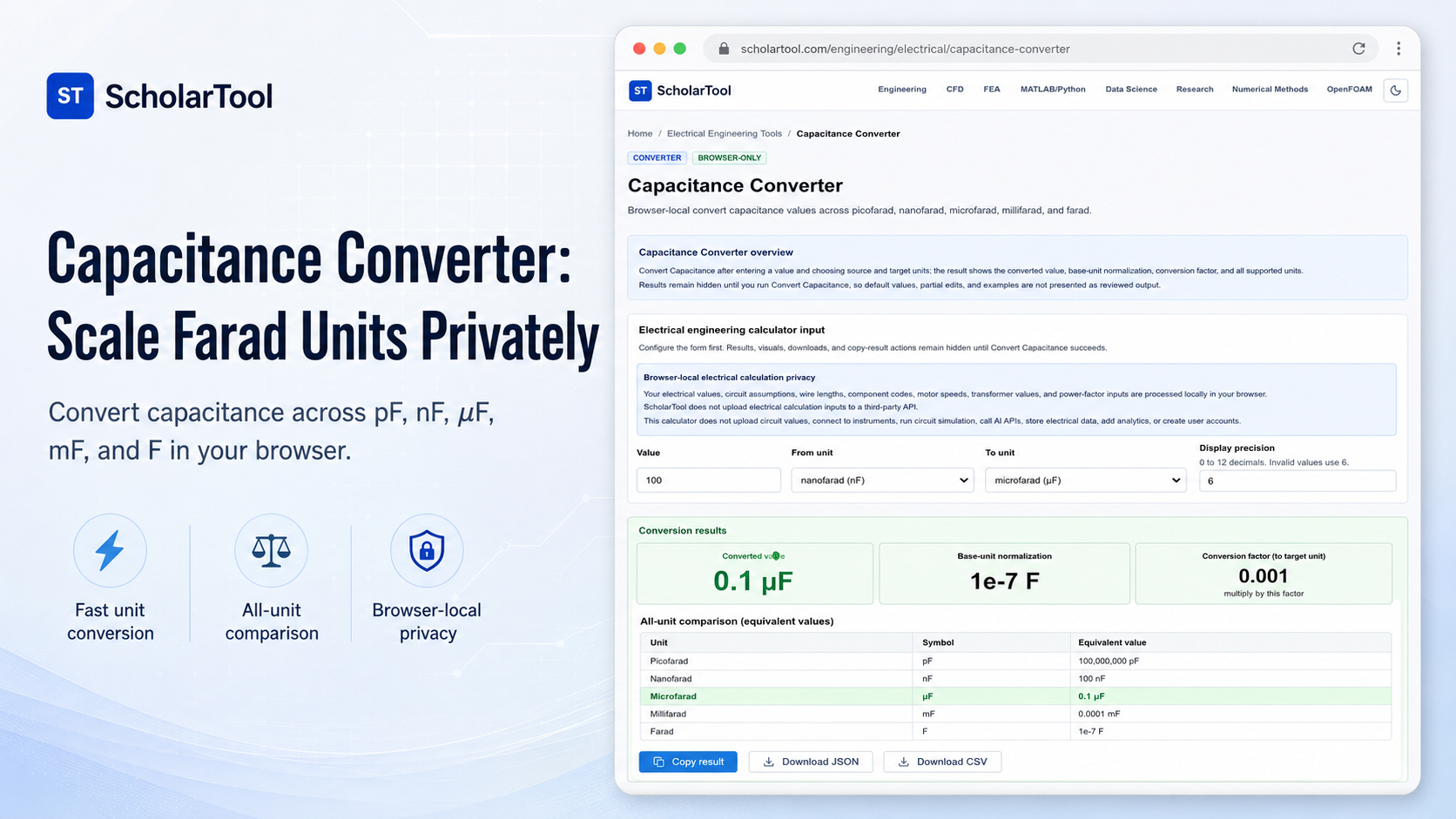
Capacitance Converter: Scale Farad Units Privately
When detailing a PCB stackup, specifying bypass capacitors for decoupling nodes, or verifying laboratory measurements, scaling capacitance values across SI prefixes is a constant checkpoint. A capacitor’s physical ability to store electrical charge per unit potential difference spans twelve orders of magnitude in typical designs. Guessing these scaling relationships can lead to mismatched impedance networks, incorrect RC time constant calculations, or board layout issues.
To solve this circuit review bottleneck privately, I use the Capacitance Converter on ScholarTool [197–198]. This browser-local utility scales capacitance values across picofarad, nanofarad, microfarad, millifarad, and farad scales. Because all calculations run entirely on your local machine using client-side TypeScript, your proprietary values, board specifications, and device codes are never uploaded to any external servers, ensuring 100% data privacy.
What the Capacitance Converter Helps You Do
This calculator acts as a steady-state takeoff and arithmetic verification aid during early circuit layout and bill of materials (BOM) reviews. Rather than forcing you to manually calculate scientific exponents or risk scale errors in custom design spreadsheets, the interface structures these prefixes into a clean layout.
What I find useful here is how the sizer normalizes the input value to the SI base unit of farads while displaying a comparative table of all supported scales simultaneously. You can choose to convert small-scale picofarad ceramic disc capacitors, nanofarad decoupling networks, or high-capacity farad-scale filter banks. It generates a clear math receipt of your converted capacitance for your takeoff documentation.
Sizing Capacitance: What, Why, and How
What is capacitance? Physically, it is the measure of a system’s ability to store an electric charge in an electrostatic field between two conducting surfaces separated by a dielectric. Why do we convert it? In practice, electronic systems operate across vastly different physical scales. For instance, high-frequency RF bypass circuits use picofarad-range capacitors, digital decoupling networks use nanofarads, power supply bulk filters require microfarads, and experimental energy-storage setups use millifarads or farads. Converting these quantities allows designers to align nominal component codes with standard physical models.
How do we convert it? Sizing this physical quantity relies on prefix multipliers. Sizing prefix scales differs from physical boundaries. For example, you use our Sheet Metal Weight Calculator to size a panel’s physical mass to prevent structural bending under gravity. In contrast, this converter handles scalar quantities of electrical charge storage. Sizing these boundaries side-by-side ensures a robust and reliable CAD design takeoff.
Inputs You Can Use
The interface features a clean, responsive layout to prevent scale translation errors:
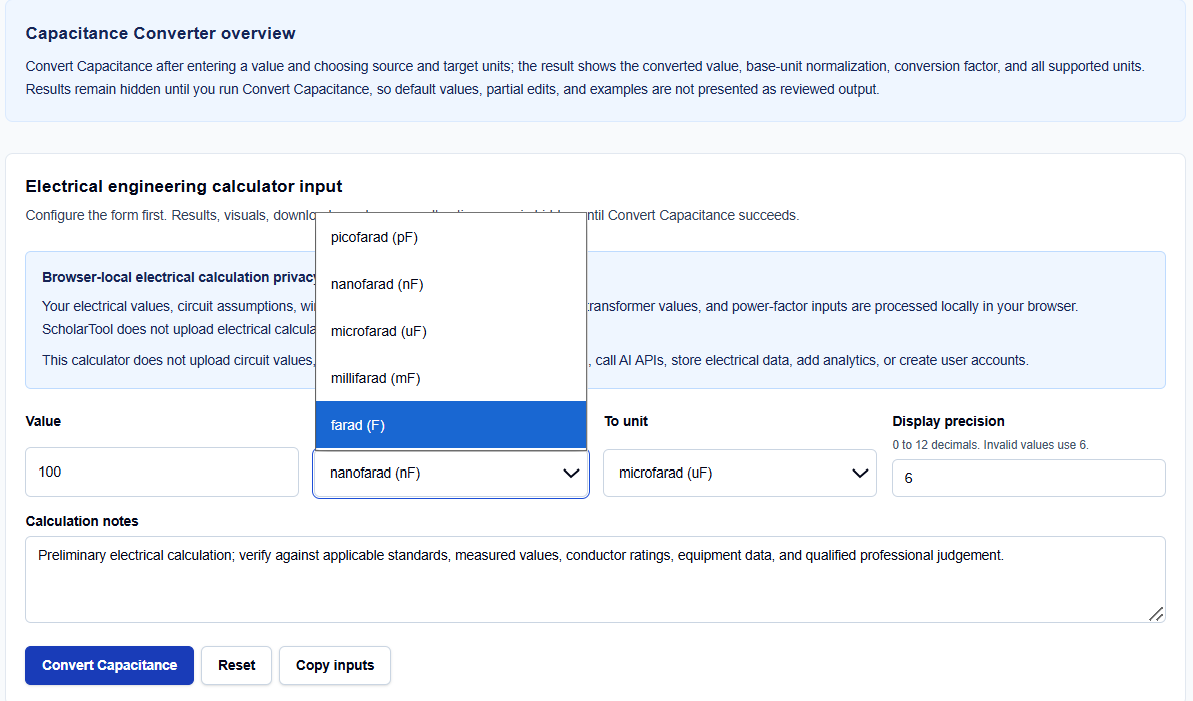
- Value: Enter the numeric capacitance value to scale. Scientific notation such as 1e-6 is accepted.
- From Unit: Select the source unit from the dropdown, ranging from picofarad to farad.
- To Unit: Select the target unit for your primary conversion.
- Display Precision: Specify a decimal precision from 0 to 12.
If your data is available in this form, you can enter the nominal quantities directly.
How I Use the Tool
I open the Capacitance Converter in my active browser window and review the default fields.
When I enter our raw capacitor markings, I verify that our chosen source units match our field documentation. Once configured, click Convert Capacitance to execute. The result section helps you review the primary output alongside the base-unit normalization. All results and copying actions remain hidden until this succeeds. If you edit any input afterward, the results automatically hide to prevent transcribing stale values.
Understanding the Results
The result section helps you verify your electrical boundaries by presenting several key elements:

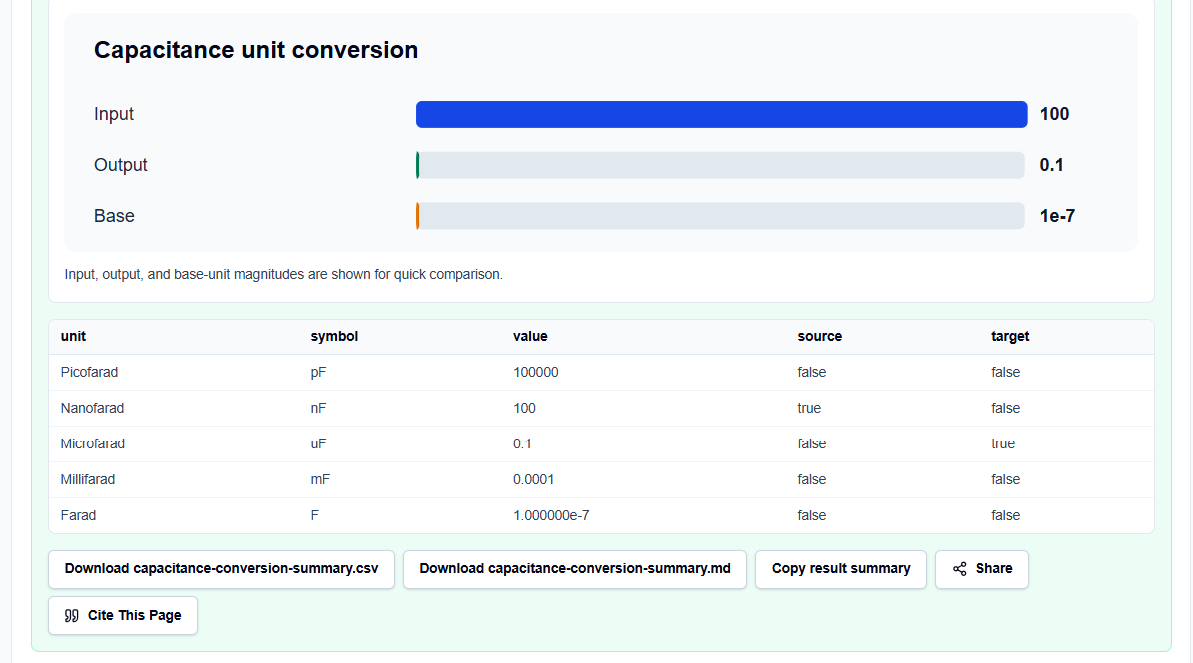
- Converted Value: Reports the primary conversion in your selected target unit.
- Base-Unit Normalization: Displays the normalized value in standard farads.
- All-Unit Table: Compares the entered value across all supported prefix scales.
- Data Export Buttons: Formats the complete calculation block into copyable Markdown or downloadable CSV files.
The result section helps you document your conversions instantly. The sizer does not run complex dynamic simulations, keeping calculations highly responsive.
A Practical Example: Sizing a Decoupling Run
Consider converting a standard decoupling capacitor of 100 nanofarads to microfarads.
We enter 100 in the value field, select “nanofarad (nF)” as the source unit, and “microfarad (uF)” as the target unit.
Upon clicking calculate, the browser-local script applies standard multipliers. The result section helps you verify that this run results in a converted value of exactly 0.1 uF, demonstrating a clean scale translation.
Mistakes I Would Avoid
One critical mistake is treating component markings as complete specification data. Simply scaling units does not verify tolerances, equivalent series resistance (ESR), leakage current, or physical package details.
Another major pitfall is using ideal scalar conversions as a substitute for safety-critical voltage rating reviews. A capacitor must be rated to withstand grid transients separately.
Finally, avoid relying on stale output values. Always click calculate after modifying any input field to refresh the table.
Try the Free Capacitance Converter
To secure your design parameters, try this secure tool today:
Try the Capacitance Converter on ScholarTool
Check voltage parameters with our Voltage Converter or verify current levels with our Current Converter. Sizing with our Resistance Converter or Capacitor Code Calculator finishes your layout.
FAQ
1. Does the Capacitance Converter account for temperature coefficients, tolerances, or dielectric breakdown?
No. This tool is a scalar arithmetic sizer that translates values across SI scales (such as nanofarads to microfarads). It preserves the nominal physical quantity and does not evaluate dynamic circuit properties, manufacturing tolerances, equivalent series resistance (ESR), leakage paths, or dielectric breakdowns under high electric fields.
2. Why do the output tables and download buttons hide automatically when I modify a field?
This is a built-in safety guard designed to prevent default parameters, partial edits, or stale numbers from being mistaken for completed and reviewed engineering design outputs. Always click Convert Capacitance after changing any input parameter to refresh the results.
3. Are my custom schematic values or proprietary component selections uploaded to ScholarTool?
No. All calculation scripts are executed entirely locally on your device within your active browser tab using client-side TypeScript logic. ScholarTool does not upload your capacitance inputs, wire lengths, or power factors to external databases or third-party APIs, protecting your complete proprietary confidentiality.