Pressure Converter: MPa, psi, bar & $N/mm^2$ Tool
When I am reviewing a technical specification for a hydraulic system or setting up a boundary condition for a CFD simulation, I often run into the “decimal point drift” problem. One manufacturer might list a pump’s output in bar, my material data sheet lists yield strength in Megapascals (MPa), and my legacy simulation software expects inputs in pounds per square inch (psi). Manually performing these conversions on a handheld calculator is an invitation for a transcription error that could compromise the safety of a pressure vessel or the accuracy of a fluid model.
What I find indispensable for these checks is the ScholarTool Pressure Converter. It is a deterministic, browser-local utility designed to translate pressure and stress-equivalent units across global standards. Whether you are dealing with high-pressure industrial systems or sensitive laboratory vacuum readings, this tool ensures your inputs are mathematically sound and your proprietary data remains private.
What the Pressure Converter Helps You Do
In technical terms, pressure is force exerted perpendicular to the surface of an object per unit area. The primary purpose of this tool is to provide a unified environment where diverse units ranging from GigaPascals (GPa) used in high-modulus materials to inches of water column (inH2O) found in HVAC systems can be harmonized.
As I’ve observed in standard machine design manuals like Bhandari’s, accuracy in these translations is non-negotiable. An error in converting $N/mm^2$ to Pascals could lead to a design that fails to meet its required Factor of Safety. The ScholarTool interface eliminates this risk by using a “browser-only” calculation engine. Because the math happens locally on your device, your sensitive manufacturing specs are never submitted to a third-party API.
A Comparative Perspective: Geometry vs. Magnitude
From a comparative perspective, it is useful to see how this tool relates to other components of a simulation workflow, such as the Hydraulic Diameter Calculator. While the Hydraulic Diameter tool is used to resolve the geometry of a flow passage (turning a non-circular duct into an equivalent length scale), the Pressure Converter resolves the magnitude of the load acting upon that geometry.
I find that these two tools often serve as the “logical bookends” of a setup. You use one to define the physical scale of your domain and the other to ensure that your pressure-based boundary conditions are in the correct unit system required by your solver. Grounding your project in both geometric and numerical precision is the first step toward a converged, reliable result.
Inputs You Can Use
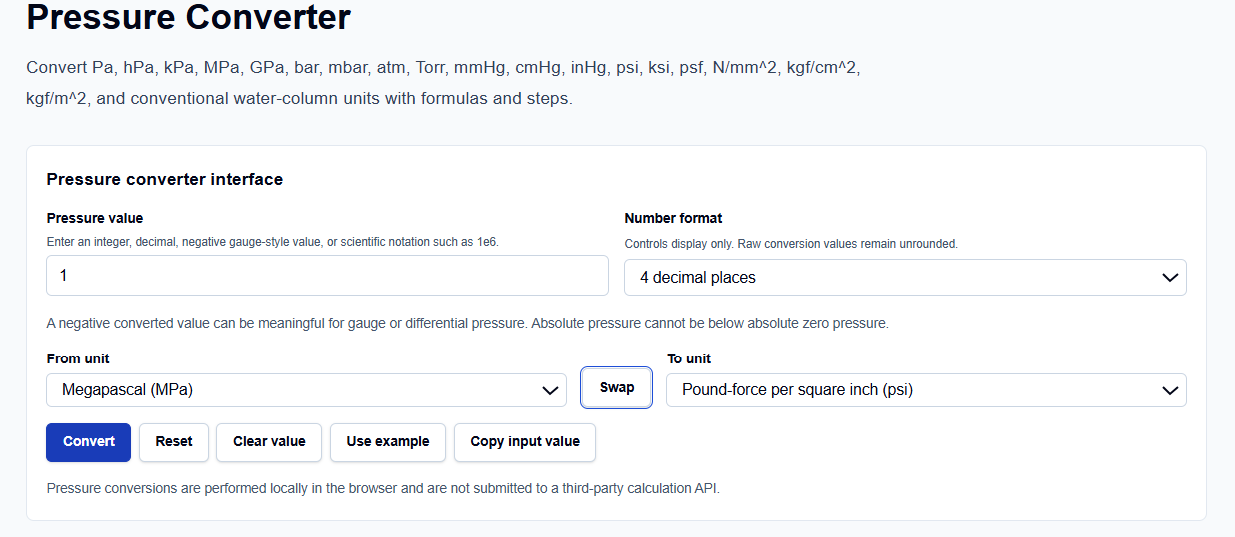
The interface is built with a logical, “config-first” layout that allows you to set your parameters before you trigger a result.
Value and Formatting
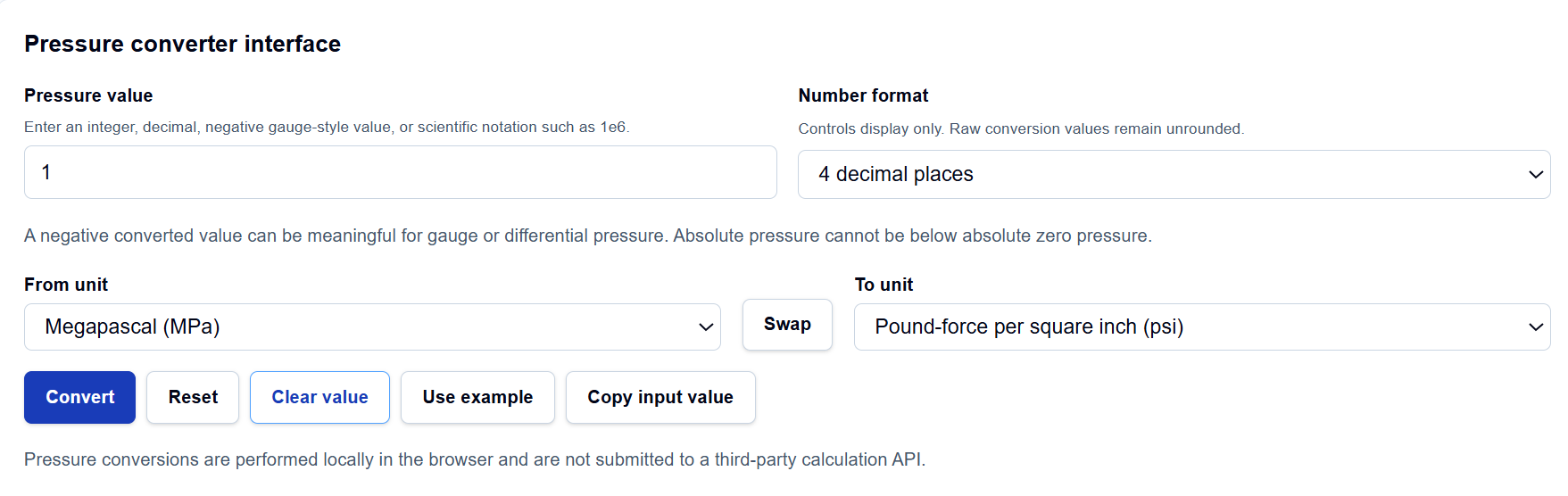
I start by entering the Pressure value. I have noticed that this field is highly flexible; you can enter standard decimals or use scientific notation like 2.5e6 for high-pressure applications. Below this, you can choose the Number format. This controls the display precision ranging from 2 to 8 decimal places or up to 6 significant figures while the tool keeps the raw conversion values unrounded internally to maintain integrity.
Unit Selection
The From unit and To unit dropdowns cover every standard I typically encounter, including SI, metric, atmospheric, and US Customary units. If I accidentally enter them in the wrong order, I simply click the Swap button to reverse the logic instantly.
How I Use the Tool
My typical workflow begins with selecting the source unit from a data sheet. For instance, if I am looking at a vacuum gauge reading, I might select “Millimeter of mercury (mmHg).”
Once I click the Convert action, I appreciate the transparency of the Calculation steps. The tool provides an explicit Base-unit normalization, converting the input into Pascals (Pa) first before translating to the target unit. This two-step process is a professional-grade approach that prevents the compounding rounding errors found in simpler calculators. If I need to see how the result looks for a common engineering benchmark, I often click the Use example button to pre-fill the fields.
Understanding the Results
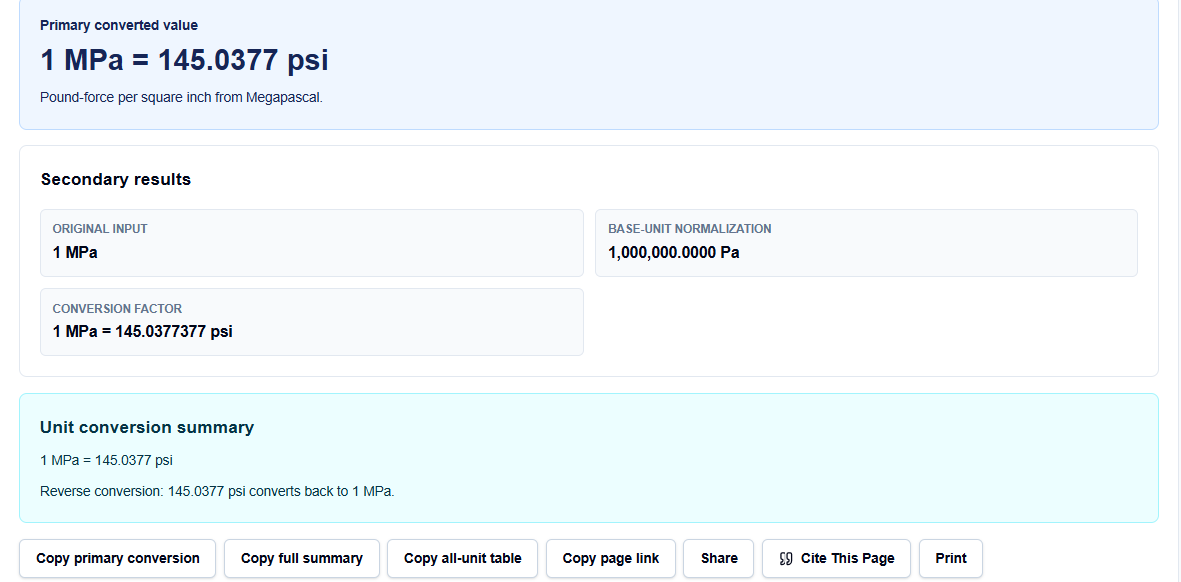
The result section provides the Primary converted value prominently at the top. However, what I find most valuable for auditing my work is the All-unit comparison table.
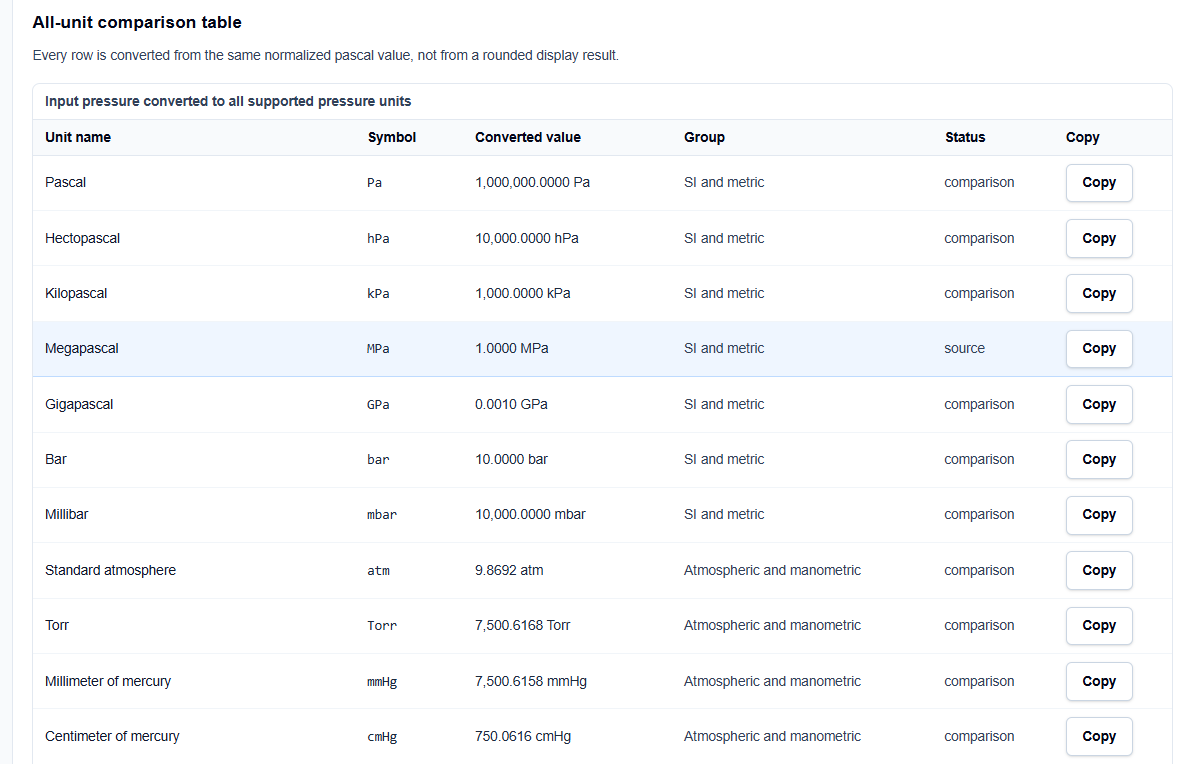
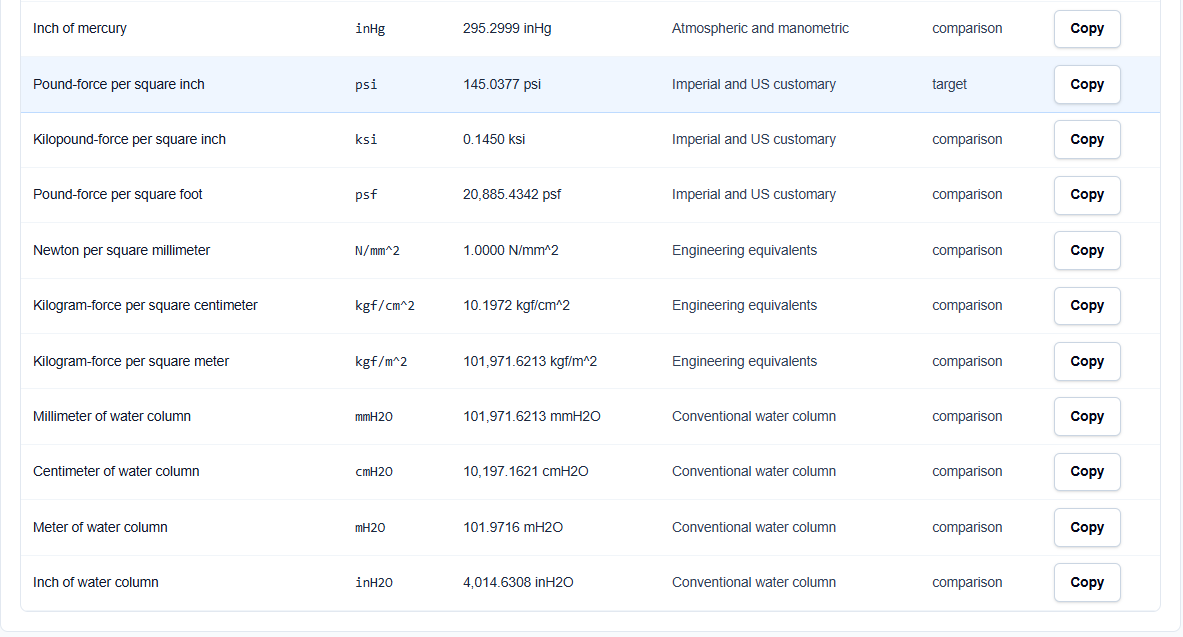
Every row in this table is converted from the same normalized Pascal value. If I am converting to MPa, I can glance at the table to verify that my result matches the $N/mm^2$ equivalent exactly. Since 1 MPa is identical to 1 $N/mm^2$, seeing this identity in the table gives me immediate confidence in the result. I also find the Technical visual helpful; it shows a conceptual logarithmic scale that helps me visualize where my value sits relative to common benchmarks like 1 atm or 1 bar.
A Practical Example
Suppose I have a material property listed as 1 MPa and I need to input it into a US Customary solver. I enter 1 in the value field and select Megapascal (MPa) as the source and Pound-force per square inch (psi) as the target.
The result shows that 1 MPa = 145.0377 psi. I can then use the Copy full summary button to archive the normalization steps and the comparison table directly into my simulation report, providing a clear “audit trail” for my calculations.
Mistakes I Would Avoid
One common pitfall I see is mixing gauge and absolute pressure. While the tool supports negative values (which are meaningful for gauge or differential pressure), it cannot determine the context for you. I always make it a point to track whether my source data is relative to atmospheric pressure or absolute zero before using the converted value.
Another mistake is treating MPa and $N/mm^2$ as different. As the tool’s engineering interpretation reminds us, they are dimensionally equivalent. Using them interchangeably without understanding this can lead to redundant calculations and confusion in structural reports.
Try the Free Pressure Converter
Before you finalize your next simulation setup or structural report, take a minute to verify your load values. It is the fastest way to eliminate unit-based errors in your engineering documentation.
Try the Pressure Converter here.
For a complete simulation review, you may also find the Stress Converter, Force Converter, or the Reynolds Number Calculator essential for your workflow.
FAQ
1. Is $N/mm^2$ the same magnitude as MPa?
Yes. One Megapascal is exactly equal to one Newton per square millimeter. The converter uses this equivalence internally, which you can verify by viewing both units in the all-unit comparison table.
2. Can I convert negative pressure values?
Yes. A negative converted value can be meaningful for gauge pressure (vacuum) or differential pressure. However, the tool will remind you that absolute pressure cannot fall below absolute zero.
3. Does this tool save my proprietary data?
No. All pressure conversions are performed locally in your browser using TypeScript logic. Your inputs and results are not submitted to any third-party calculation API or ScholarTool server.