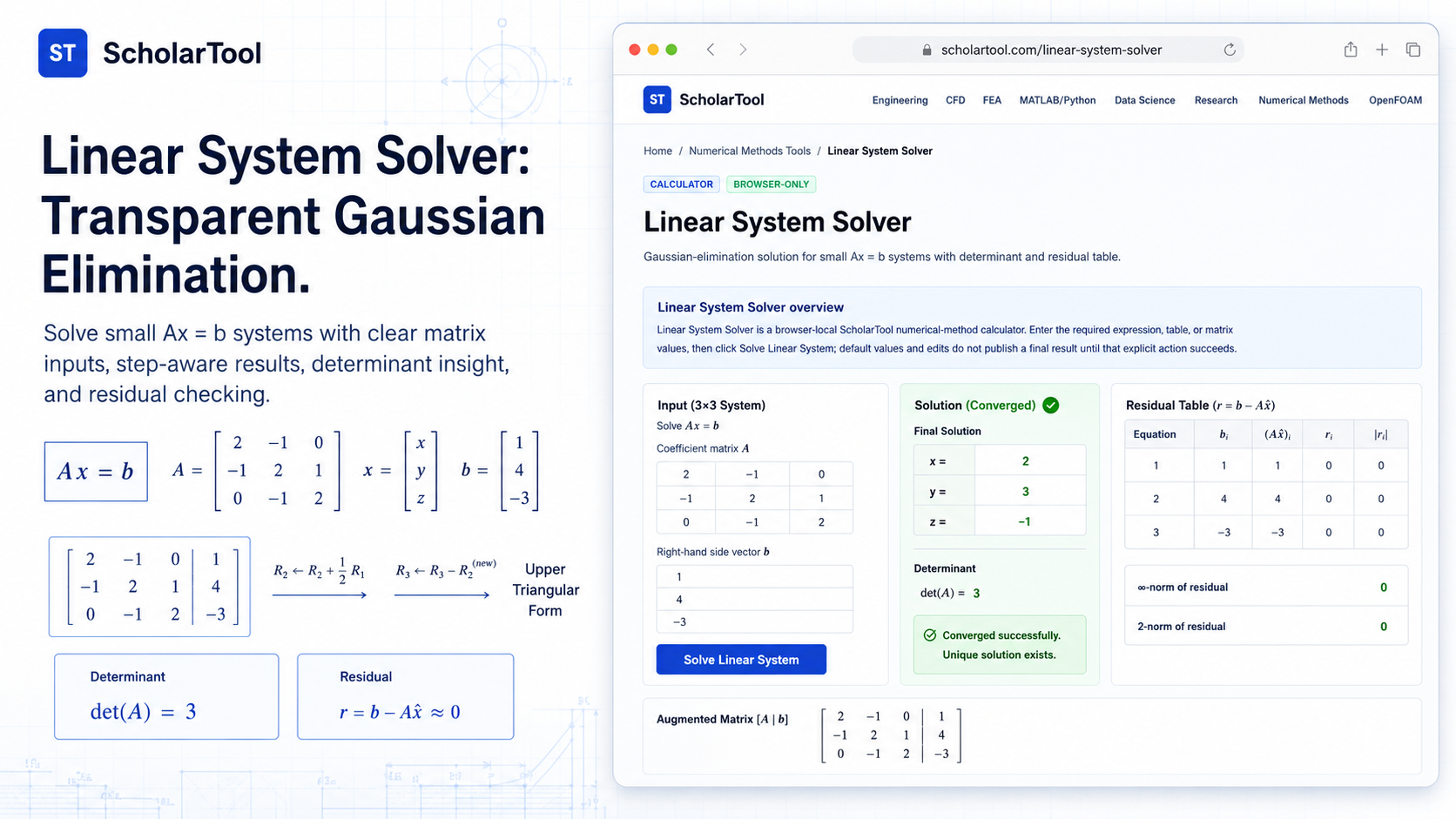
Linear System Solver: Gaussian Elimination Tool Online
When I am auditing a structural force balance or verifying the steady-state concentration in a series of chemical reactors, the “final milestone” is almost always the solution of a system of linear algebraic equations. As Joe Hoffman notes in Numerical Methods for Engineers and Scientists, these systems arise in all branches of science, from electrical networks to finite difference equations. While professional software can handle massive matrices, there is a frequent need in preliminary design and education for a transparent, step-by-step audit of small $Ax = b$ systems.
What I find indispensable for these tasks is the Linear System Solver from ScholarTool. It is a deterministic, browser-local utility designed to solve systems using partial-pivot Gaussian elimination. Whether I am checking a hand calculation for a lecture or performing an early engineering-analysis estimate, this tool ensures my numerical assumptions are sound while keeping my proprietary model data entirely private.
What the Linear System Solver Helps You Do
The primary purpose of this tool is to provide a visible, auditable path to the solution vector $x$. In technical terms, it parses a coefficient matrix $A$ and a right-hand-side vector $b$, applies row operations to reduce the system to upper-triangular form, and then uses back substitution to recover the unknowns.
I find the interface particularly helpful because it prioritizes clarity over “black-box” automation. Unlike many online solvers that return only a final answer, this calculator generates an iteration history, residual checks, and a result-driven visual. What I appreciate most is the “browser-only” architecture. Because the tool processes your inputs locally using TypeScript and a restricted math parser, your sensitive equations are never submitted to a third-party AI or remote server.
Inputs You Can Use
The interface is built with a configuration-first layout that ensures your data is valid before the solver attempts an elimination.
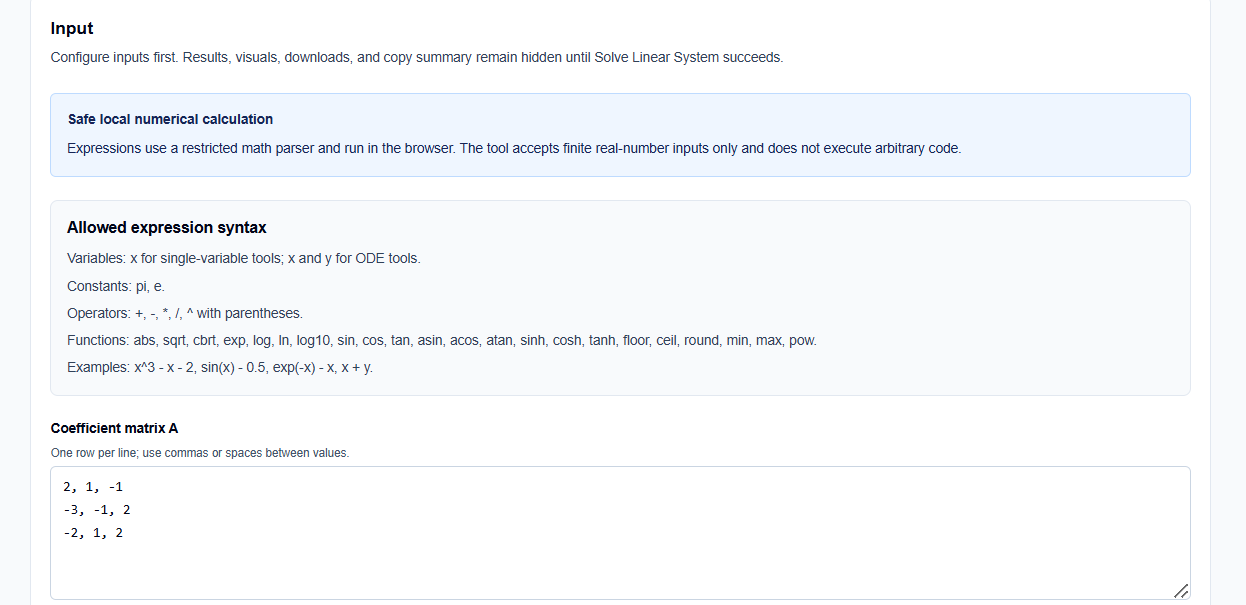
Matrix and Vector Configuration
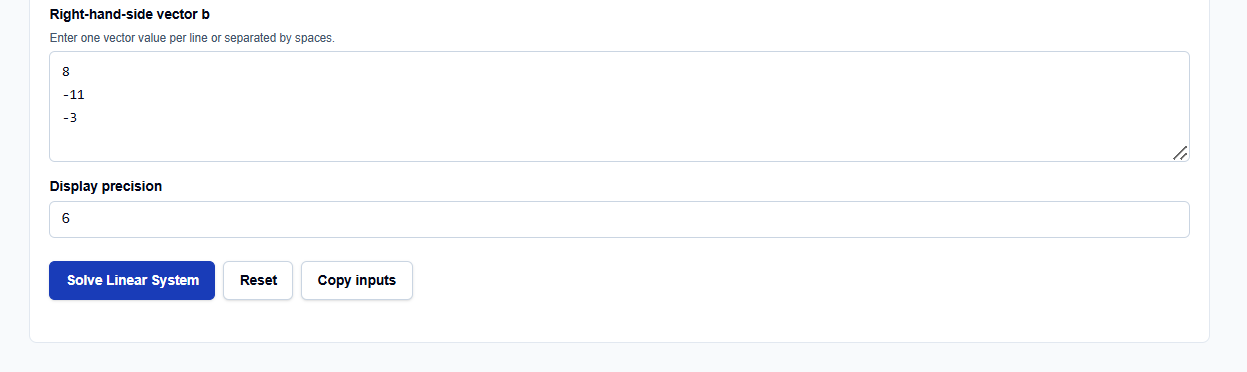
You can enter the Coefficient matrix A one row per line, using either commas or spaces to separate values. For the Right-hand-side vector b, you simply enter the values on new lines or separated by spaces. I find this flexibility useful when copying data directly from a spreadsheet or a terminal log.
Precision and Controls
You have direct control over the Display precision, which dictates how many significant digits appear in the final table. It is important to note that while the display may be rounded for readability, internal calculations utilize standard double-precision floating-point arithmetic.
How I Use the Tool
My typical workflow begins when a manual derivation or a simple script produces a small system of equations that requires verification. I open the Linear System Solver and enter my matrix values.
Once I have configured the inputs, I click Solve Linear System. I appreciate that the results remain hidden until this explicit action succeeds, preventing me from acting on stale or default data. I then review the Residual vector, which serves as a “math receipt” showing how closely the computed solution satisfies the original equations. If I change an input, the results disappear until I rerun the calculation, ensuring my audit trail is always current.
A Comparative Perspective: Why Gaussian Elimination?
From a professional perspective, Gaussian elimination is the most fundamental and useful direct method for solving linear systems. When comparing it to other methods:
- Vs. Gauss-Jordan: While Gauss-Jordan is elegant, it is computationally more expensive, requiring roughly 1.5 times more operations for large systems.
- Vs. Iterative Methods: For small, dense matrices, direct elimination is preferred over iterative methods like Gauss-Seidel, which are better suited for large, sparse systems where memory and round-off are primary concerns.
- Partial Pivoting: The ScholarTool solver utilizes partial pivoting swapping rows to choose a stronger pivot which reduces the risk of division by zero and minimizes avoidable numerical failure.
Understanding the Results
The results section provides the Final root estimate first, followed by the Iteration Table. For a professional audit, I focus on:
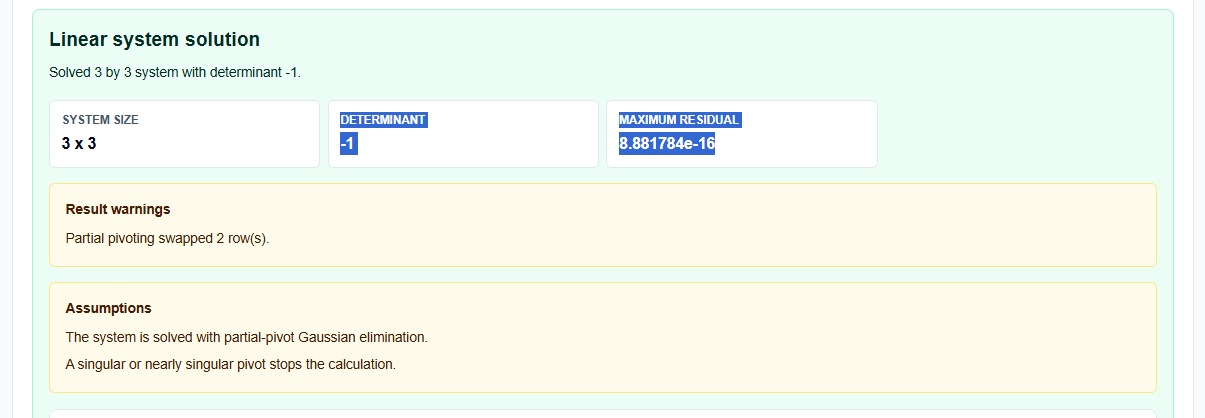
- Residual Checks: The residual $r = Ax – b$ shows the quality of the solution. Small residuals indicate a high-quality result.
- Determinant: The tool reports the determinant; a zero or nearly zero determinant flags a singular or ill-conditioned system.
- Interpretation: The solver provides notes on whether the solution exactly satisfies the equations or if floating-point rounding is present.
A Practical Example: The Three-Equation Benchmark
Suppose I need to solve the following system: $2x + y – z = 8$ $-3x – y + 2z = -11$ $-2x + y + 2z = -3$
I enter matrix $A$ as [[2, 1, -1], [-3, -1, 2], [-2, 1, 2]] and vector $b$ as [8, -11, -3]. Clicking Solve Linear System yields the final result: $x = 2, y = 3, z = -1$. The small residuals generated by the tool confirm that this vector perfectly satisfies the original physics of the model.
Mistakes I Would Avoid
One common pitfall is entering a vector length that does not match the matrix. The tool requires a square matrix and a vector of the same dimension to perform a standard solution.
Another mistake is treating a rounded display as an exact analytical solution. I always check the residual table to understand the impact of floating-point arithmetic on my simulation data.
Try the Free Linear System Solver
Before you spend another hour manually unrolling row operations in your notebook, take a minute to generate a transparent iteration table. It is the fastest way to ground your linear systems in verified numerical logic while maintaining total data residency.
Try the Linear System Solver here.
To complete your numerical toolkit, you may also find the Matrix Determinant and Inverse Calculator or the Interpolation Calculator essential for your analysis workflow.
FAQ
1. What is partial pivoting?
Partial pivoting is a technique used during Gaussian elimination where rows are swapped to ensure the pivot element is the largest possible in its column. This reduces numerical errors and avoids division by zero.
2. Can this tool solve large matrices?
No. This browser-based tool is intentionally limited to small systems suitable for education, estimation, and preliminary engineering checks.
3. Does this solver use my data to train AI?
No. All processing is performed locally in your browser using TypeScript logic. Your data and expressions are processed in the page state and are never submitted to a server, database, or AI API.