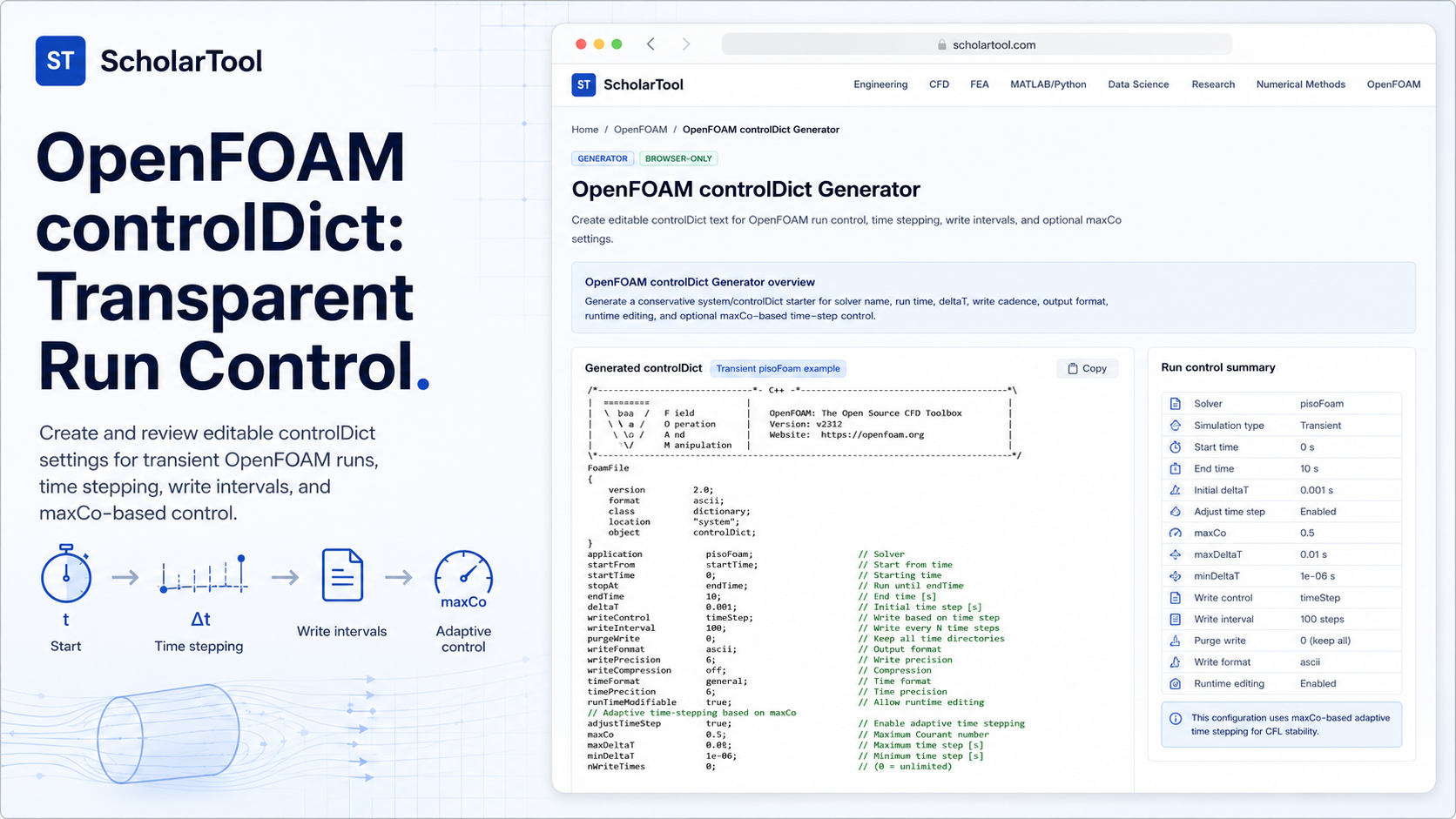
OpenFOAM controlDict Generator: Online Run-Control Tool
When I am setting up a new CFD case, whether it’s a simple laminar pipe flow or a complex turbulent wake analysis, the “first point of contact” for run stability is the system/controlDict file. As noted in the OpenFOAM User Guide, this dictionary is essential for setting time control and data output parameters. While I could copy-paste from an old tutorial, I find that manual editing often leads to syntax errors or inconsistent write cadences that can clutter a storage partition.
What I find indispensable for this initial setup phase is the OpenFOAM controlDict Generator from ScholarTool. It is a deterministic, browser-local utility designed to build a conservative starter template for solver names, time steps, and write intervals. It prioritizes instructional clarity and data residency, ensuring that my case notes and run parameters stay on my machine while I plan my simulation trajectory.
What the controlDict Generator Helps You Do
The primary purpose of this tool is to bridge the gap between a conceptual run window and an actionable OpenFOAM dictionary. In technical terms, it validates numeric run-control values and formats them into the precise C++ dictionary syntax required by OpenFOAM solvers.
I find the interface particularly helpful because it breaks the “blank screen” friction of pre-processing. Instead of just giving me a generic template, it allows me to select a Solver family such as simpleFoam-like for steady-state runs or pimpleFoam-like for transient simulations which adjusts the default parameters accordingly. What I appreciate most is the “browser-only” architecture. Because the tool processes all inputs locally using TypeScript, my proprietary case settings are never submitted to a third-party AI or cloud server.
Inputs You Can Use
The interface is built with a logic-first layout that ensures you have a valid setup before the text is generated.
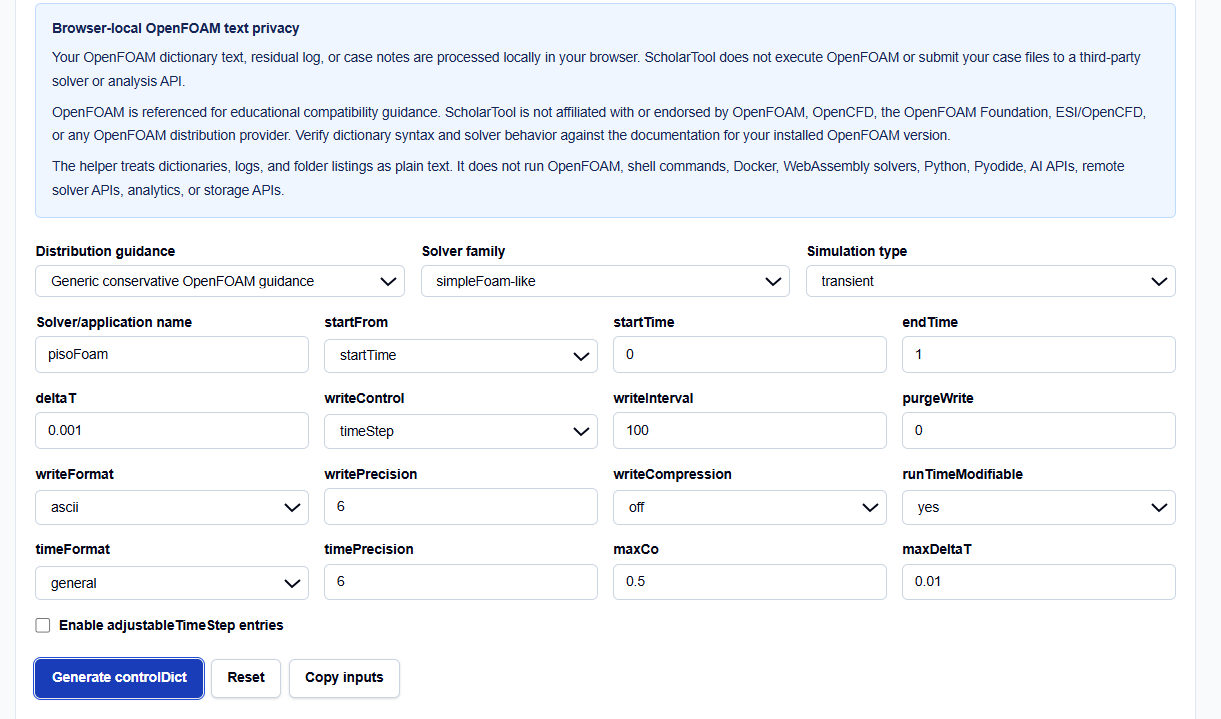
Distribution and Solver Presets
I always start by selecting the Distribution guidance. You can choose between Generic, OpenFOAM Foundation-style (e.g., v14), or OpenCFD-style (.com distributions). This is a vital professional feature because while the core logic is similar, subtle differences in default behaviors can exist between distributions. You then define your specific Solver/application name, such as pisoFoam.
Time and Write Controls
You have direct control over the nominal run window using startTime, endTime, and deltaT. One field I pay close attention to is writeControl. You can choose between timeStep, runTime, or adjustableRunTime. This determines whether your writeInterval is interpreted as a count of steps or as simulation time units.
Advanced Stepping (maxCo)
For transient solvers that support it, you can enable adjustableTimeStep entries. This allows you to set a target maxCo (maximum Courant number) and a maxDeltaT limit. The generator then includes these explicit entries after the runTimeModifiable flag.
How I Use the Tool
My typical workflow begins when I am drafting a new research case. I open the OpenFOAM controlDict Generator to establish my baseline.
Once I have selected my solver family and configured my write cadence, I click Generate controlDict. I appreciate that the results, visuals, and downloads remain hidden until this explicit action, preventing me from acting on stale data. I then review the Visual summary, which shows me the estimated number of steps and the total write count. If the step count looks excessive for my hardware, I adjust the deltaT or endTime right there in the browser before copying the text into my case folder.
Understanding the Results
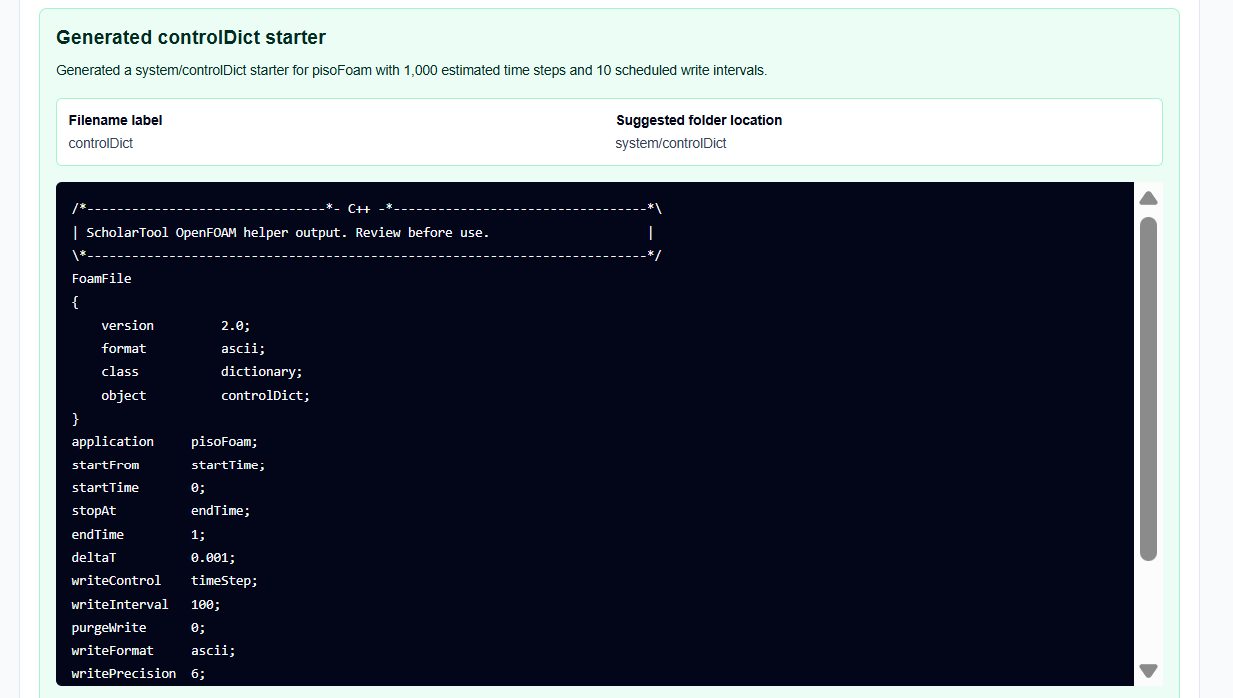
The result section provides the Editable controlDict text first, targeted directly for your system/controlDict. However, for a professional audit, I focus on the secondary outputs:
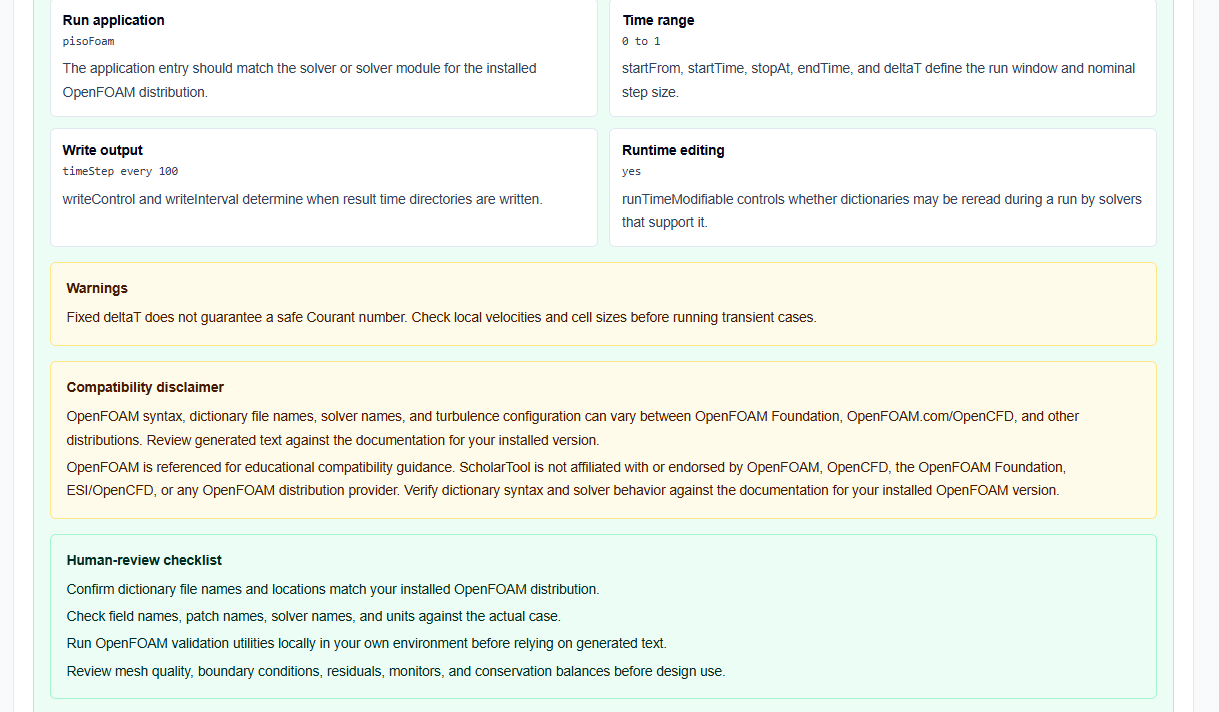
- Visual Summary: Summarizes duration, step count, and write count, which is perfect for planning storage requirements.
- Human-Review Checklist: Reminds me to verify solver support for specific flags and check mesh quality independently.
- Residual and adjustableTimeStep Notes: Provides warnings if a fixed deltaT still needs Courant review or if adjustable time-stepping is solver-dependent.
A Practical Example: A Transient pisoFoam Case
Suppose I am setting up a transient elbow flow using pisoFoam. I select the pisoFoam-like solver family and transient simulation type. I set startTime to 0, endTime to 1, and deltaT to 0.001.
As I click Generate controlDict, the tool builds the dictionary with writeControl timeStep and a writeInterval of 100. The visual summary instantly tells me I will have 1,000 steps and 10 output directories. This “math receipt” allows me to skip the manual mental arithmetic and move directly to the OpenFOAM Courant Number and Time Step Calculator for fine-tuning.
Mistakes I Would Avoid
One common pitfall is using latestTime accidentally. As the tool’s common mistakes section warns, if your intended start point is zero but you select latestTime, the solver will look for existing time directories which may not exist in a fresh case.
Another mistake is assuming maxCo alone guarantees stability. While setting a maxCo of 0.5 is a standard starter, it does not replace the need for qualified professional review of the underlying case physics and mesh quality.
Try the Free OpenFOAM controlDict Generator
Before you manually type out another system/controlDict, take a minute to generate a transparent run-control draft. It is the fastest way to ground your OpenFOAM setup in verified dictionary logic while maintaining total browser privacy.
Try the OpenFOAM controlDict Generator here. To complete your pre-processing toolkit, you may also find the OpenFOAM fvSchemes Helper or the OpenFOAM Case Folder Checklist essential for your simulation workflow.
FAQ
1. Does this tool run OpenFOAM in my browser?
No. It only generates and analyzes OpenFOAM dictionary text locally in your browser. It does not execute solvers, shell commands, or Docker containers.
2. Can I use the generated dictionary for every OpenFOAM version?
The tool provides templates for Foundation and OpenCFD styles, but OpenFOAM syntax varies between distributions. You should always review the generated text against the documentation for your installed version.
3. Are my formulas or case files sent to a server?
No. All dictionary text and case notes are processed locally on your device. ScholarTool does not submit your case files to any third-party solver or storage API.