The Code Comment and Docstring Generator: Documenting for Durability
When I am auditing a complex simulation or preparing a research script for a colleague, the “stumbling block” isn’t usually the algorithm itself; it is the friction of inconsistent documentation. As Edward Magrab notes in An Engineer’s Guide to MATLAB, a well-structured program must be readable and compact, and documentation is a non-negotiable attribute of any professional script. Yet, in the heat of a research deadline, we often skip the very docstrings and help blocks that make our work auditable. Whether I am defining a Python function or a MATLAB .m file, I find that a lack of standardized comments leads to significant technical debt during the debugging phase.
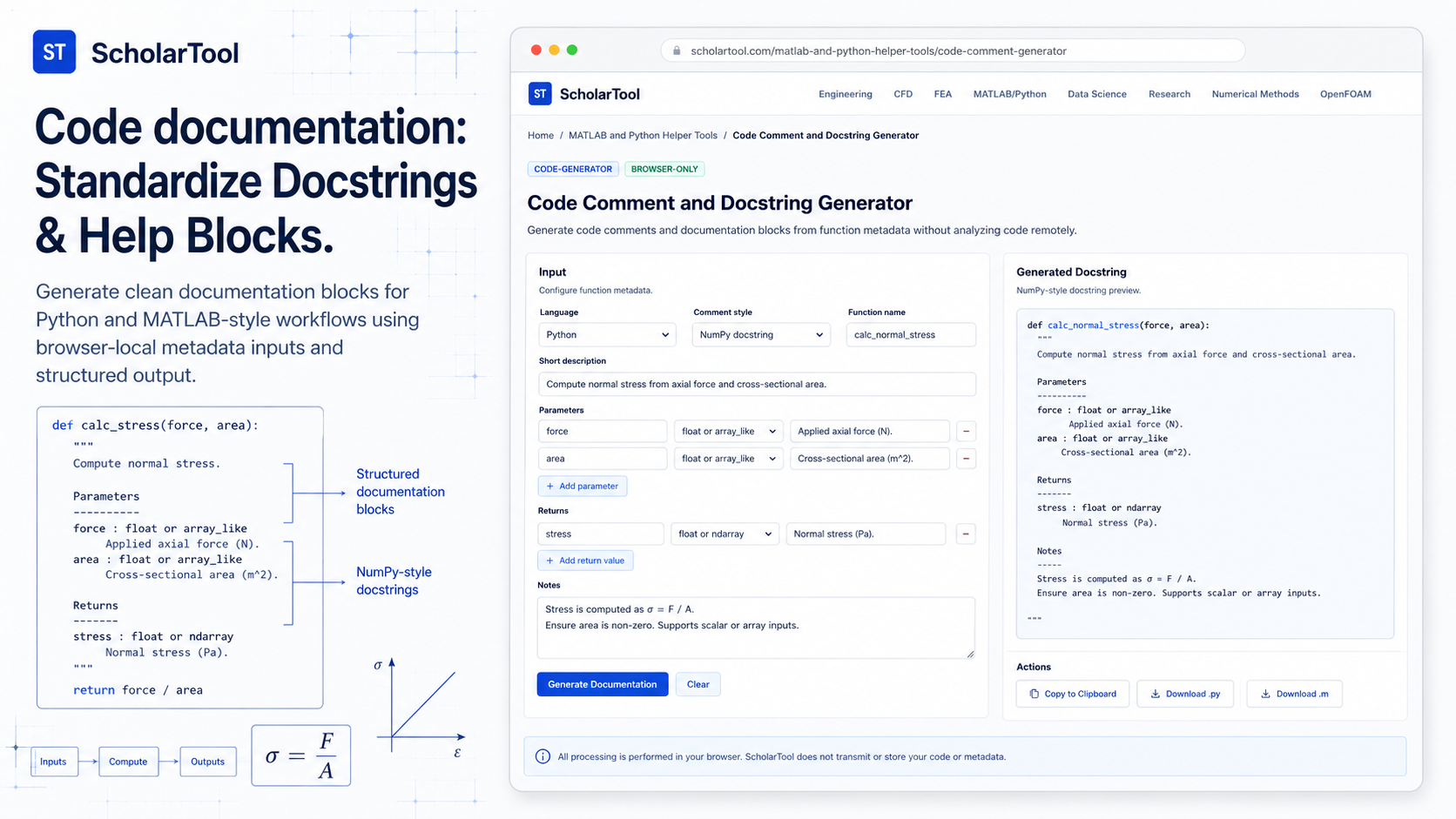
What I find indispensable for establishing this structural baseline is the Code Comment and Docstring Generator from ScholarTool. It is a deterministic, browser-local utility designed to generate complete documentation blocks including docstrings, help blocks, and example usage without ever sending your proprietary logic to a server.
What the Code Comment and Docstring Generator Helps You Do
The primary purpose of this tool is to speed up routine syntax translation and template drafting for documentation. In technical terms, it validates your metadata, checks for invalid identifiers, and assembles a deterministic template based on the style you select.
I find the interface particularly helpful because it provides a “Comparative Perspective” between engineering environments. In Python, as Allen Downey explains in Think Python, we rely on triple-quoted docstrings to explain interfaces. In MATLAB, Magrab emphasizes the “H1 line” the first comment line that the help command displays. The generator automates these environment-specific nuances, ensuring that your MATLAB help blocks or Python type hints are syntactically perfect.
What I appreciate most is the “browser-only” architecture. Because the tool treats your metadata as plain text and processes it locally using TypeScript, your sensitive research parameters proprietary sensor IDs or internal variable names are never submitted to a code-analysis API or storage service.
Inputs You Can Use
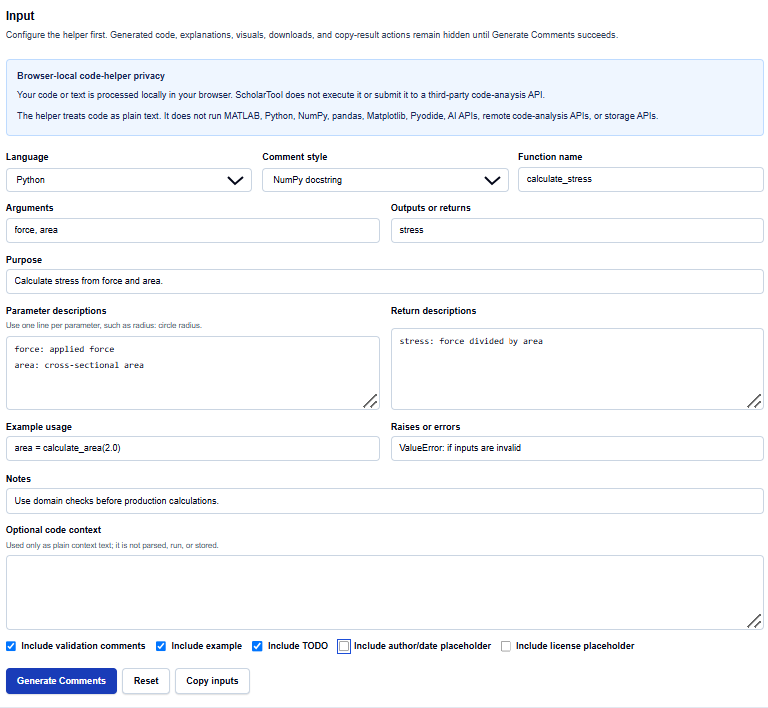
The interface is built with a configuration-first layout that allows you to define your function’s metadata before generating the code.
Metadata and Styles
I start by selecting the Language: Python or MATLAB. You then choose your Comment style. For Python, I find the NumPy docstring and Google docstring options specifically useful for large-scale data science projects. For MATLAB, it generates the standard help blocks and section comments that align with professional .m file requirements.
Function Details
Once the style is set, you enter the Function name, Arguments, and Returns. I find the advanced description fields particularly valuable for documentation audits. You can specify:
- Purpose: A concise summary of why the code exists.
- Parameter/Return descriptions: Detailed notes for every input and output.
- Example usage and Raises: Documentation for how to run the function and how it handles invalid inputs, such as a ValueError.
How I Use the Tool
My typical workflow begins before I share a script with collaborators. If I have a rough function for a specialized calculation, such as a “calculate_stress” routine, I open the helper.
I enter my variable names and labels, then toggle the Include validation comments and Include TODO checkboxes. Once I click Generate Comments, the results—which were previously hidden to prevent me from mistaking default examples for my own output appear instantly. I then review the Output explanation and any Warnings provided. Because the tool is deterministic, I can audit the generated structure as a “math receipt” of the interface design. After the check, I copy the resulting docstring to use as the starter text in my editor.
Understanding the Results
The result section provides the Generated comments or docstrings prominently at the top. However, for a professional audit, I pay close attention to the Warnings:
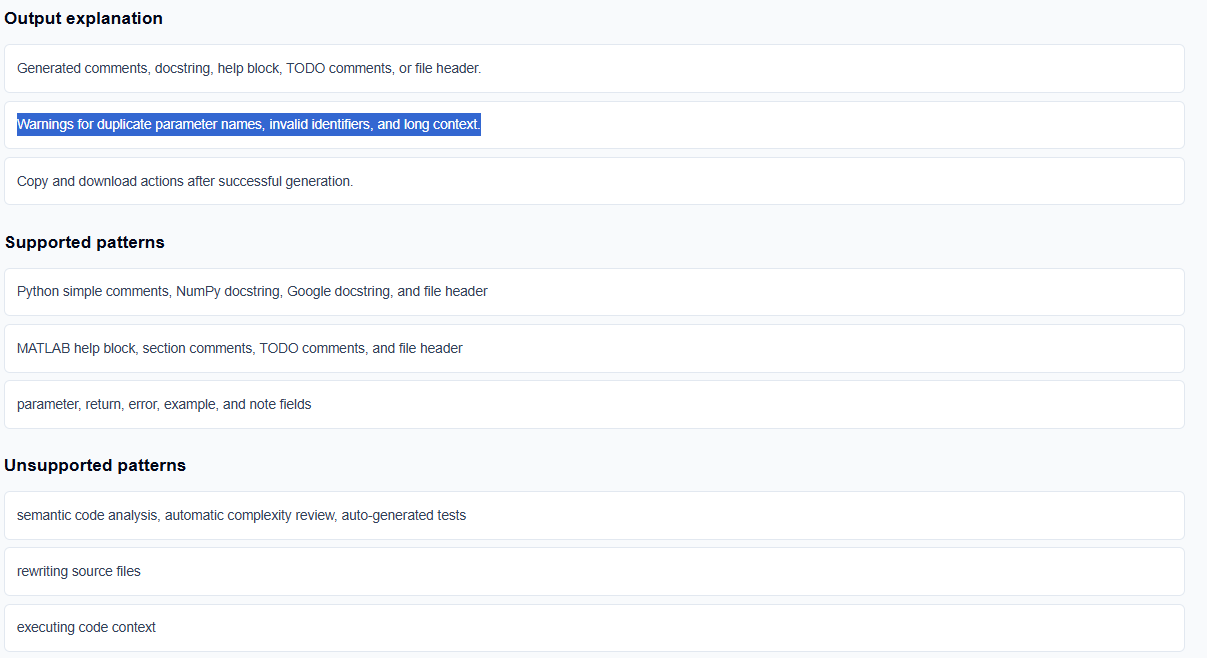
- Identifier Checks: The tool identifies if you’ve used duplicate parameter names or invalid characters, preventing obvious syntax errors.
- Semantic Assumptions: The helper provides a vital reminder that it cannot prove semantic equivalence; it identifies constructs that require a human check.
- Checklist Nature: I treat the output as a structure preview and review checklist rather than an execution trace.
A Practical Example
Suppose I am documenting a Python function to calculate mechanical stress. I select “Python,” “NumPy docstring,” and enter calculate_stress as the name. I add force and area as arguments and stress as the return value.
The Code Comment and Docstring Generator returns a Final result that includes a triple-quoted docstring with specific “Parameters” and “Returns” sections. This immediate resolution allows me to skip the manual formatting and focus on verifying the engineering units.
Mistakes I Would Avoid
One common pitfall is putting confidential project details into comments. As the tool’s common mistakes section warns, you must ensure that proprietary data is not inadvertently included in blocks intended for external sharing.
Another mistake is documenting stale parameter names. I always ensure the metadata I enter matches the actual implementation, as the helper assumes the metadata describes real function behavior.
Try the Free Code Comment and Docstring Generator
Before you start your next research script with an empty header, take a minute to generate a standardized template. It is the fastest way to ground your documentation in verified structural rules while maintaining total data residency.
Try the Code Comment and Docstring Generator here.
To complete your documentation toolkit, you may also find the Function Template Generator, CSV Read Write Code Generator, or the MATLAB Python Plot Code Helper essential for your workflow.
FAQ
1. Does the Code Comment and Docstring Generator execute my code?
No. The helper treats your metadata and optional context as plain text and applies deterministic local rules in your browser. It does not run a Python interpreter, a MATLAB environment, or Pyodide.
2. Can I use the generated snippet in my final research report?
Yes, as a starting point. As the FAQs state, you should cite and verify your final implementation according to your institution’s rules, but the generated blocks are excellent for planning documented workflows.
3. Is my proprietary variable information sent to an AI service?
No. All processing is performed locally on your device using TypeScript. Your inputs and generated snippets stay in the page state and are never submitted to an AI API, cloud storage, or third-party code-analysis service.