
Matrix Determinant and Inverse Calculator: Online Tool
When I am auditing a structural stiffness matrix or verifying a coordinate transformation script, the “stumbling block” is often the inversion of a square matrix. As Joe Hoffman notes in Numerical Methods for Engineers and Scientists, evaluating determinants by the method of cofactors is prohibitively expensive for anything larger than a 4×4 matrix, requiring an enormous $n!$ operations. While professional software suites can handle these tasks, I often find a need for a transparent, step-by-step audit of small matrices during the preliminary design or assignment checking phase.
What I find indispensable for these transitions is the Matrix Determinant and Inverse Calculator from ScholarTool. It is a deterministic, browser-local utility designed to solve for determinants and inverses using efficient elimination methods. Whether I am checking for matrix singularity or grounding a research calculation in physical reality, this tool ensures my numerical assumptions are mathematically sound while keeping my proprietary model data entirely private.
What the Matrix Determinant and Inverse Calculator Helps You Do
The primary purpose of this tool is to provide a visible, auditable path to matrix properties. In technical terms, it parses your square matrix and applies two distinct algorithms: it computes the determinant through upper-triangular elimination and determines the inverse by reducing an augmented $[A | I]$ matrix to $[I | A^{-1}]$ via Gauss-Jordan reduction.
I find the interface particularly helpful because it prioritizes instructional clarity. Unlike “black-box” solvers that return only a final answer, this calculator reports the main estimate followed by iteration history, residual checks, and a result-driven visual. What I appreciate most is the “browser-only” architecture. Because the tool processes your inputs locally using TypeScript and a restricted math parser, your sensitive equations—proprietary research variables or internal sensor data—are never submitted to a third-party AI or remote server.
Inputs You Can Use
The interface is built with a configuration-first layout that ensures your data is valid before the solver attempts a reduction.
Matrix Entry and Syntax
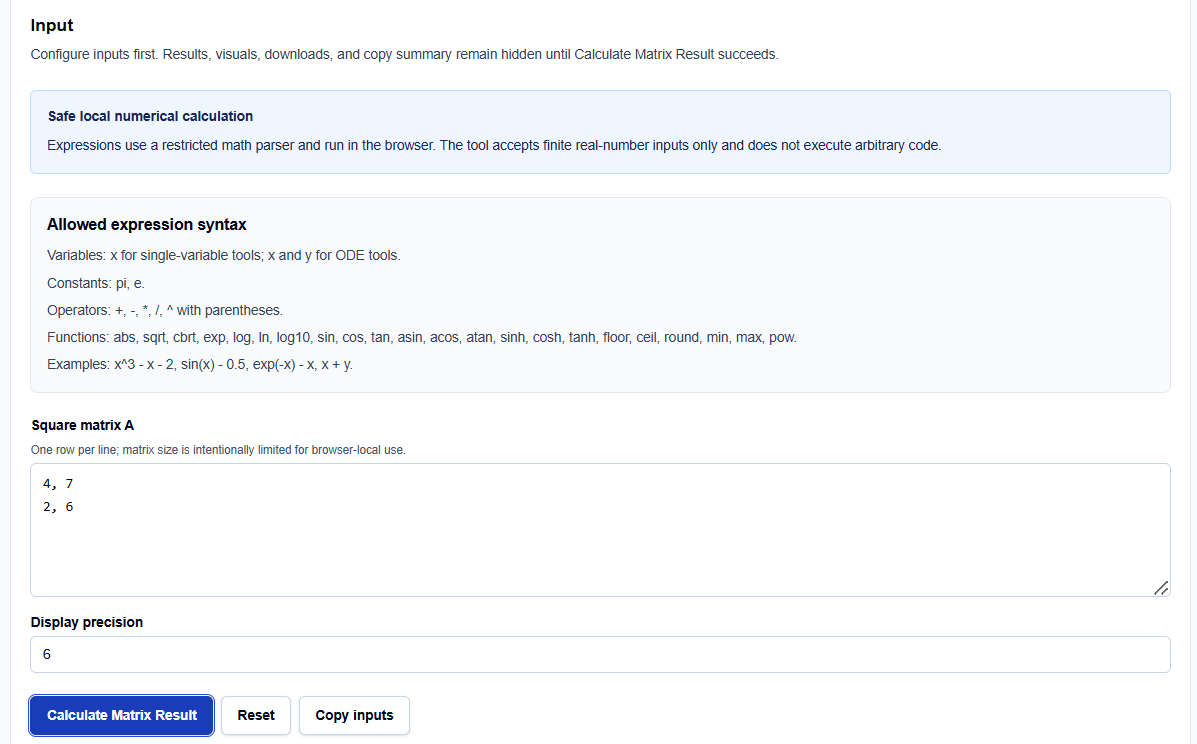
You enter your Square matrix A one row per line. I find it convenient that the tool accepts both comma- and space-separated values, allowing me to paste data directly from a terminal log or a spreadsheet. For expression-based entries, the tool supports standard constants like pi and e, along with a robust library of functions including sqrt, exp, and full trigonometry.
Precision and Controls
You have direct control over the Display precision, which dictates the number of significant digits shown in the final table. It is a vital professional feature to remember that while the display is rounded for readability, the internal calculations maintain unrounded JavaScript double-precision floating-point values.
How I Use the Tool
My typical workflow begins when a manual derivation produces a small matrix that requires verification of its properties. I open the Matrix Determinant and Inverse Calculator and enter my matrix values.
Once I have configured the inputs, I click Calculate Matrix Result. I appreciate that the results, visuals, and copy summaries remain hidden until this explicit action succeeds, preventing me from acting on stale or default data. I then review the Determinant, which the tool calculates as the signed product of diagonal pivots after pivoting and elimination. If I change an input, the results disappear until I rerun the calculation, ensuring my audit trail is always current.
Understanding the Results
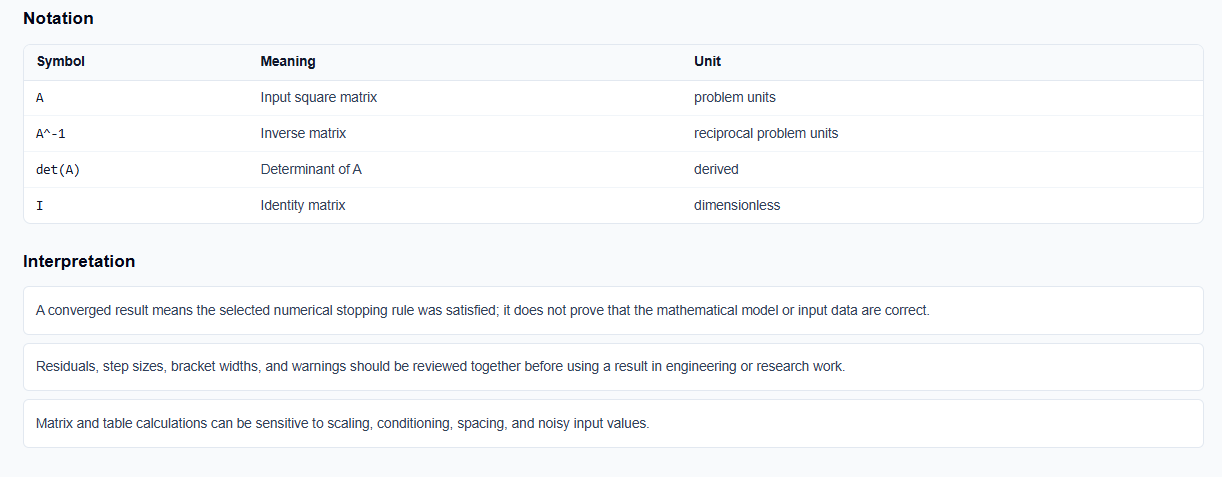
The result section provides the Inverse matrix entries and the Determinant prominently. However, for a professional audit, I focus on the Interpretation and Warnings:

- Singularity Checks: If the determinant is zero, the tool correctly warns that the inverse is not defined.
- Stability Risks: It provides a “near-singular” warning if a very small pivot is detected, alerting me that the inverse may be numerically unstable.
- Visual Validation: The result-driven visual helps me assess the spacing and quality of the data, which often reveals if I have entered linearly dependent rows.
A Practical Example: The 2×2 Benchmark
Suppose I need to invert a simple 2×2 matrix: $A = \begin{bmatrix} 4 & 7 \ 2 & 6 \end{bmatrix}$
I enter this into the calculator as 4, 7 on the first line and 2, 6 on the second. Clicking Calculate Matrix Result yields a determinant of $10$ (calculated as $4 \times 6 – 7 \times 2$). The tool then reports the final inverse matrix: $A^{-1} = \begin{bmatrix} 0.6 & -0.7 \ -0.2 & 0.4 \end{bmatrix}$
This immediate resolution allows me to skip the manual cofactor arithmetic and focus on verifying the engineering model that generated the matrix.
Mistakes I Would Avoid
One common pitfall is entering a non-square matrix. As the tool’s common mistakes section warns, only square matrices possess a determinant or a standard inverse.
Another mistake is ignoring pivot warnings for poorly scaled matrices. If the tool flags a near-singular matrix, I always compare the result with validated software or an analytical solution before using it for final design decisions.
Try the Free Matrix Determinant and Inverse Calculator
Before you spend another hour manually unrolling row operations orExpansion by minors in your notebook, take a minute to generate a transparent calculation. It is the fastest way to ground your matrix properties in verified numerical logic while maintaining total data residency.
Try the Matrix Determinant and Inverse Calculator here.
To complete your numerical toolkit, you may also find the Linear System Solver or the Interpolation Calculator essential for your analysis workflow.
FAQ
1. When does a square matrix have an inverse?
A square matrix has an inverse only when it is nonsingular, which mathematically means its determinant is nonzero in exact arithmetic.
2. Can I paste matrix rows directly from Excel?
Yes. You can paste spreadsheet rows if each row contains finite numbers separated by commas or spaces.
3. Does this calculator run automatically as I type?
No. To protect your processing resources and ensure privacy, results and visuals remain hidden until you click the explicit “Calculate Matrix Result” button.