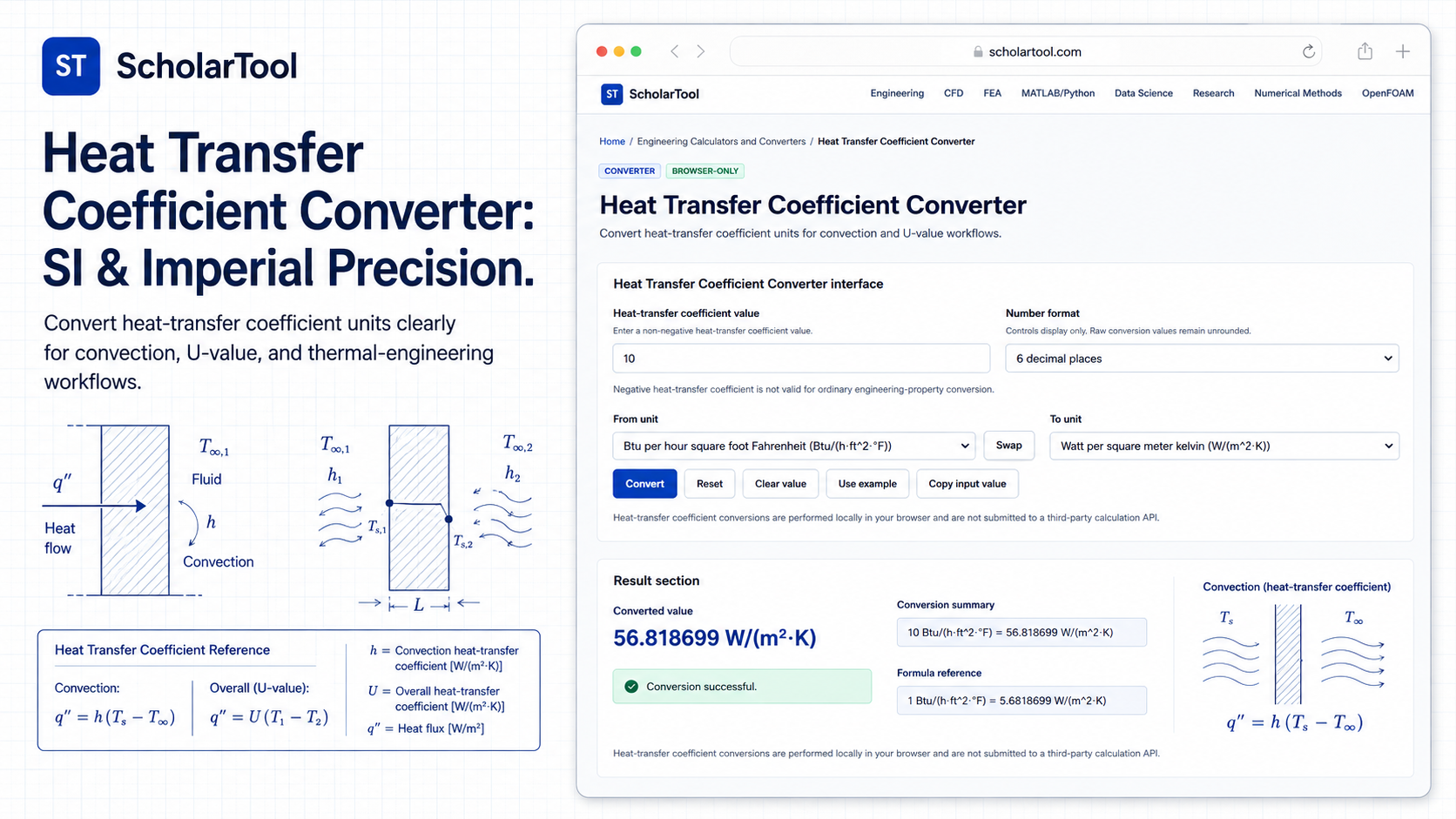
Heat Transfer Coefficient Converter: $W/m^2K$ to $Btu/h·ft^2F$
When I am setting up a thermal boundary condition for a cooling fin or auditing a heat exchanger design, I often encounter “unit friction.” A lubricant manufacturer might list a convective coefficient ($h$) in $kcal/(h·m^2·°C)$, while my Computational Fluid Dynamics (CFD) solver defaults to $W/(m^2·K)$, and my US Customary project reports require $Btu/(h·ft^2·°F)$. Manually shifting these factors on a handheld calculator is a high-stakes risk for a decimal-point error a mistake that can lead to underestimating component temperatures and causing premature failure in machine elements.
What I find indispensable for these checks is the ScholarTool Heat Transfer Coefficient Converter. It is a deterministic, browser-local utility designed to harmonize thermal resistance data across global standards. Whether you are a researcher defining experimental parameters or an engineer setting up an Ansys or OpenFOAM simulation, this tool ensures your property assumptions are accurate and your proprietary data remains private.
What the Heat Transfer Coefficient Converter Helps You Do
In technical terms, the heat transfer coefficient is the proportionality constant in Newton’s Law of Cooling, relating heat flow ($q$) to the surface area ($A$) and the temperature gradient ($\Delta T$). The primary purpose of this converter is to provide a unified environment where diverse units ranging from Kilowatts per square meter kelvin ($kW/(m^2·K)$) used in high-flux electronics to legacy metric units like kilocalories can be translated instantly.
What I appreciate about this interface is that it is “browser-only”. Your sensitive manufacturing specs or experimental boundary conditions are processed locally on your machine and are never submitted to a third-party calculation API. This level of data residency is a critical requirement for professional engineering workflows where IP security is paramount.
Inputs You Can Use
The interface is built with a logical, “config-first” layout that allows you to set your parameters before reviewing results.
Value and Formatting
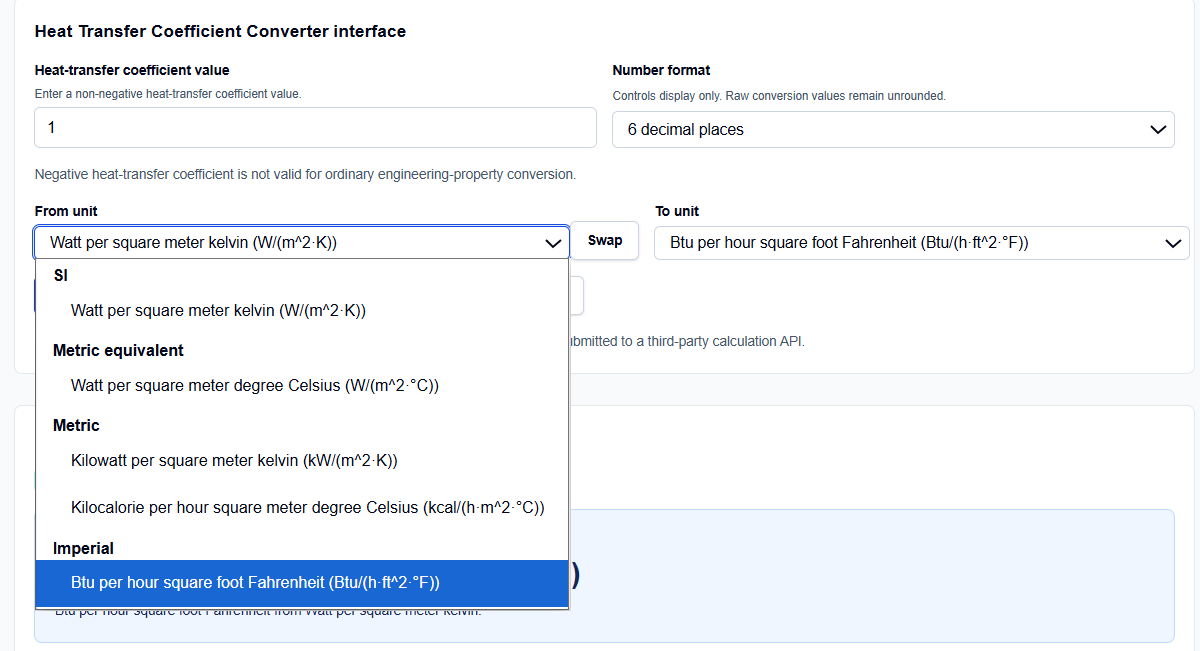
I start by entering the Heat-transfer coefficient value. I have noticed that the field is highly flexible; you can enter standard integers or use scientific notation like 2.5e3 for high-convection applications. Crucially, the tool enforces a non-negative constraint; negative coefficients are not physically valid for ordinary property conversion. Below this, you can choose the Number format to control display precision ranging from 2 decimal places to 6 significant figures without rounding the internal raw conversion values.
Unit Selection
The From unit and To unit dropdowns cover the primary standards I encounter: SI ($W/(m^2·K)$), Metric equivalents ($W/(m^2·°C)$), and Imperial ($Btu/(h·ft^2·°F)$). If I find I have accidentally entered them in the reverse order, I simply click the Swap button to flip the logic instantly.
How I Use the Tool
My typical workflow begins by entering the data from a technical handbook or a manufacturer’s data sheet. If I see a value like 50 $Btu/(h·ft^2·°F)$, I enter it and select that unit as my source.
Once I click the Convert action, I appreciate the transparency of the Calculation steps. The tool provides an explicit Base-unit normalization, converting the input into Watt per square meter kelvin ($W/(m^2·K)$) first before translating to the target unit. This two-step process is a professional-grade approach that prevents the compounding rounding errors found in simpler calculators. After the conversion, I use the Copy result or Print summary buttons to archive the data directly into my project documentation.
Understanding the Results: A Comparative Perspective
From a comparative perspective, many practitioners confuse a convective coefficient ($h$) with an overall U-value. While they share the same units, the ScholarTool interface correctly points out in its Engineering interpretation that they represent different modeling assumptions. $h$ is typically localized to a surface-fluid interface, while $U$ accounts for multiple layers of conduction and convection.
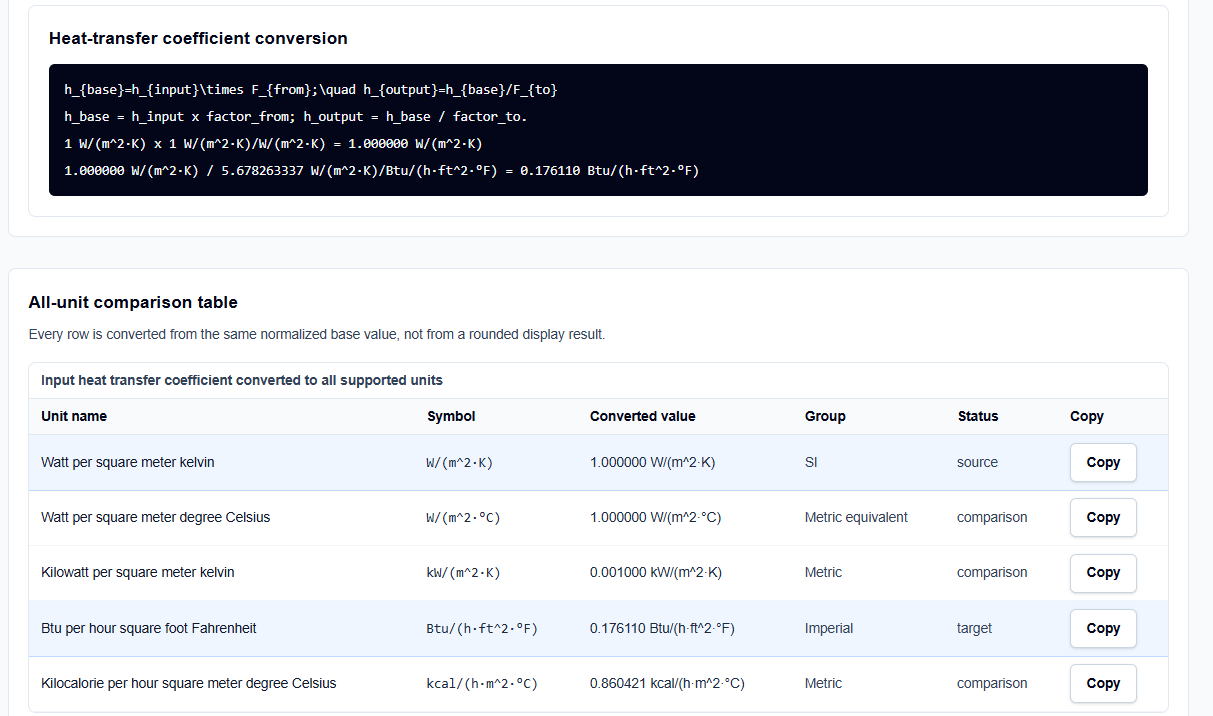
I also find it useful that the tool treats $W/(m^2·K)$ and $W/(m^2·°C)$ as numerically identical. This is because thermal conductivity and heat transfer coefficients rely on temperature intervals rather than absolute points. Since a change of one Kelvin is exactly equal to a change of one degree Celsius, the values remain the same. Seeing this identity confirmed in the All-unit comparison table provides an instant “sanity check” for my SI reports.
A Practical Example
Suppose I am verifying a convection boundary condition of 10 $W/(m^2·K)$ for a report that requires Imperial units. I enter 10 in the value field and select Watt per square meter kelvin as the source and Btu per hour square foot Fahrenheit as the target.
The result shows that 10 $W/(m^2·K) = 1.761102 Btu/(h·ft^2·°F)$. I can then look at the comparison table and instantly see that this is also equivalent to 8.604207 $kcal/(h·m^2·°C)$, allowing me to verify my work across SI, Metric, and US systems in a single step.
Mistakes I Would Avoid
One common pitfall is confusing convective $h$ with thermal conductivity ($k$). As noted in the tool’s related links, $h$ depends on the flow and geometry, while $k$ is an intrinsic material property.
Another mistake is treating a converted value as a design validation. This tool is a unit translator; it does not estimate the coefficient from your geometry or flow velocity. I always follow up a conversion by verifying my calculations with applicable standards or validated software as described in the tool’s engineering disclaimer.
Try the Free Heat Transfer Coefficient Converter
Before you hit “Run” on your next thermal simulation, take a minute to verify your boundary conditions. It is the fastest way to eliminate unit-based errors in your engineering reports.
Try the Heat Transfer Coefficient Converter here.
To complete your thermal analysis, you may also find the Temperature Converter and the Thermal Conductivity Converter essential for your workflow.
FAQ
1. Is $W/(m^2·K)$ different from $W/(m^2·°C)$?
No. Numerically, they are identical. Because the heat transfer coefficient is based on a temperature difference ($\Delta T$), and the magnitude of a 1-degree Celsius interval is the same as 1 Kelvin, the value remains unchanged.
2. Why does the tool normalize everything to $W/(m^2·K)$?
By using the SI unit as a common internal base, the tool ensures high precision and prevents the compounding rounding errors that occur when converting directly between two non-base units like $Btu$ and $kcal$.
3. Does this tool save my proprietary boundary conditions?
No. The converter is “browser-only,” meaning the calculations are performed locally on your computer using TypeScript. Your inputs and results are never submitted to any external server or API.