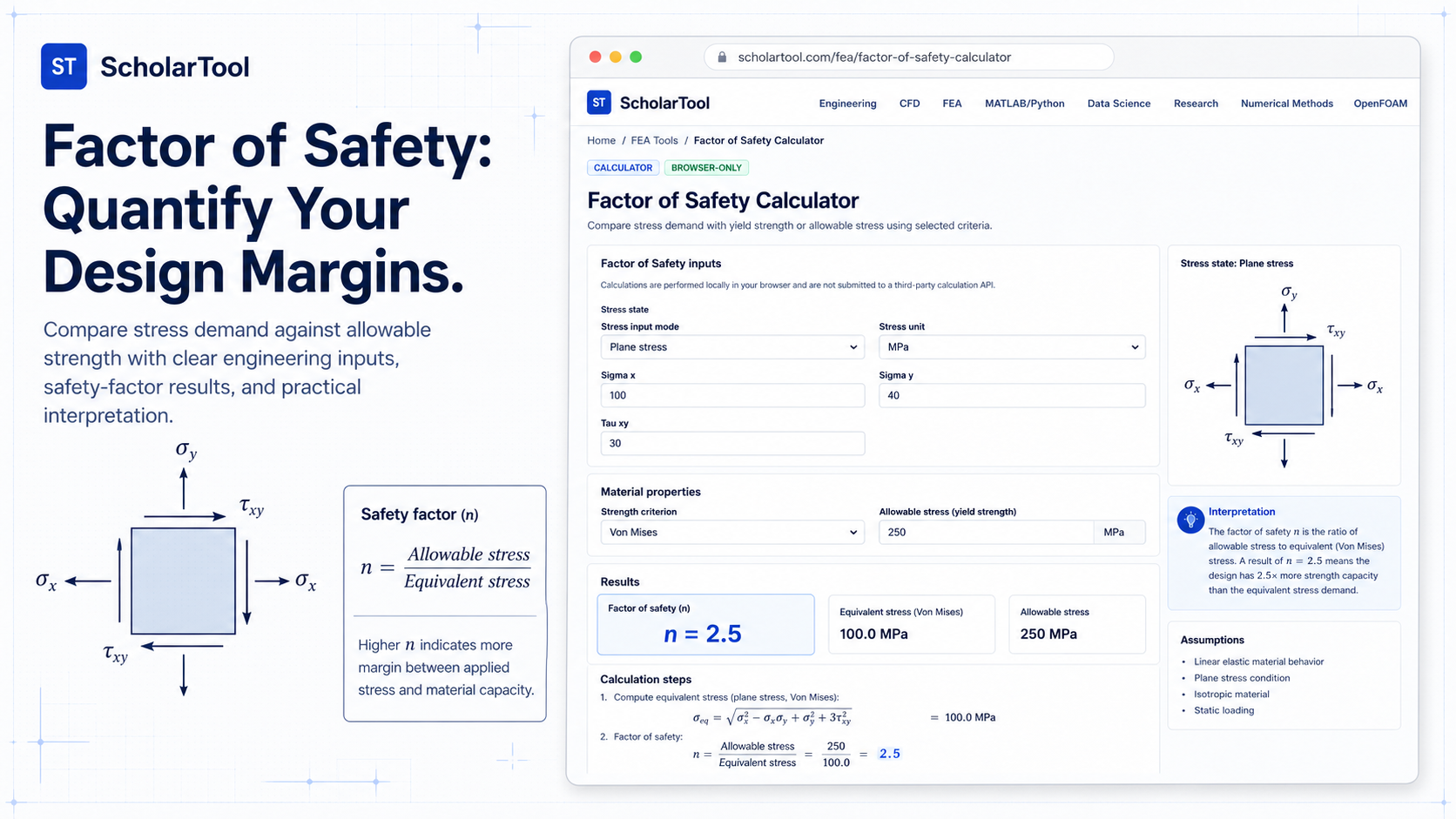
Factor of Safety Calculator: Stress & Utilization Tool
When I am reviewing the final results of a structural simulation or performing a manual check on a critical machine element, the raw stress magnitudes whether they are in Megapascals or ksi are only half the story. To make a responsible engineering decision, I need to know the distance between my calculated demand and the material’s failure limit. In professional reporting, providing a raw stress value without an associated design margin is a risk that can lead to misinterpretation of a part’s reliability.
What I find indispensable for these final audits is the ScholarTool Factor of Safety Calculator. It is a deterministic, browser-local utility designed to compare calculated stress demands with yield strengths or allowable limits. Whether I am grounding a research paper or performing a postprocessing check for an industrial simulation, this tool ensures my safety assumptions are mathematically sound while keeping my proprietary project data private.
What the Factor of Safety Calculator Helps You Do
In technical terms, the Factor of Safety ($n$) is the ratio of the material’s strength to the calculated demand ($n = \text{strength} / \text{demand}$). The primary purpose of this calculator is to provide a unified, transparent environment where you can apply different failure criteria like Von Mises for ductile metals or Maximum Principal stress for brittle materials to determine how much “headroom” your design actually has.
What I appreciate about this interface is that it provides a “Comparative Perspective” by reporting both the Factor of Safety and the Utilization Ratio ($U$). While $n$ tells you how many times stronger the part is than it needs to be, $U$ tells you what percentage of the material’s capacity you are currently using. This dual reporting is vital for optimizing designs where you want to maximize strength without adding unnecessary mass.
Inputs You Can Use
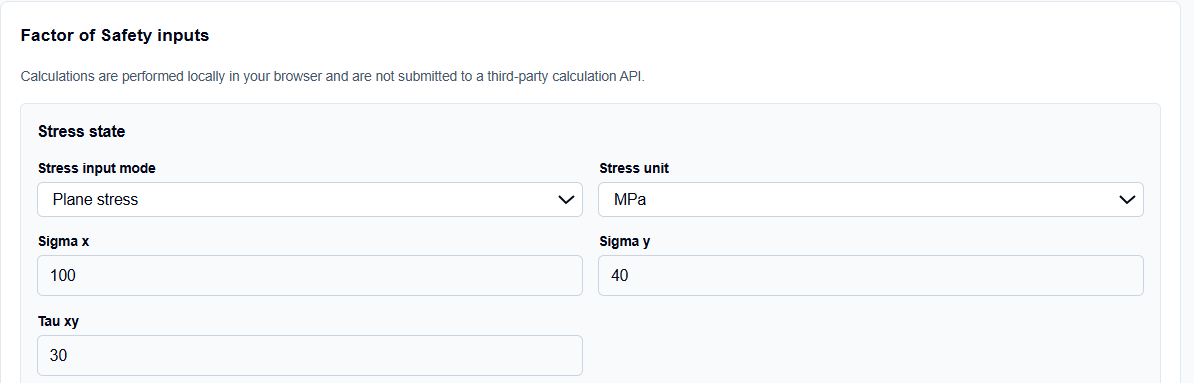
The interface is built with a logical, “criterion-first” layout that allows you to configure the tool based on your material type and design code requirements.
Failure Criteria and Modes
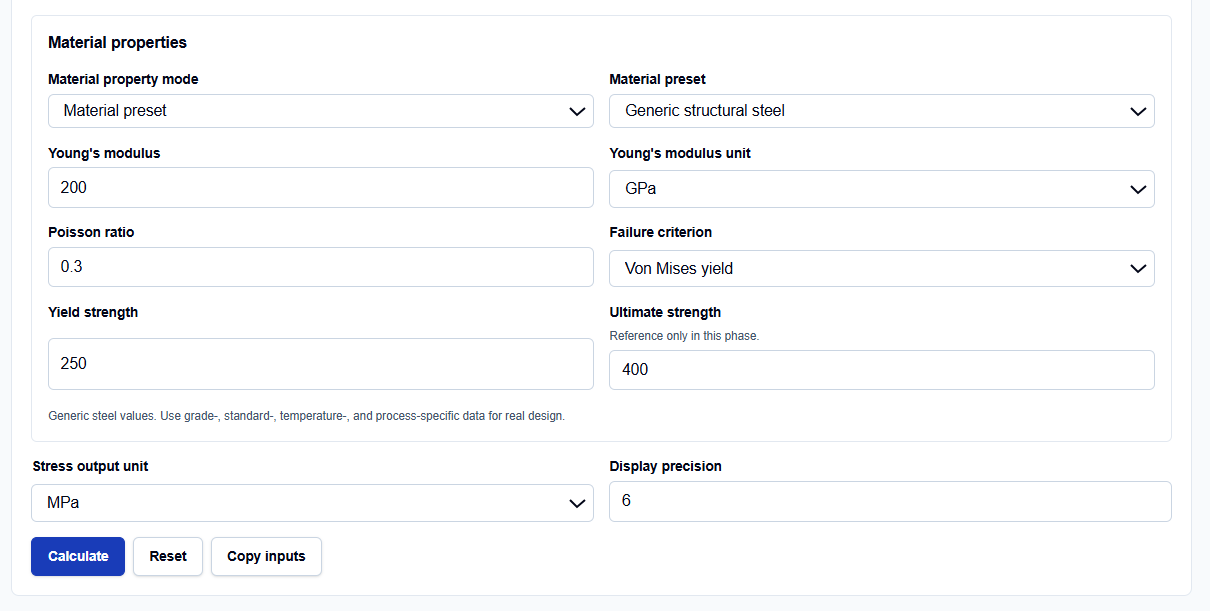
I start by selecting the mode that matches my engineering context. You can choose from Von Mises, Tresca, Maximum Principal, or Allowable Stress modes. I find the Allowable Stress mode particularly useful for civil engineering or pressure vessel codes, where you aren’t comparing against yield directly but rather against a pre-de-rated “allowable” limit.
Demand and Strength Values
Once the mode is set, you enter your Calculated stress demand and your Material strength (or allowable stress). The tool supports both Pascals and Megapascals (MPa). What I find professionally reassuring is that the calculator is “browser-only.” Your sensitive material specifications and stress probe data are processed locally on your machine and are never submitted to a third-party API.
How I Use the Tool
My typical workflow begins by extracting the peak stress from an FEA probe or a hand calculation. If I am analyzing a ductile steel bracket, I select the “Von Mises” criterion.
Once I enter my yield strength (e.g., 250 MPa) and my peak demand (e.g., 100 MPa), I click Calculate. I always review the Calculation steps section, which provides an explicit “math receipt” showing the normalization to SI units and the final division. After the check, I use the Print summary feature to archive these steps directly into my project documentation, ensuring the safety margin is auditable and traceable.
Understanding the Results
The result section provides the Factor of Safety ($n$) prominently at the top. However, I find the Engineering interpretation equally valuable. The tool reminds us that the factor of safety is a comparison of demand to strength, not a holistic certification of design adequacy.
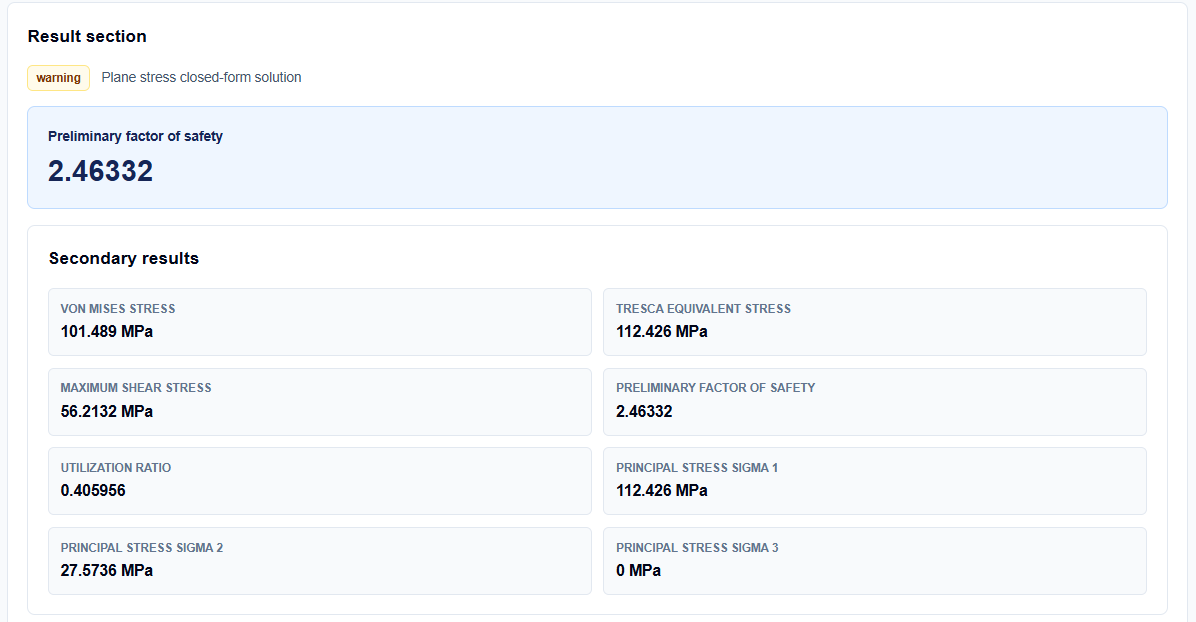
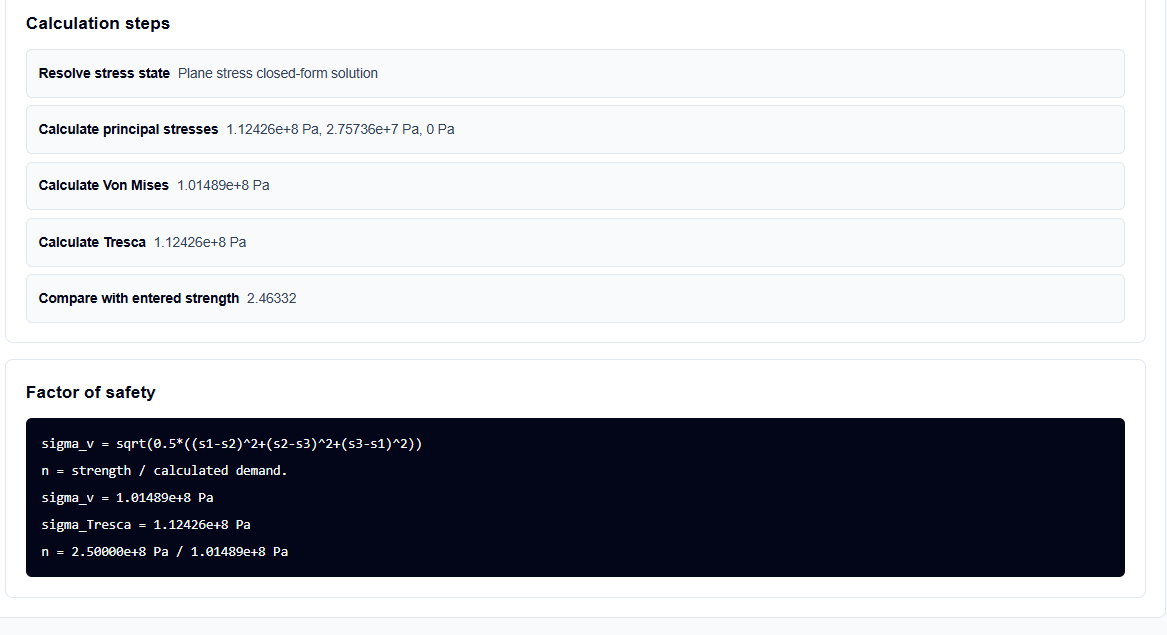
I also pay close attention to the Utilization ratio. If my $n$ is 2.0, the tool reports a utilization of 0.5 (or 50%). If the demand is zero, the mathematical factor is correctly reported as infinite, serving as a reminder that the result is strictly a ratio of the inputs provided.
A Practical Example
Suppose I am verifying a component where the peak Von Mises demand is 100 MPa and I am using a material with a yield strength of 250 MPa.
When I enter these values, the tool applies the formula ($n = 250 / 100$) and returns a Factor of Safety of 2.5. It also reports a Utilization of 0.4. This tells me that I am using only 40% of the material’s yield capacity, which might suggest there is an opportunity to reduce the part’s weight if my design code allows for a lower factor of safety.
Mistakes I Would Avoid
One common pitfall is ignoring the engineering disclaimer. As noted in the tool’s footer, these results are for educational estimation and preliminary support. I never treat an $n=1.05$ as a guarantee of safety without verifying the uncertainty in my material data and load assumptions.
Another mistake is using the wrong criterion for the material. Using Von Mises for a brittle ceramic component will result in a non-physical safety margin. I always ensure the selected mode matches the failure physics of my material, as described in the tool’s notation and interpretations.
Try the Free Factor of Safety Calculator
Before you finalize your next structural report or design review, take a minute to quantify your margins. It is the fastest way to ground your safety claims in physical reality.
Try the Factor of Safety Calculator here. To complete your failure analysis, you may also find the Von Mises Stress Calculator, Tresca Stress Calculator, or the Principal Stress Calculator essential for your workflow.
FAQ
1. What is the difference between Factor of Safety and Utilization Ratio?
The Factor of Safety ($n$) is the ratio of strength to demand (e.g., 2.0). The Utilization Ratio ($U$) is the inverse: demand divided by strength (e.g., 0.5 or 50%). One tells you how much reserve you have, while the other tells you how much capacity you are using.
2. Can this tool replace my professional FEA software reports?
No. As the interface explicitly states, ScholarTool provides transparent hand-calculation support and postprocessing checks, but it is not a replacement for validated FEA solvers or standards-based reviews.
3. Is my proprietary material data safe when using this tool?
Yes. All calculations are performed locally in your browser using TypeScript. Your inputs and results are never submitted to any external server or calculation API.