Newton-Raphson Calculator: Online Root-Finding Tool
When I am auditing a numerical simulation or preparing a technical report, the “stumbling block” is frequently a non-linear equation that refuses to be solved by simple inversion. As Joe Hoffman notes in Numerical Methods for Engineers and Scientists, finding the roots of transcendental equations those involving trigonometric, exponential, or logarithmic functions is a fundamental task in engineering design. While many solvers provide a single answer, they often lack the transparency required for professional documentation or educational review.
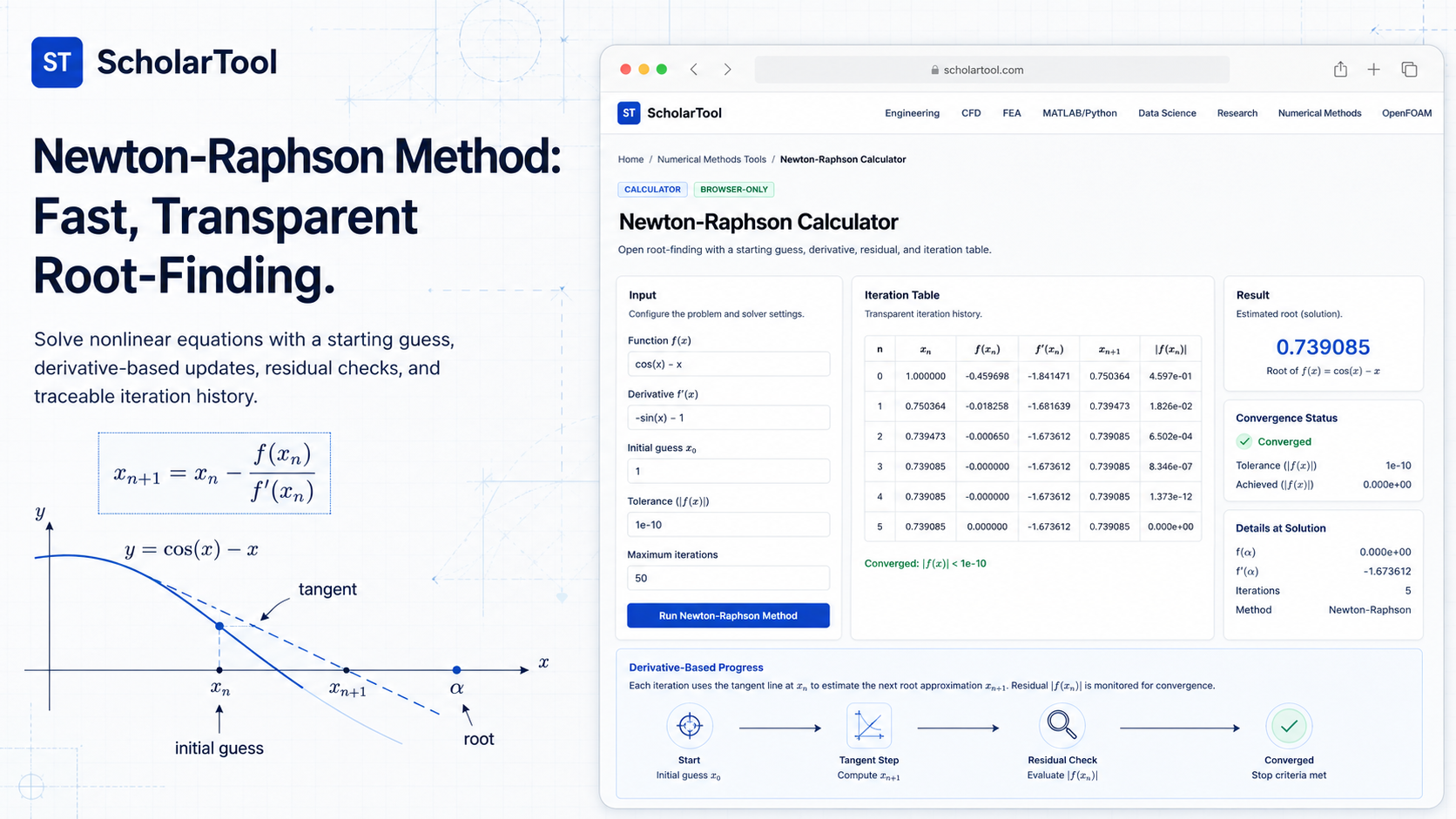
What I find indispensable for these situations is the Newton-Raphson Calculator from ScholarTool. It is a deterministic, browser-local utility designed to provide a transparent path to a root using the “tangent method.” It prioritizes instructional clarity and data residency, ensuring that your proprietary models or research data stay on your machine while providing a detailed iteration history for every step of the calculation.
What the Newton-Raphson Calculator Helps You Do
The primary purpose of this tool is to provide a fast, efficient path to a root $f(x) = 0$. In technical terms, it applies the Newton-Raphson algorithm, which uses a local tangent line approximation to refine an initial guess. Unlike “bracketing” methods that require two bounds, this “open” method typically converges much faster often with quadratic convergence when you have a reasonable starting point.
I find the interface particularly helpful because it breaks the “black box” of root-finding. Instead of just delivering a result, the calculator generates a full iteration table, residual checks, and a result-driven visual plot. What I appreciate most is the “browser-only” architecture. Because the tool processes your inputs locally using TypeScript and a restricted math parser, your sensitive formulas are never submitted to a third-party AI or cloud server.
Inputs and Syntax You Can Use
The interface is built with a logic-first layout that ensures you have a valid setup before results are generated. You can enter single-variable functions using standard variables ($x$) and constants like pi and e.
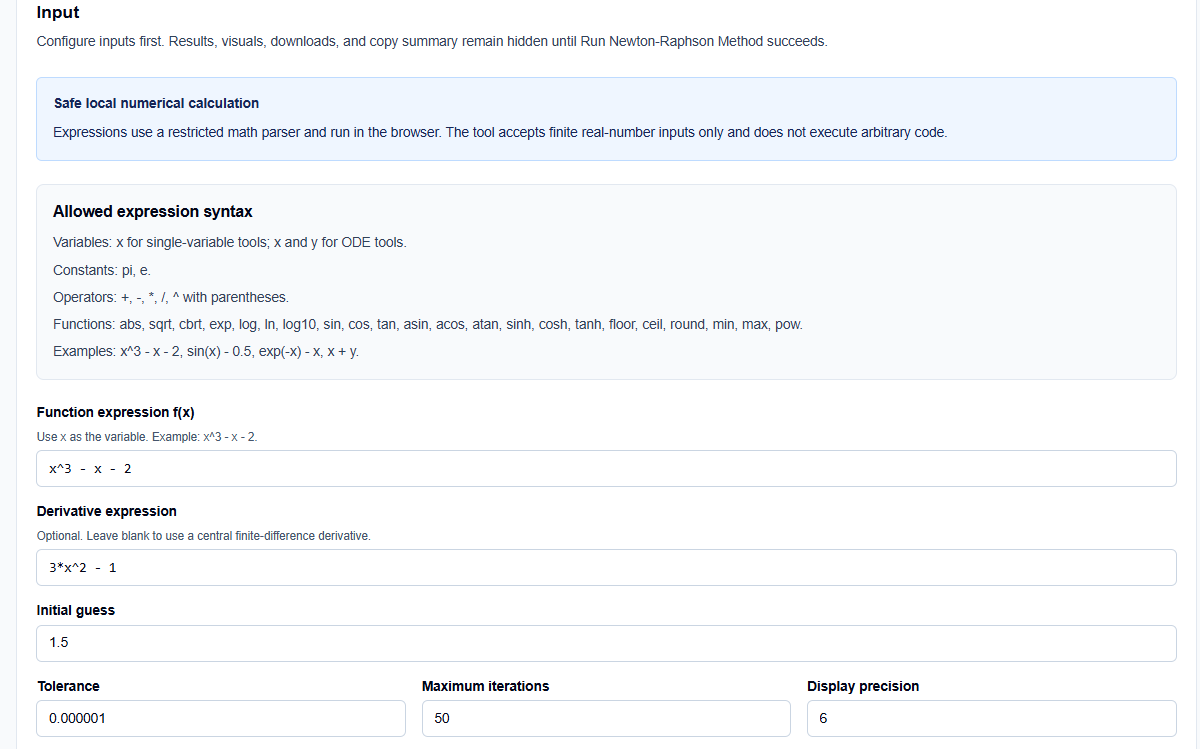
Expression and Derivative
One feature I find professionally superior is the Derivative expression field. While you can enter an analytical derivative to improve reliability, you also have the option to leave it blank. In those cases, the tool uses a bounded central finite-difference derivative fallback. This allows me to prototype quickly without having to perform manual differentiation for every trial.
Controls and Precision
You can set precise limits on the process, including:
- Initial guess: The starting point for the tangent updates.
- Tolerance: The threshold for convergence (e.g., $10^{-6}$).
- Maximum iterations: A safety limit to prevent unbounded processing if the method diverges.
- Display precision: Controls how many significant digits appear in the final table.
How I Use the Tool for Root Audits
My typical workflow begins when a simulation script fails to converge. Instead of blindly changing parameters, I open the calculator. I enter the function and my intended starting guess.
Once I click Run Newton-Raphson Method, the results which remain hidden until this explicit action to prevent acting on stale data appear instantly. I then review the Iteration Table. Because the method is quadratically convergent, I look for the residual $f(x)$ decreasing rapidly toward zero. If I see the iterates jumping far from the initial point, I know I need to choose a better starting guess or consider a bracketing method.
A Comparative Perspective: Newton-Raphson vs. Bisection
From a professional perspective, choosing between solvers involves a trade-off between speed and reliability.
- Newton-Raphson: Is often much faster than bracketing methods like Bisection. However, it is an “open” method, meaning it is not guaranteed to converge and can fail if the derivative is near zero.
- Bisection: Is slower but guaranteed to converge as long as a sign change is bracketed.
Using the ScholarTool helper allows me to quickly test the “fast” path first. If the tool issues a “near-zero derivative” warning, I can immediately transition to the Bisection Method Calculator to get matters back in hand.
Understanding the Results and Iteration Table
The result section provides the Final root estimate first, but for a professional audit, I focus on the Interpretation block:
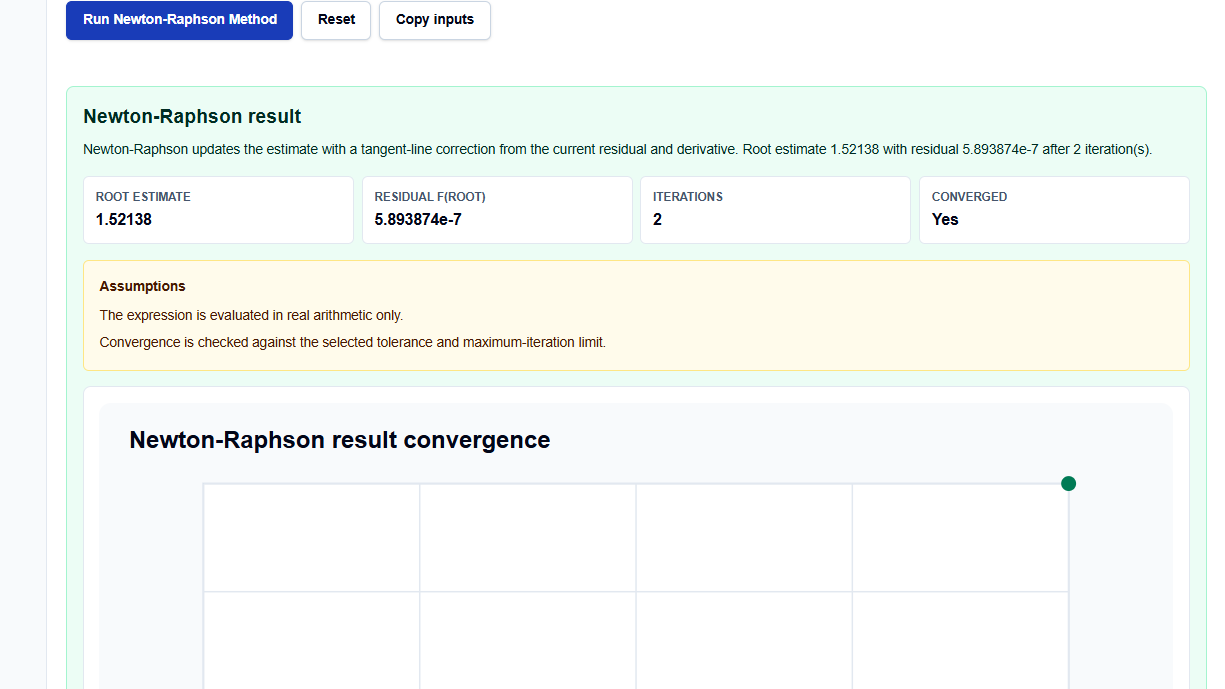
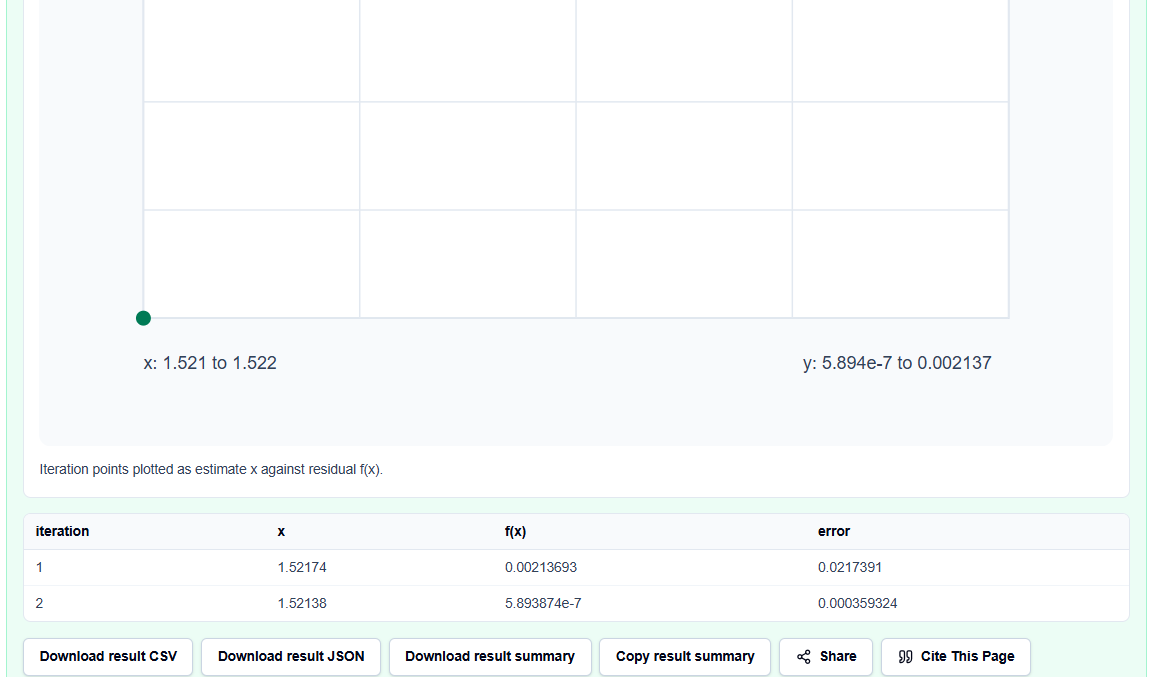
- Residual Checks: Confirms how close the final estimate actually is to zero.
- Iteration History: Provides a “math receipt” showing every update step, which is perfect for assignment checking or peer review.
- Visuals: The plot helps me assess the function’s behavior near the root and verify that the algorithm didn’t accidentally jump to a different root.
A Practical Example: The Trigonometric Benchmark
Suppose I need to find the root for $f(x) = \cos(x) – x$. I enter this into the calculator with a starting value near $0.5$.
As the Newton-Raphson Calculator runs, I can see the iterates move toward approximately 0.739085. This benchmark confirms the precision of the JavaScript floating-point logic and allows me to skip the tedious manual tangent calculations in my notebook.
Mistakes I Would Avoid
One common pitfall is starting too far from the root. As the tool’s common mistakes section warns, Newton-Raphson is sensitive to the initial guess; a poor choice can cause the solution to oscillate or shoot off far from the area of interest.
Another mistake is ignoring the derivative warnings. If the tool identifies a near-zero slope, the update becomes unstable. In these cases, I always re-evaluate my initial guess or my derivative expression before trusting the final result.
Try the Free Newton-Raphson Calculator
Before you spend another hour manually unrolling iterations for your simulations, take a minute to generate a transparent iteration table. It is the fastest way to ground your root-finding in verified numerical logic while maintaining total data residency.
Try the Newton-Raphson Calculator here.
To complete your numerical toolkit, you may also find the Secant Method Calculator or the Bisection Method Calculator essential for your analysis workflow.
FAQ
1. Do I need to enter the derivative $f'(x)$?
No. While providing an analytical derivative usually improves reliability, the tool will automatically use a central finite-difference approximation if you leave the derivative field blank.
2. Why does the method sometimes diverge?
Newton-Raphson is an open method that relies on the slope of the function. If your initial guess is too far from a root, or if the slope is near zero, the tangent updates can shoot off far from the intended area.
3. Does this calculator run automatically as I type?
No. To protect privacy and processing resources, results, visuals, and downloads remain hidden until you click the explicit “Run Newton-Raphson Method” button.