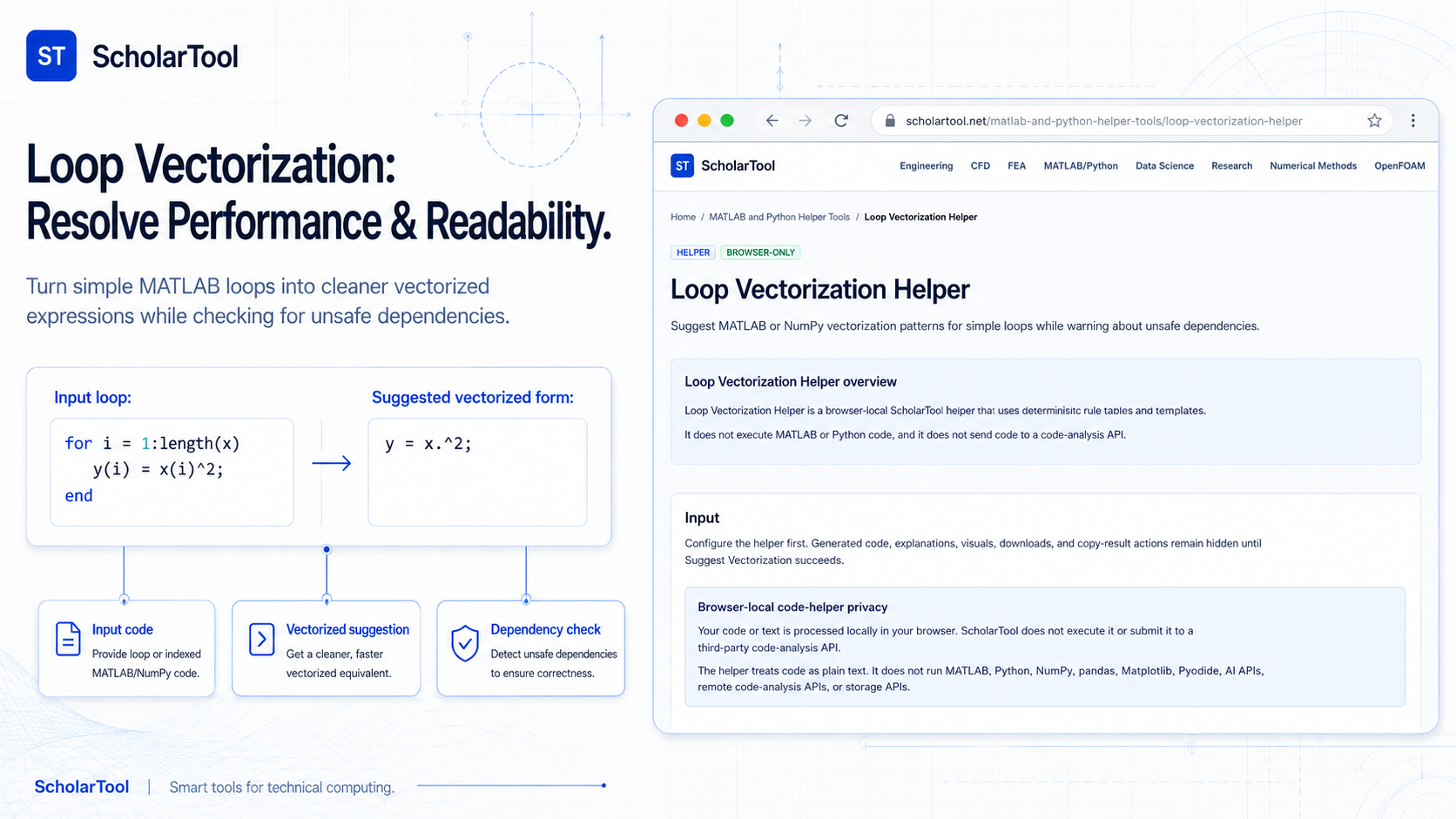
Loop Vectorization Helper: MATLAB & Python Optimization
When I am auditing a large numerical simulation or refining a research script, the “bottleneck” is frequently found within a standard for loop. As Edward Magrab notes in engineering programming manuals, MATLAB is a language whose instructions are fundamentally based on matrix operations. In professional environments, processing data one element at a time is often a major performance risk. Magrab points out that including a preallocation statement can increase execution speed by a factor of 500, and fully vectorizing a loop can push those gains even further.
What I find indispensable for these performance audits is the Loop Vectorization Helper from ScholarTool. It is a deterministic, browser-local utility designed to suggest vectorized patterns for simple loops while identifying unsafe dependencies. Whether I am migrating a Python prototype from a list-append structure to NumPy or auditing legacy MATLAB code, this tool ensures my optimization assumptions are mathematically sound while keeping my proprietary algorithms entirely private.
What the Loop Vectorization Helper Helps You Do
The primary purpose of this tool is to bridge the gap between slow, scalar-first iterations and fast, array-first logic. In technical terms, it identifies patterns where an operation is applied independently to each element and resolves them into idiomatic vectorized code.
I find the interface particularly helpful because it provides a “Comparative Perspective” between optimization goals. You can choose a Goal of Speed to see the most efficient syntax, or select Learning to understand why a specific pattern was chosen. What I appreciate most is that the helper processes everything “browser-only”. Your sensitive research snippets or proprietary physics models stay in your browser state and are never submitted to a third-party code-analysis API.
Inputs You Can Use
The interface is built with a logic-first layout that allows you to configure the optimization criteria based on your specific workload.
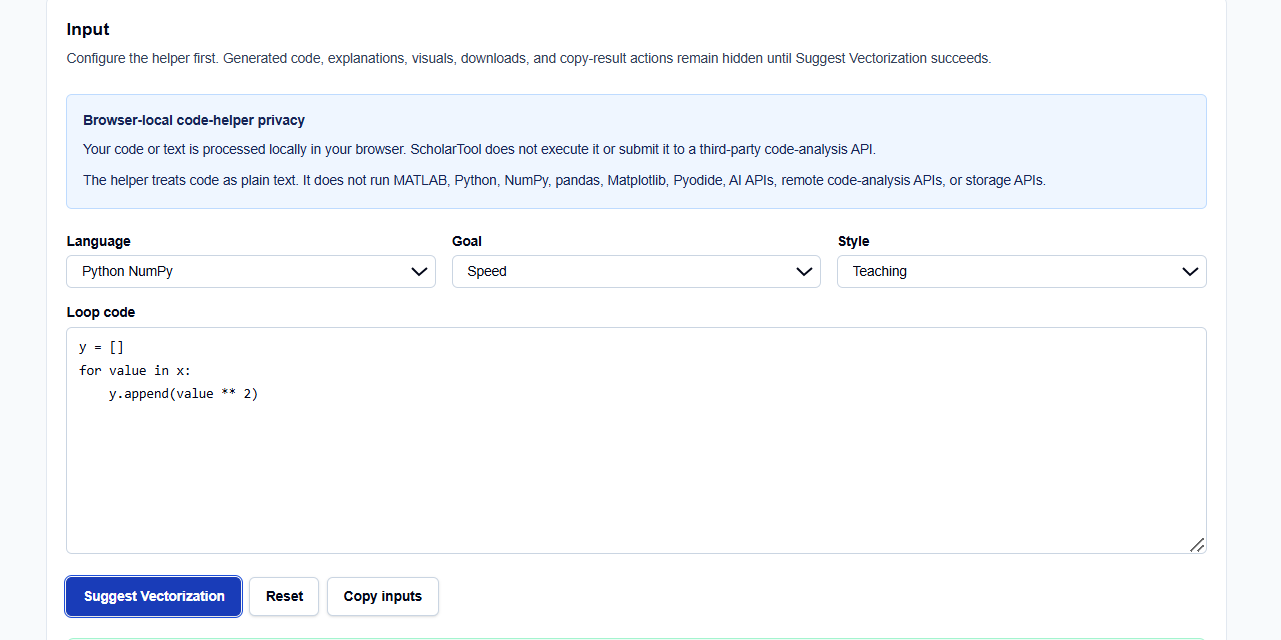
Language and Style
I start by selecting the relevant Language: MATLAB or Python NumPy. You can then set the Style to Conservative for production-ready code or Teaching if you want detailed explanations of the transformation rules.
Loop Snippets
When I enter code into the tool, I focus on core mathematical patterns. The helper is built to handle:
- Element-wise Arithmetic: Simple assignments like y(i)=x(i)^2 or list appends,.
- Accumulations: Detecting sum accumulations or mean-like operations.
- Logical Operations: Identifying opportunities for logical masking and preallocation.
How I Use the Tool
My typical workflow begins when I encounter a MATLAB loop that seems sluggish during a debug session. For instance, if I see a structure like for i = 1:n; y(i) = x(i)^2; end, I paste it into the Loop code field.
Once I click Suggest Vectorization, I review the Output explanation. I find the warning list specifically useful for professional documentation; it identifies cases where rule-based transformation cannot prove semantic equivalence. Because this tool is deterministic and does not use AI, it provides a “math receipt” of the rule table applied rather than a black-box guess,. After auditing the warnings, I use the Copy inputs or result actions to archive the logic for my code review checklist.
Understanding the Results
The result section provides the Suggested vectorized code prominently at the top. However, for a professional audit, I pay close attention to the Warnings:
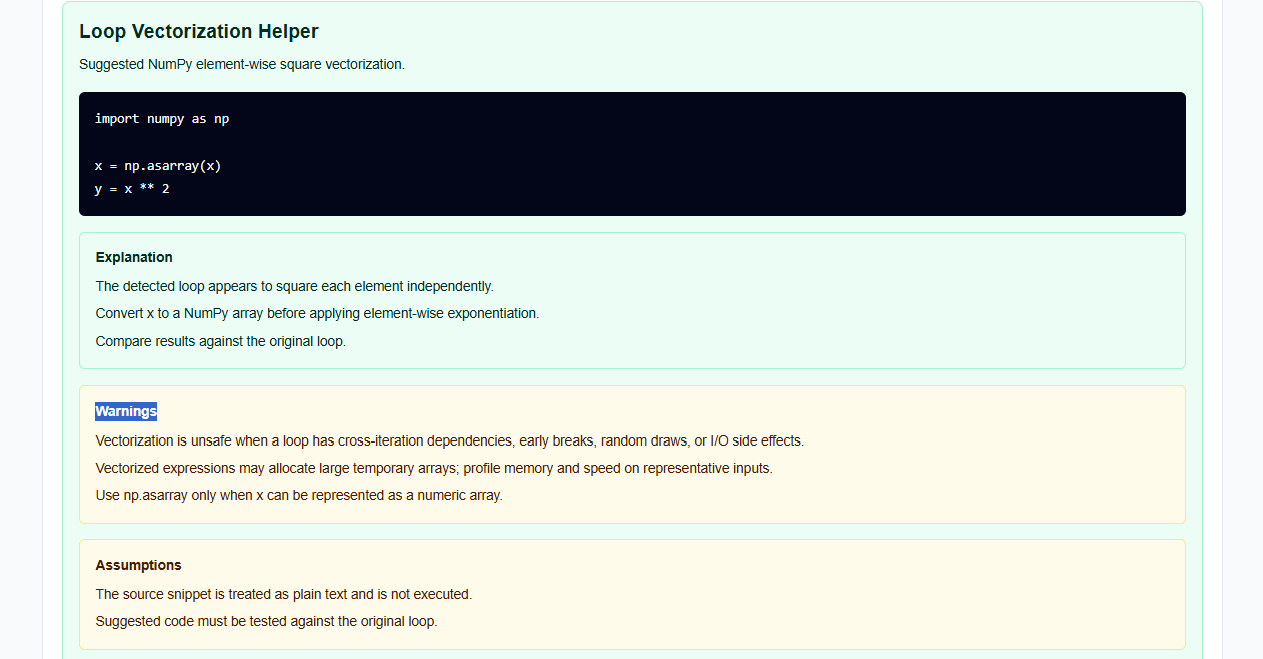
- Dependency Warnings: The tool identifies loops with stateful dependencies or mutation across indices that make vectorization unsafe,.
- Memory Usage: It serves as a reminder that vectorization can increase memory use for very large workloads, requiring a profile of the final environment.
- Verification Steps: It explicitly reminds you to confirm array lengths and shapes before trusting the numerical result.
A Practical Example
Suppose I am optimizing a Python script that calculates squares using a list append: y = [] for value in x: y.append(value ** 2).
The Loop Vectorization Helper identifies the independent operation and returns the final result: Suggestion: y = x ** 2 with a professional note that x should be initialized as a NumPy array for the syntax to work. This immediate resolution allows me to skip the manual drafting of NumPy logic and focus on the data analysis.
Mistakes I Would Avoid
One common pitfall is replacing recurrence loops with element-wise code. As the tool’s common mistakes section warns, if your calculation for index i depends on index i-1, simple vectorization will break the logic. Always confirm the absence of cross-iteration dependencies before applying the suggestion.
Another mistake is treating the output as production-ready code. As the code-helper disclaimer states, the tool generates “starter text” only and does not execute or debug the code. I always review the generated snippets and test them in my own MATLAB or Python environment before finalizing a project.
Try the Free Loop Vectorization Helper
Before you spend another hour manually unrolling loops for your simulation scripts, take a minute to generate an optimization template. It is the fastest way to ground your performance claims in verified syntax rules while maintaining total data residency.
Try the Loop Vectorization Helper here. To complete your optimization toolkit, you may also find the NumPy Array Shape Helper, Matrix Operation Code Generator, or the MATLAB to Python Syntax Converter essential for your workflow.
FAQ
1. Does the Loop Vectorization Helper execute my MATLAB or Python code?
No. The helper treats your code as plain text and applies deterministic syntax rules locally in your browser. It does not run a code execution environment.
2. How do I know if my loop is safe to vectorize?
A loop is generally safe to vectorize if each iteration is independent of the others. If your calculation for the current index requires values from a previous index (recurrence), vectorization may lead to incorrect results.
3. Is my proprietary code sent to a third-party AI service?
No. All processing is performed locally using your browser’s resources. Your code is never sent to an AI API or cloud-analysis service, ensuring your algorithms remain private.