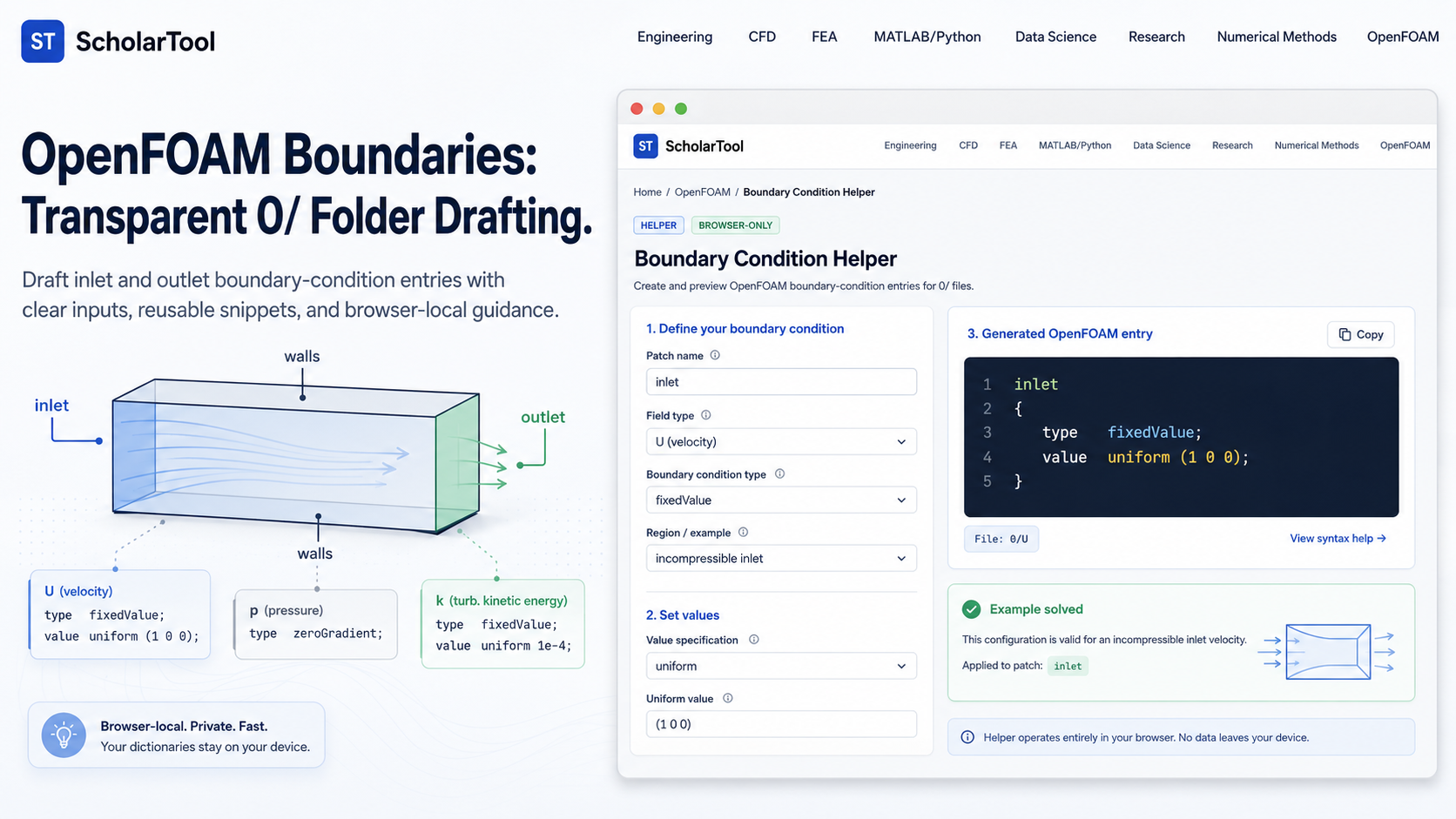
OpenFOAM Boundary Condition Helper: Online 0/ Folder Tool
When I am setting up a new OpenFOAM case whether it is the classic backward-facing step or a custom research geometry the “stumbling block” is rarely the mesh itself; it is the friction of the initial and boundary conditions. As noted in the OpenFOAM User Guide, poorly defined boundary conditions can lead to non-convergence or, worse, physically incorrect results that look plausible but are numerically flawed. While tutorial folders provide a starting point, I find that manual editing of the 0/ folder files often leads to syntax errors or mismatched pressure-velocity pairings that stall a run before the first iteration.
What I find indispensable for this drafting phase is the OpenFOAM Boundary Condition Helper from ScholarTool. It is a deterministic, browser-local utility designed to map patch roles to actionable field-file snippets. It prioritizes instructional clarity and data residency, ensuring that my case-specific values and patch names stay on my machine while I plan my numerical strategy.
What the Boundary Condition Helper Helps You Do
The primary purpose of this tool is to bridge the gap between physical modeling roles like “inlet” or “wall” and the precise C++ dictionary syntax required in the 0/U, 0/p, and turbulence field files. In technical terms, it validates your vector or scalar inputs and applies conservative rule maps for common incompressible patterns.
I find the interface particularly helpful because it identifies the inherent dependency between fields. Instead of claiming one boundary condition is always correct, it shows alternatives and warnings, acting as a professional check on my modeling assumptions. What I appreciate most is the “browser-only” architecture. Because the tool processes all text locally using TypeScript, my proprietary research parameters or internal case notes are never submitted to a third-party AI or remote analysis API.
Inputs You Can Use
The interface is built with a configuration-first layout that ensures your setup is valid before any text is generated.
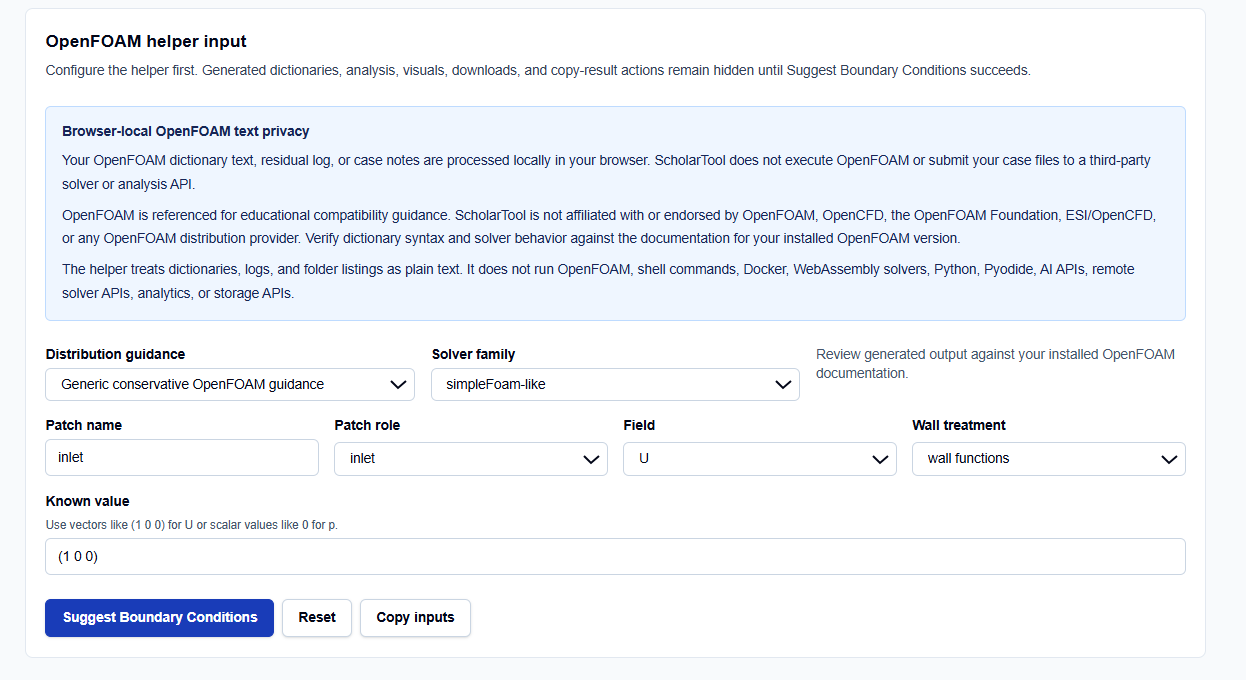
Distribution and Solver Families
I always start by selecting the Distribution guidance. You can choose between Generic, OpenFOAM Foundation-style (e.g., v14), or OpenCFD-style (.com). This is vital because while basic conditions like fixedValue are universal, the preferred syntax for more complex wall functions can vary between distributions. You then define your Solver family, such as simpleFoam-like for steady-state or pimpleFoam-like for transient runs.
Patch Roles and Fields
You enter your specific Patch name and select its Patch role (e.g., inlet, outlet, wall, or symmetry). One field I pay close attention to is the Field selection. You can toggle between U, p, T, or turbulence fields like k, omega, and nut. For the velocity field, I find it useful that the tool requires vector inputs like (1 0 0), while pressure and scalars require standard numeric values.
Wall Treatment
For turbulence modeling, you can specify your Wall treatment as “wall functions” or “wall resolved.” This dictates whether the tool generates a wall-function snippet (like nutkWallFunction) or a direct resolution entry, ensuring consistency across all transport fields.
How I Use the Tool
My typical workflow begins once my blockMeshDict patch names are known but before I have copied my field files. I open the OpenFOAM Boundary Condition Helper.
Once I have selected my solver family and patch role, I enter the known value for my physical boundary. I then click Suggest Boundary Conditions. I find it useful that the results, visuals, and copy-result actions remain hidden until this explicit action succeeds, preventing me from acting on stale or default data. I then review the generated snippet for the 0/ folder. If I am setting up a 2D case, I use the “frontAndBack 2D” role, which applies the empty condition—a vital professional check to ensure the mesh and field files agree on the suppressed direction.
Understanding the Results
The result section provides the Patch snippet first, ready to be pasted into your field file. However, for a professional audit, I focus on the secondary outputs:
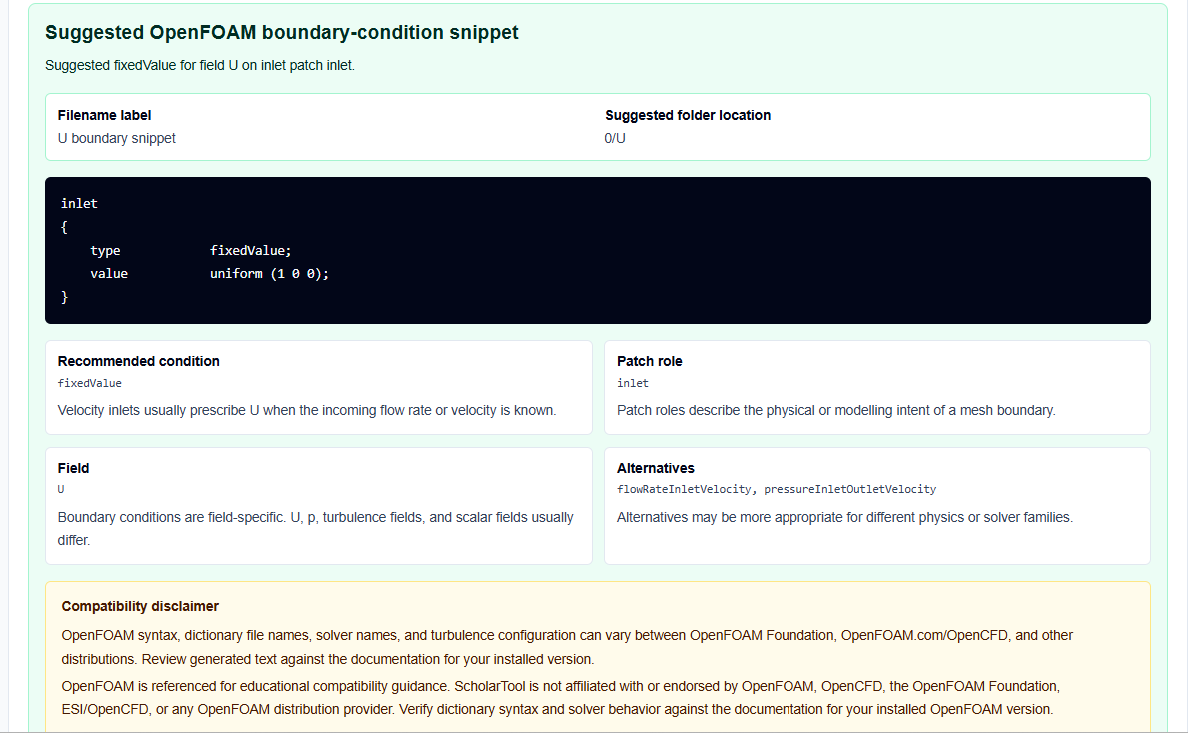
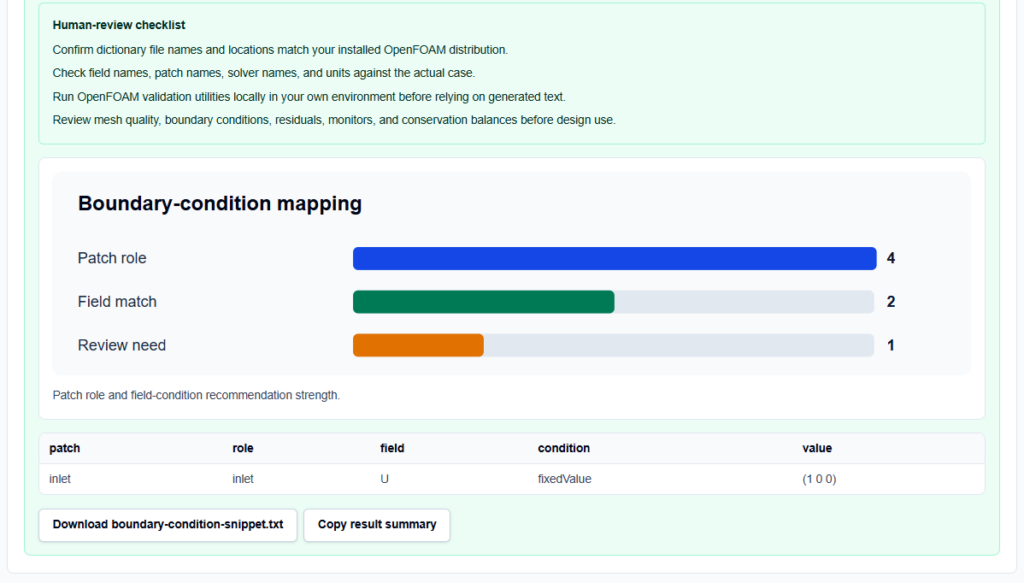
- Mapping Table: Lists the patch role, field, and the assigned condition, making it easy to document the case setup.
- Warnings: These identify potential risks, such as turbulence consistency or backflow-sensitive choices at an outlet.
- Human-Review Checklist: Reminds me to verify dimensions and internalField separately, as this helper focuses strictly on patch entries.
A Practical Example: Incompressible Inlet U
Suppose I am setting up an inlet for a pipe flow with a velocity of 2 m/s in the x-direction. I enter inlet as the patch name, select U as the field, and provide (2 0 0) as the value.
As I click the action button, the tool generates a type fixedValue; value uniform (2 0 0); snippet. It also identifies that while the velocity is now set, I still need separate entries for pressure and turbulence fields to complete the inlet/outlet pairing—a classic “math receipt” that prevents early solver failure.
Mistakes I Would Avoid
One common pitfall is using fixedValue on both inlet and outlet for both pressure and velocity without a specific physical justification. As the tool warns, this “over-specifies” the system and often leads to divergence.
Another mistake is forgetting turbulence fields. If you enable a turbulence model but leave your 0/k or 0/omega files with default internal fields, the solver will crash. I always use the helper to generate consistent reminders for every field required by my chosen model family.
Try the Free OpenFOAM Boundary Condition Helper
Before you manually edit another 0/ field file, take a minute to generate a transparent patch draft. It is the fastest way to ground your OpenFOAM setup in verified boundary logic while maintaining total browser privacy.
Try the OpenFOAM Boundary Condition Helper here.
To complete your setup toolkit, you may also find the OpenFOAM blockMeshDict Generator or the OpenFOAM fvSolution Helper essential for your simulation workflow.
FAQ
1. Does this tool run OpenFOAM to test the boundary conditions?
No. It only generates and analyzes OpenFOAM dictionary text browser-locally. It does not execute solvers, shell commands, Docker containers, or Python scripts.
2. Can I use this for 2D simulations?
Yes. Use the “frontAndBack 2D” patch role. The tool will generate the empty condition, which is mathematically required for the suppressed direction in OpenFOAM 2D cases.
3. Are my patch names or velocity values sent to a server?
No. All dictionary text and case notes are processed locally on your device. ScholarTool does not submit your modeling data to any third-party solver or storage API.