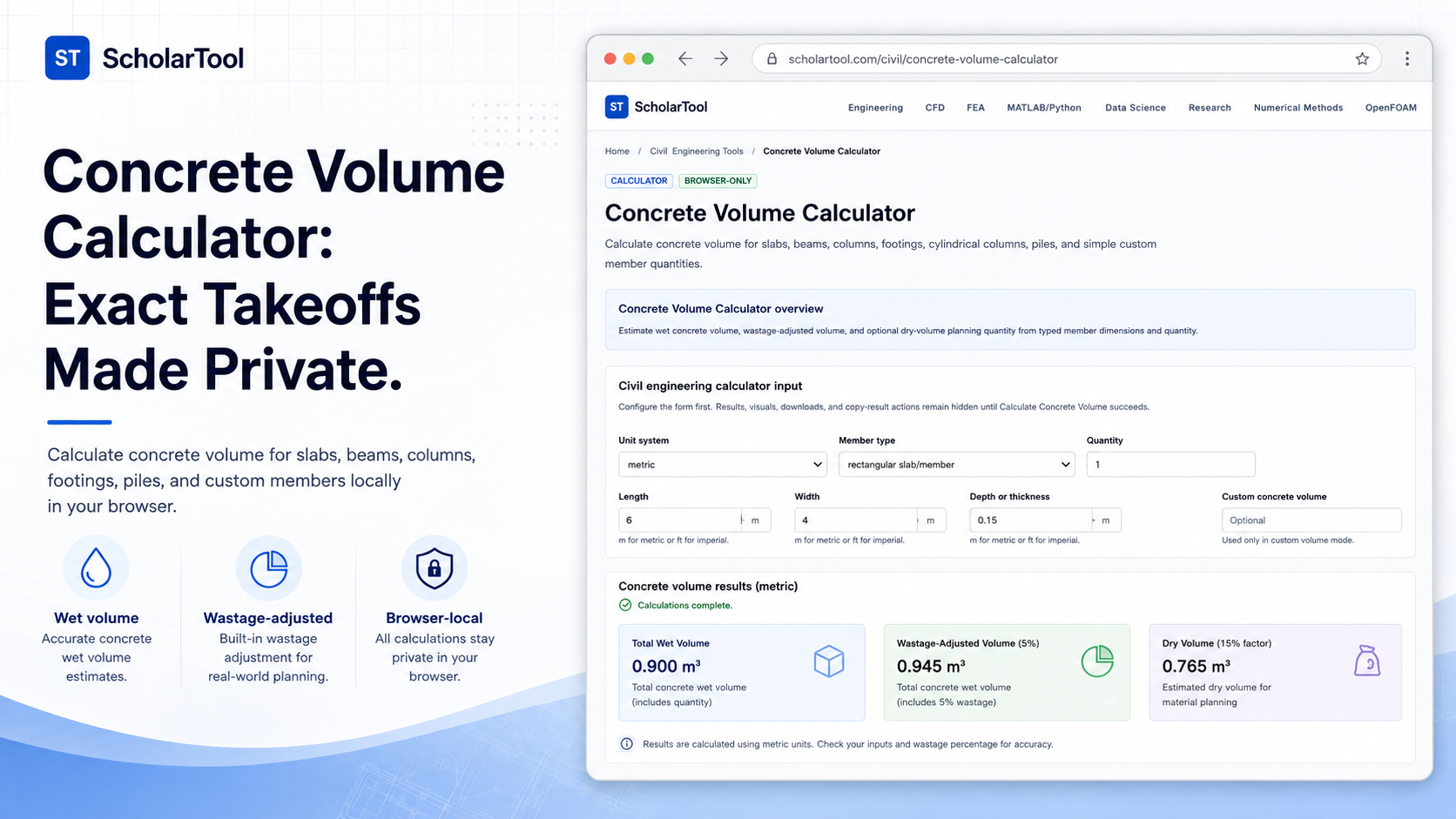
Concrete Volume Calculator: Online Site Estimation Tool
When you are setting up a concrete pour for a new construction project whether it is a simple rectangular foundation slab or a complex sequence of cylindrical piles one of the most critical pre-pour steps is determining the exact amount of ready-mix concrete to order. As M.S. Shetty notes in Concrete Technology, guessing aggregate proportions without a firm quantity budget is unengineering. Yet, site estimators frequently face the frustration of manual takeoff errors or over-ordering due to poorly calculated construction wastage.
To solve this practical problem with absolute accuracy and complete browser-side privacy, I use the Concrete Volume Calculator from ScholarTool. It is a robust, local technical utility that streamlines quantity estimates for slabs, beams, columns, footings, and piles. By executing all calculations locally on your device, it ensures your sensitive project drawings, soil parameters, and bills of quantities (BOQs) remain completely private.
What the Concrete Volume Calculator Helps You Do
The primary purpose of this tool is to calculate the wet concrete volume, wastage-adjusted volume, and dry-volume planning quantities from user-entered dimensions. Whether you are conducting an early quantity takeoff or cross-checking a supplier’s delivery invoice, the tool provides a transparent, auditable breakdown of your material requirements.
What I find useful is that it models both rectangular and cylindrical members. Rectangular sections represent the bulk of standard footings and slabs, while cylindrical shapes are typical of circular columns and structural piles. By offering specialized calculation modes for each, the tool removes the mathematical guesswork and provides a standardized “math receipt” of your site planning.
Inputs You Can Use
The interface is designed with a configuration-first layout. Before you can generate any results, you must configure the inputs:
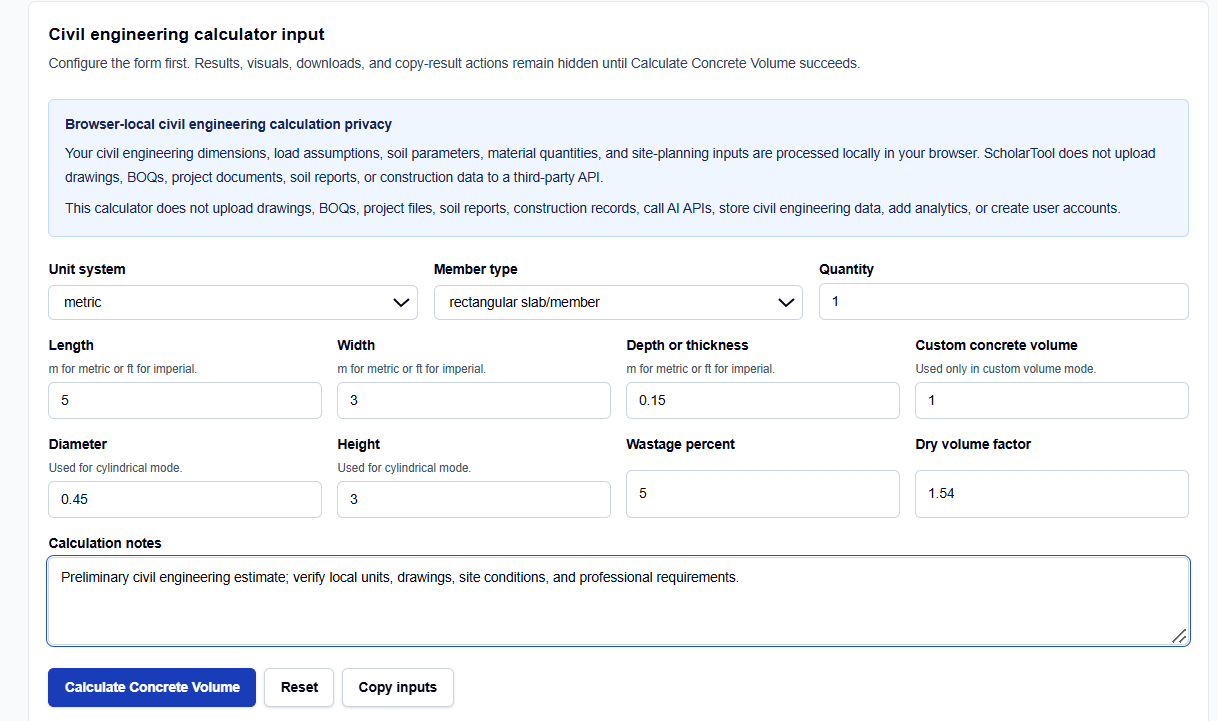
- Unit System: Toggle between metric (meters, millimeters, cubic meters) and imperial (feet, inches, cubic feet) to match your design drawings.
- Member Type: Select rectangular slab/member, beam, column, footing, cylindrical column/pile, or custom volume.
- Dimensional Fields: Enter length, width, depth, diameter, or height according to your selected mode.
- Wastage and Dry Factor: Set wastage percent (such as 5% or 7%) to prevent under-ordering and adjust the dry volume factor for preliminary batching estimates.
How I Use the Tool
My typical workflow begins when I receive a structural drawing. I open the Concrete Volume Calculator and select my unit system.
Next, I select the relevant Member Type. For a standard slab, I choose the rectangular member mode and enter length, width, and thickness directly from the drawings. After adjusting the wastage percent to account for site loss, I click Calculate Concrete Volume. I appreciate that all output tables and copy actions remain hidden until I explicitly click this button, which prevents me from using stale or default data for my procurement sheets.
Understanding the Results
Once calculated, the tool presents several structured outputs:
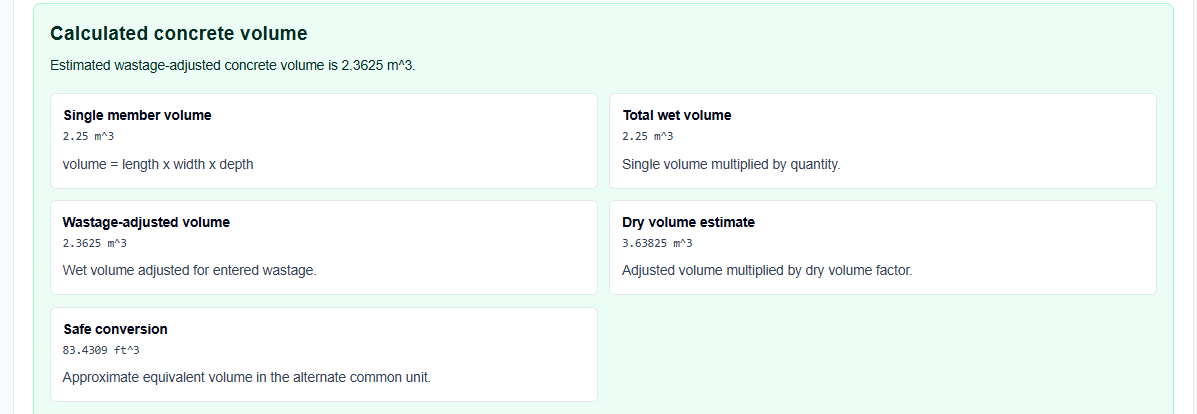
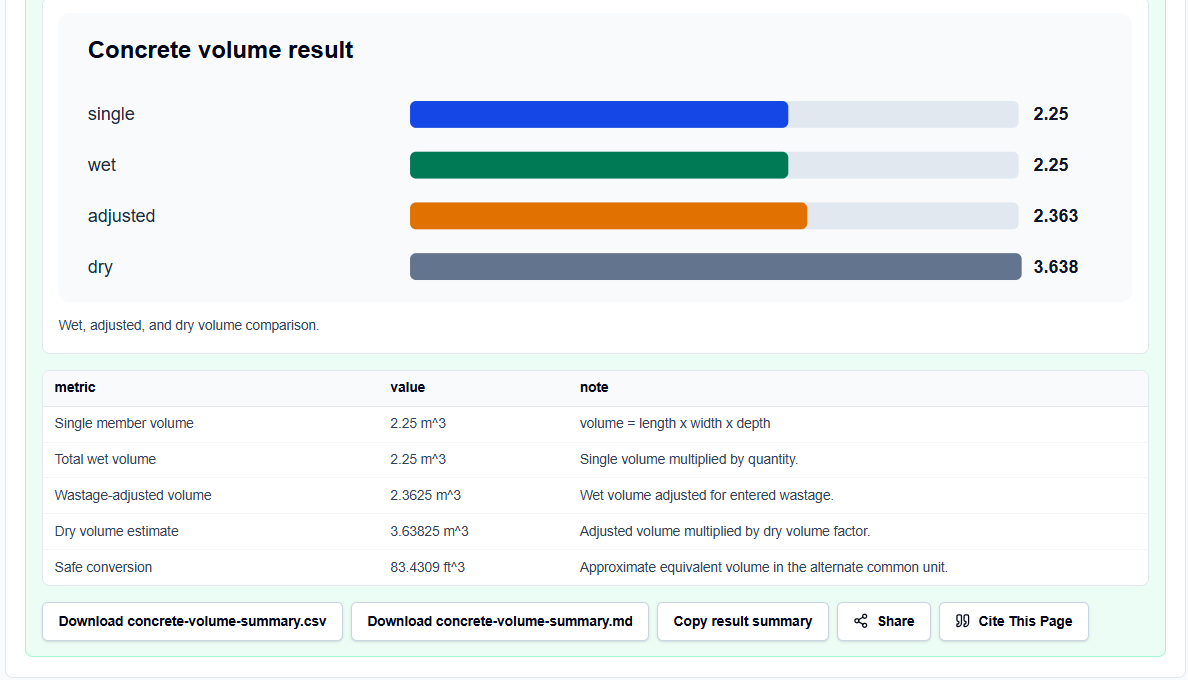
- Single Member Volume: Displays the geometric wet volume of a single element to verify your dimensional entries.
- Total Wet Volume: Multiplies the single volume by the user-specified member quantity.
- Wastage-Adjusted Volume: This is your practical ordering quantity. It applies your wastage percentage to the total wet volume.
- Dry Volume Planning Quantity: Multiplies the wet volume by your dry factor (default 1.54) to assist in raw cement, sand, and aggregate takeoff.
A Practical Example: The Circular Pile
Let’s look at a realistic site scenario. If I am calculating the concrete needed for four cylindrical piles, each with a diameter of 0.45 meters and a height of 3 meters, with a projected construction wastage of 7%, I select the cylindrical mode. The calculator uses the formula: $$V = \pi \times \frac{d^2}{4} \times h \times \text{quantity}$$ For a single pile, the volume is approximately 0.477 cubic meters. For four piles, the total wet volume is 1.909 cubic meters. Applying the 7% wastage adjustment yields a final order-planning volume of 2.043 cubic meters.
Mistakes I Would Avoid
One critical error is mixing up your dimensional units. It is common to confuse millimeters and meters on drawings. Entering a 150 mm slab depth as “150” instead of “0.15” in metric mode will result in massive quantity errors.
Another mistake is treating the dry volume planning quantity as a certified mix design; it is strictly an estimation aid and not a concrete mix-design certificate.
Try the Free Concrete Volume Calculator
If you want to eliminate manual takeoff errors and streamline your site ordering, try the tool today. It is free, private, and runs entirely in your browser.
Try the Concrete Volume Calculator on ScholarTool
To complete your civil engineering workflow, you can chain this estimate into the Cement Sand Aggregate Calculator or perform structural load checks using the Slab Load Calculator.
FAQ
1. Does the Concrete Volume Calculator upload my design files?
No. All dimensions, material quantities, and site planning inputs are processed locally in your browser tab. ScholarTool does not upload drawings, construction records, or project BOQs to any database, ensuring total data residency.
2. Can I use this tool for irregular or tapered sections?
No. The calculator is designed for standard geometric shapes such as rectangular slabs, beams, columns, footings, and cylindrical piles. Irregular haunches, tapered sections, and curved slabs are unsupported patterns and must be evaluated manually or through separate modeling tools.
3. Why do the results disappear when I edit a dimension?
This is a built-in safety guard to prevent stale calculations. If you modify an input field, the output blocks automatically hide until you click “Calculate Concrete Volume” again, ensuring that you never copy outdated figures for your site ordering sheet.