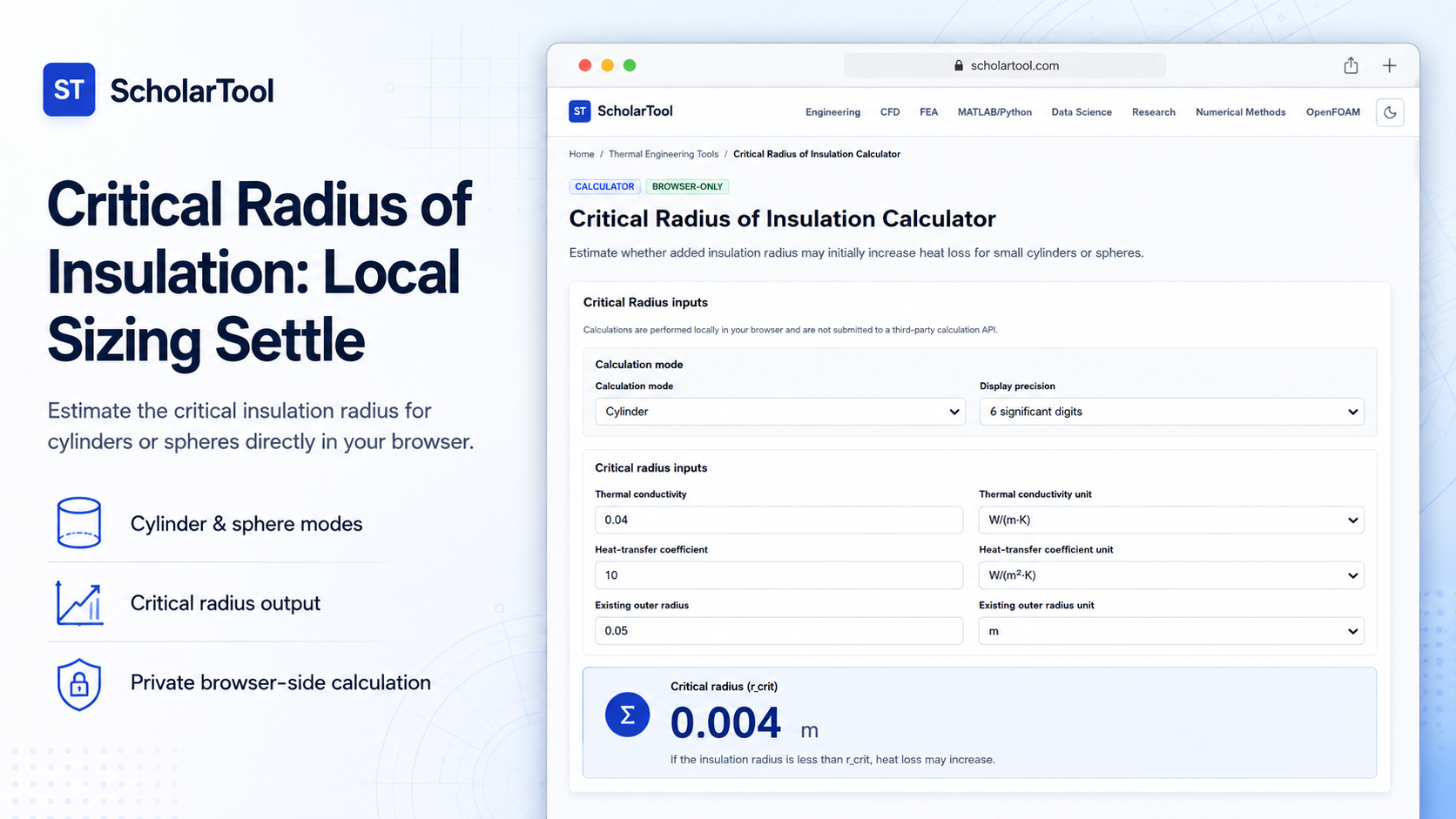
Critical Radius of Insulation Calculator: Local Sizer
When designing insulation for pipes or small spherical containers, a common misconception is that adding more insulation always reduces heat loss. For thin tubes, wires, or small spheres, adding insulation can actually increase heat transfer up to a certain point. Sizing insulation for these small systems without checking the critical radius leads to unexpected thermal performance and design failures.
To address this physical phenomenon with precision and complete confidentiality, I use the Critical Radius of Insulation Calculator from ScholarTool. This browser-local utility estimates whether adding insulation increases or decreases heat loss for cylinders and spheres. Because calculations execute entirely in your local browser tab using client-side TypeScript, your proprietary thermal properties and operating dimensions are never uploaded, ensuring 100% data sovereignty.
What the Critical Radius of Insulation Calculator Helps You Do
The primary purpose of this tool is to act as a preliminary feasibility assessment aid during early physical system design. Rather than performing complex multi-dimensional finite element simulations, it organizes your geometry-specific heat transfer coefficients and material conductivities into an auditable “math receipt”.
What I find useful here is that the tool accommodates both cylindrical and spherical coordinates. You can choose your geometry mode from a simple selector, and the tool instantly applies the correct formulation to find where adding insulation changes from a liability to an asset. This is incredibly valuable for electrical wire coating, refrigeration line insulation, and small process piping.
Inputs You Can Use
The interface provides a configuration-focused workspace to ensure parameters are correct before solving:
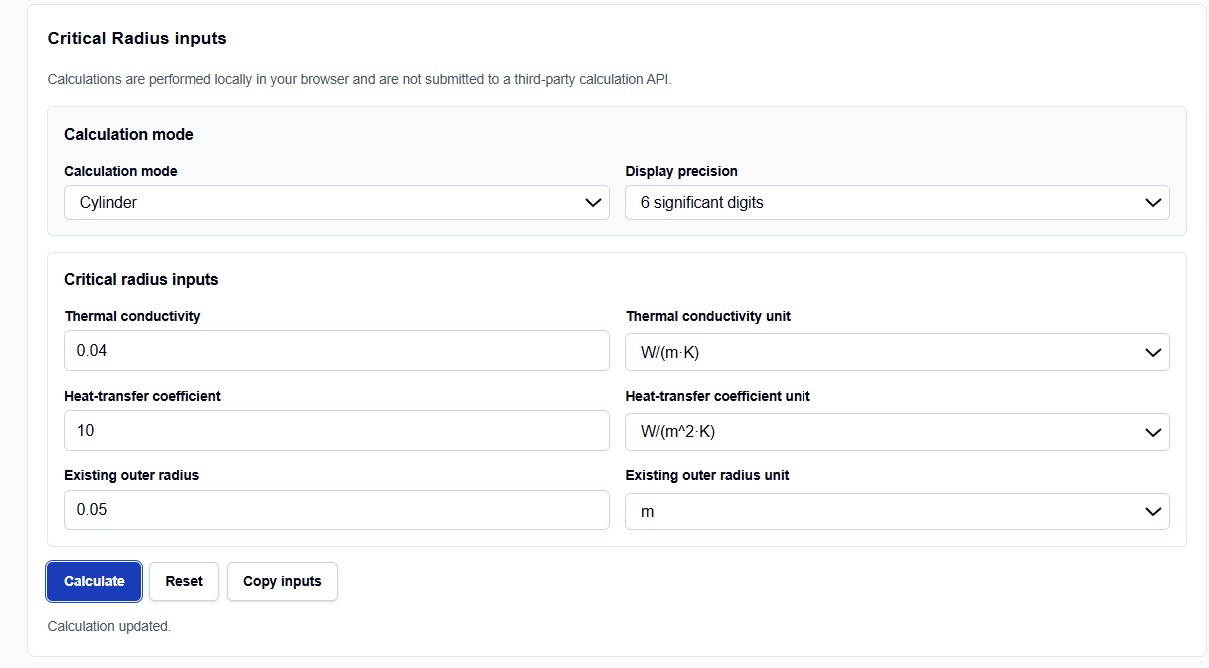
- Geometry Mode: A simple toggle to select between a cylinder or a sphere.
- Insulation Thermal Conductivity (k): Entered in W/(m K) to represent the rate of heat conduction through the barrier.
- External Convective Coefficient (h): Entered in W/(m² K) to represent fluid film and surface heat transfer.
- Existing Outer Radius: Entered in meters to compare your physical system against the calculated threshold.
How I Use the Tool
I open the Critical Radius of Insulation Calculator on ScholarTool. First, select either the cylinder or sphere geometry.
When I enter our raw conceptual properties, I verify that we are using the radius rather than the pipe diameter to maintain formula consistency. If your data is available in this form, type the thermal conductivity and convection values directly. Fluid and material properties are treated as constant user-entered parameters, meaning the tool does not query property databases automatically. Once you populate the fields, click calculate. The results block, unit conversion details, and interpretations reveal themselves immediately, and they automatically hide if you modify any input afterward.
Understanding the Results
The result section helps you verify the thermal threshold by presenting several structured outputs:
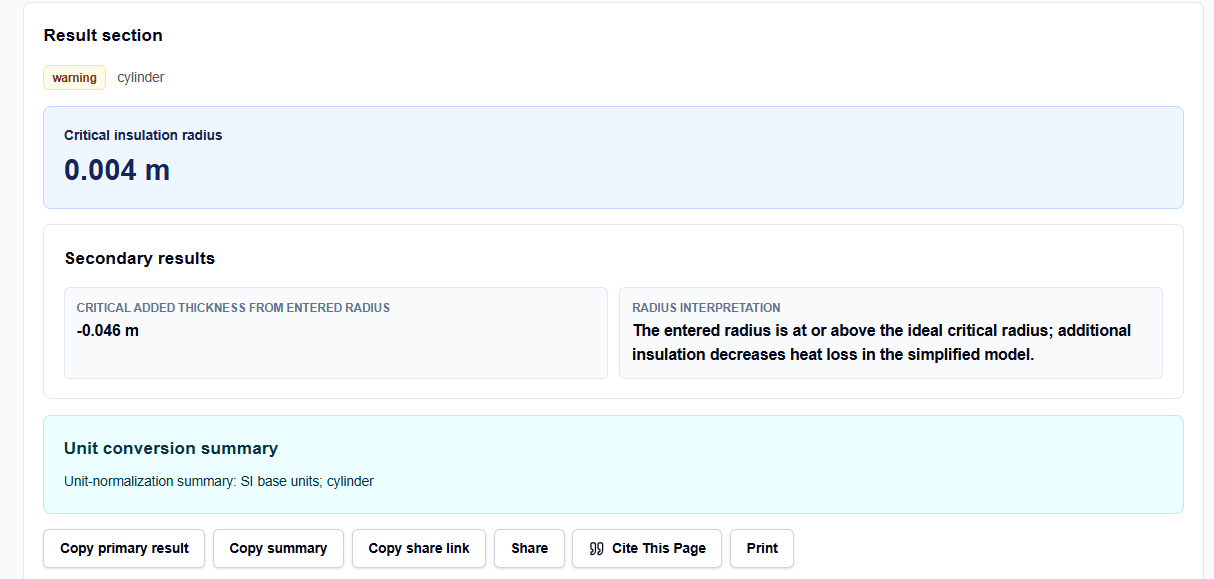
- Critical Insulation Radius (rcrit): Renders the ideal critical boundary (m) where heat loss is maximized.
- Critical Added Thickness: Reports the difference between the critical radius and your existing outer radius.
- Radius Interpretation: Tells you whether additional insulation decreases heat loss or if your existing radius lies below the critical point.
- Unit-Normalization Summary: Renders a clean SI base unit breakdown for verification.
A Practical Example: Sizing a Cylindrical Wire
Consider a realistic check. Suppose we need to evaluate an electrical wire jacket.
We select the cylindrical mode and enter:
- Thermal Conductivity (k): 0.04 W/(m K)
- Convection Coefficient (h): 10 W/(m² K)
- Existing Outer Radius: 0.05 m
Upon clicking calculate, the tool applies the cylindrical critical-radius formula: \[r_{crit} = \frac{k}{h} = \frac{0.04}{10} = 0.004\text{ m}\] The result section helps you verify a critical radius of 0.004 m. Since our existing outer radius (0.05 m) is above 0.004 m, the tool interprets that additional insulation decreases heat loss.
Mistakes I Would Avoid
One critical mistake is confusing critical radius with optimum insulation thickness. The critical radius is the point of maximum heat loss; the optimum economic insulation thickness requires evaluating cost factors, which must be modeled separately.
Another major pitfall is using diameter instead of radius. Standard pipe specifications list nominal diameters, but the physical equations are strictly radius-based.
Finally, avoid ignoring radiation and convective uncertainty. Wind and radiant emissions can heavily alter the convective heat transfer coefficient, meaning you should run sensitivity checks rather than relying on a single static value.
Try the Free Critical Radius of Insulation Calculator
To eliminate manual conversion errors and protect your design data, try this secure tool today:
Try the Critical Radius of Insulation Calculator on ScholarTool
Chaining this with our Conduction Calculator or Thermal Resistance Calculator completes your design. You can also use the Thermal Conductivity Converter to maintain unit consistency.
FAQ
1. What is the fundamental physical difference between cylindrical and spherical critical radii?
Due to geometric surface area expansion characteristics, heat transfer pathways scale differently. Cylindrical layers maximize heat loss at (r_{crit} = k/h), whereas spherical shells peak at (r_{crit} = 2k/h). The calculator applies these formulas automatically based on your chosen geometry mode.
2. Are my custom material datasets or pipe dimensions sent to ScholarTool’s servers?
No. All entered thermal conductivities, external convection values, and radius dimensions are processed locally in your browser state using client-side TypeScript. No data is transmitted to an external server or third-party calculation API, guaranteeing absolute privacy.
3. Why do results clear and hide automatically if I edit an input?
This is a built-in safety guard. If you modify any parameter, geometry toggle, or conductivity value, the results panel automatically hides until you click calculate again, preventing stale or inconsistent metrics from being copied into your worksheets.