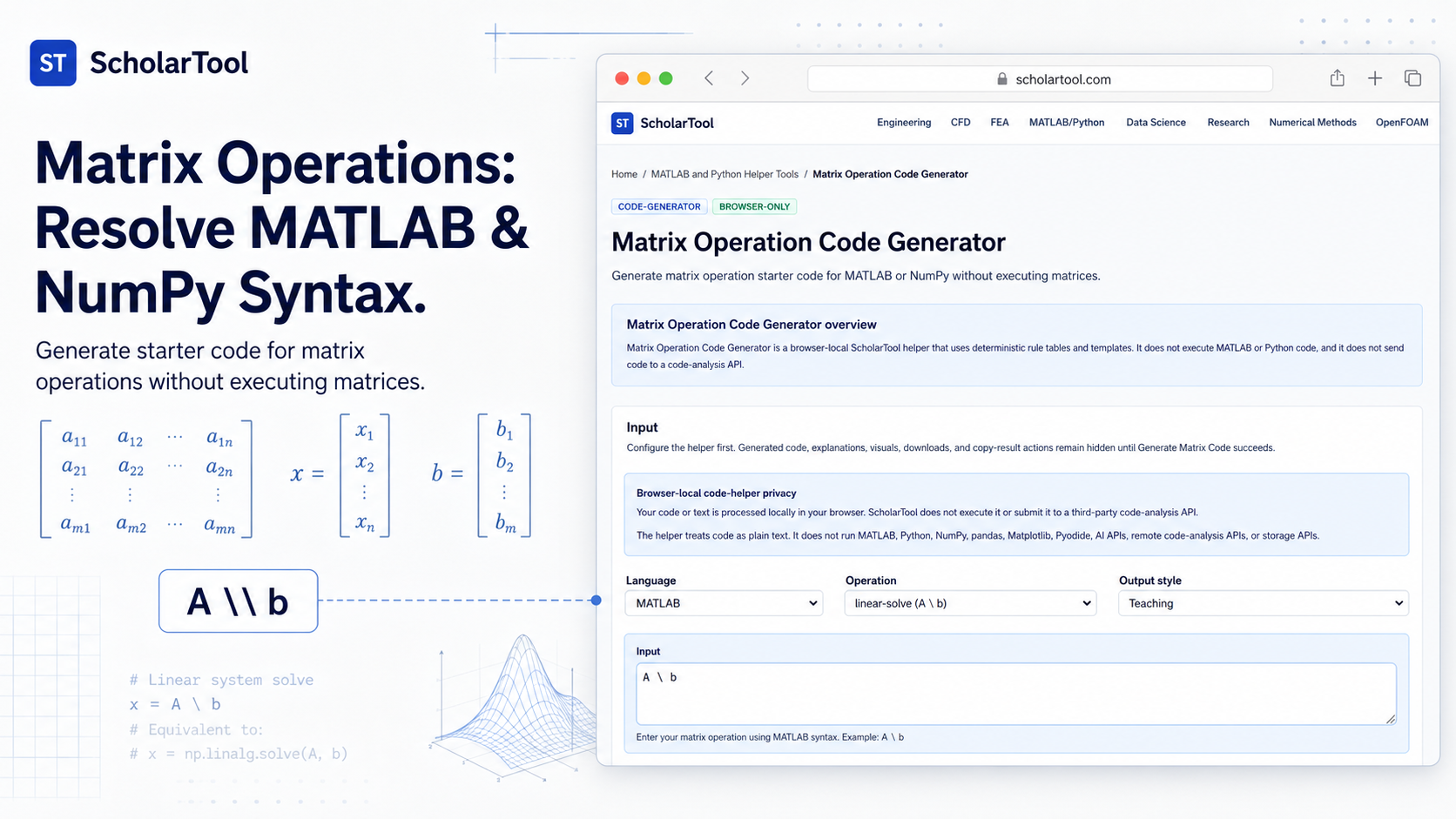
Matrix Operation Code Generator: MATLAB & NumPy Tool
When I am auditing a numerical simulation or preparing a research script, the “stumbling block” is rarely the high-level linear algebra; it is the friction of environment-specific syntax. As Edward Magrab notes in An Engineer’s Guide to MATLAB, MATLAB is a language whose instructions and syntax are fundamentally based on matrix operations. Moving those idioms to Python a multipurpose language that requires the NumPy package for similar scientific parity often involves a mental shift from procedural \ (backslash) operators to library-dependent np.linalg.solve calls.
What I find indispensable for these transitions is the Matrix Operation Code Generator from ScholarTool. It is a deterministic, browser-local utility designed to generate starter code for thirteen distinct matrix operations. Whether I am drafting a Singular Value Decomposition (SVD) template or grounding a migration checklist in physical reality, this tool ensures my syntax assumptions are mathematically sound while keeping my proprietary source code entirely private.
What the Matrix Operation Code Generator Helps You Do
The primary purpose of this tool is to speed up routine syntax translation and provide a “safety check” for linear algebra structures. In technical terms, it selects a static operation template and substitutes your validated variable names into a deterministic code block.
I find the interface particularly helpful because it provides a “Comparative Perspective” between optimization goals. You can choose a Concise output style for production scripts or a Teaching style to understand the shape logic behind the operation. What I appreciate most is the “browser-only” architecture. Because the helper treats your input as plain text and processes it locally using TypeScript, your sensitive algorithms proprietary physics models or internal research snippets are never submitted to a third-party code-analysis API or cloud storage.
Inputs You Can Use
The interface is built with a configuration-first layout that allows you to define your matrix characteristics before viewing the results.
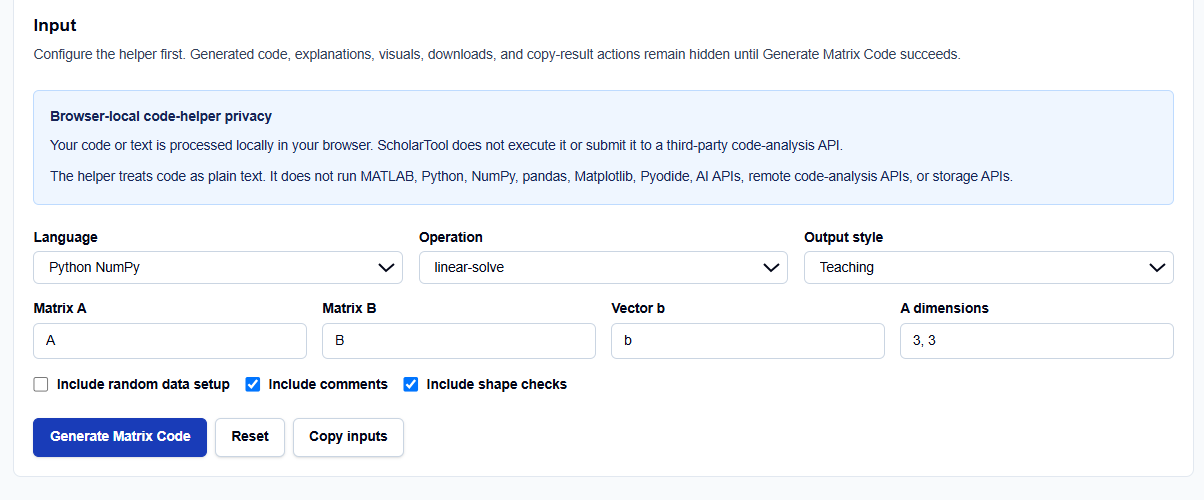
Operation Modes and Languages
I start by selecting the relevant Language: Python NumPy or MATLAB. You can then choose from thirteen supported Operations, including standard arithmetic like addition and matmul, and more advanced templates like eigenvalues, svd, and linear-solve.
Variable Names and Dimensions
Once the mode is set, you enter your specific Variable names (e.g., Matrix A, Matrix B, or Vector b) and define the A dimensions. What I find professionally useful are the conditional toggles:
- Include random data setup: Generates the necessary np.random or rand code to make the snippet runnable immediately for testing.
- Include shape checks: Adds comments or logic to verify that dimensions are compatible (e.g., checking inner dimensions for matmul).
- Include comments: Annotates the code for better readability and documentation.
How I Use the Tool
My typical workflow begins when I need to migrate a linear system solver from a MATLAB .m file to a Python script. For instance, if I have a system $Ax=b$, I open the helper and select MATLAB with the linear-solve operation.
Once I click Generate Matrix Code, I review the Output explanation. I appreciate that the results remain hidden until this action succeeds, which prevents me from mistaking default examples for my own output. I then switch the language to Python NumPy to see the equivalent np.linalg.solve structure. Because this tool is deterministic and does not use AI, it provides a “math receipt” of the template applied rather than a black-box guess. After auditing the warnings, I use the Copy result button to archive the logic for my code review checklist.
Understanding the Results
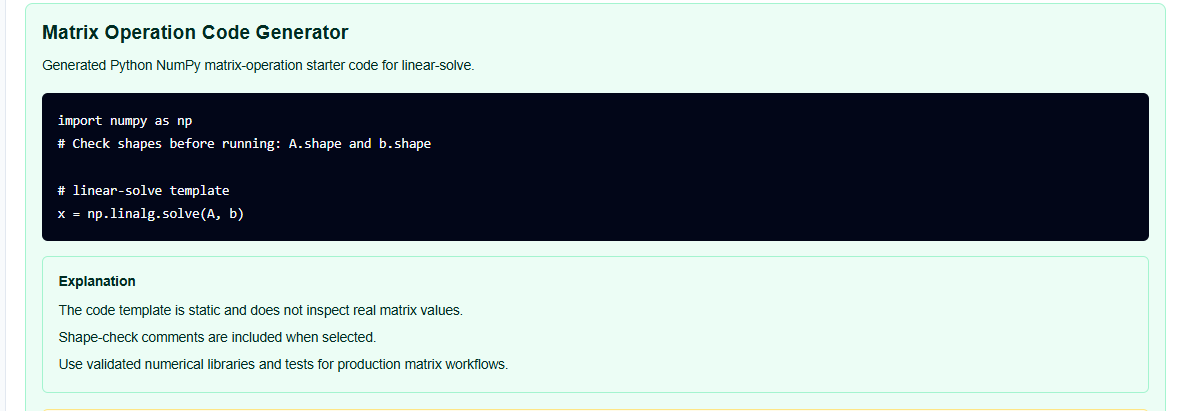
The result section provides the Generated code prominently at the top. However, for a professional audit, I pay close attention to the Warnings:
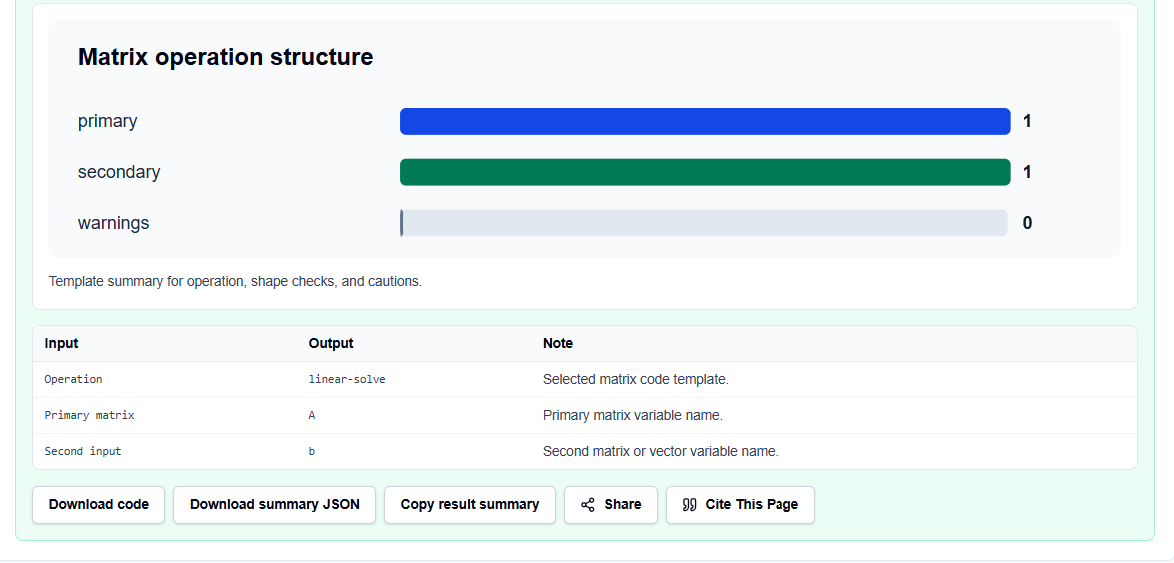
- Numerical Stability: The tool correctly prioritizes solve over inverse for $Ax=b$, a vital best practice to avoid the inaccuracies of explicit inversion.
- Operator Pitfalls: It serves as a reminder to check if you intended to use element-wise operators (like .* in MATLAB) versus matrix operators.
- Verification Steps: It explicitly reminds you that you remain responsible for testing the snippet with representative data in your target environment.
A Practical Example
Suppose I am planning a Python script to solve a linear system. I select “Python NumPy,” “linear-solve,” and enter Matrix_K and Vector_F as my variables.
The Matrix Operation Code Generator returns a Final result that includes import numpy as np and x = np.linalg.solve(Matrix_K, Vector_F). This immediate resolution allows me to skip the manual lookup of NumPy library aliases and focus on the technical engineering logic.
Mistakes I Would Avoid
One common pitfall is using * in MATLAB where .* was intended. As the tool’s common mistakes section warns, this can lead to non-obvious dimension errors or incorrect numerical results.
Another mistake is treating the output as production-ready without review. As the code-helper disclaimer states, the tool generates “starter text” only; it does not execute or debug your code. I always use these snippets as a drafting aid and follow up with manual unit tests in my own MATLAB or Python environment.
Try the Free Matrix Operation Code Generator
Before you spend another hour manually unrolling linear algebra syntax for your simulation scripts, take a minute to generate a syntax template. It is the fastest way to ground your matrix operations in verified rules while maintaining total data residency.
Try the Matrix Operation Code Generator here. To complete your data science toolkit, you may also find the NumPy Array Shape Helper, MATLAB to Python Syntax Converter, or the Python to MATLAB Syntax Converter essential for your workflow.
FAQ
1. Does the Matrix Operation Code Generator execute my linear algebra code?
No. The helper treats your variable names and dimensions as plain text and applies deterministic local templates in your browser. It does not run a MATLAB or Python execution environment.
2. Is my proprietary code sent to a third-party AI or storage service?
No. All processing is performed locally on your device using TypeScript. Your inputs stay in the page state and are never submitted to an AI API or cloud storage service.
3. Why does the tool prefer “solve” over “inverse”?
As noted in the tool’s method description and Magrab’s MATLAB guide, solving $Ax=b$ using functions like the backslash operator \ is more numerically stable and computationally efficient than calculating an explicit matrix inverse.