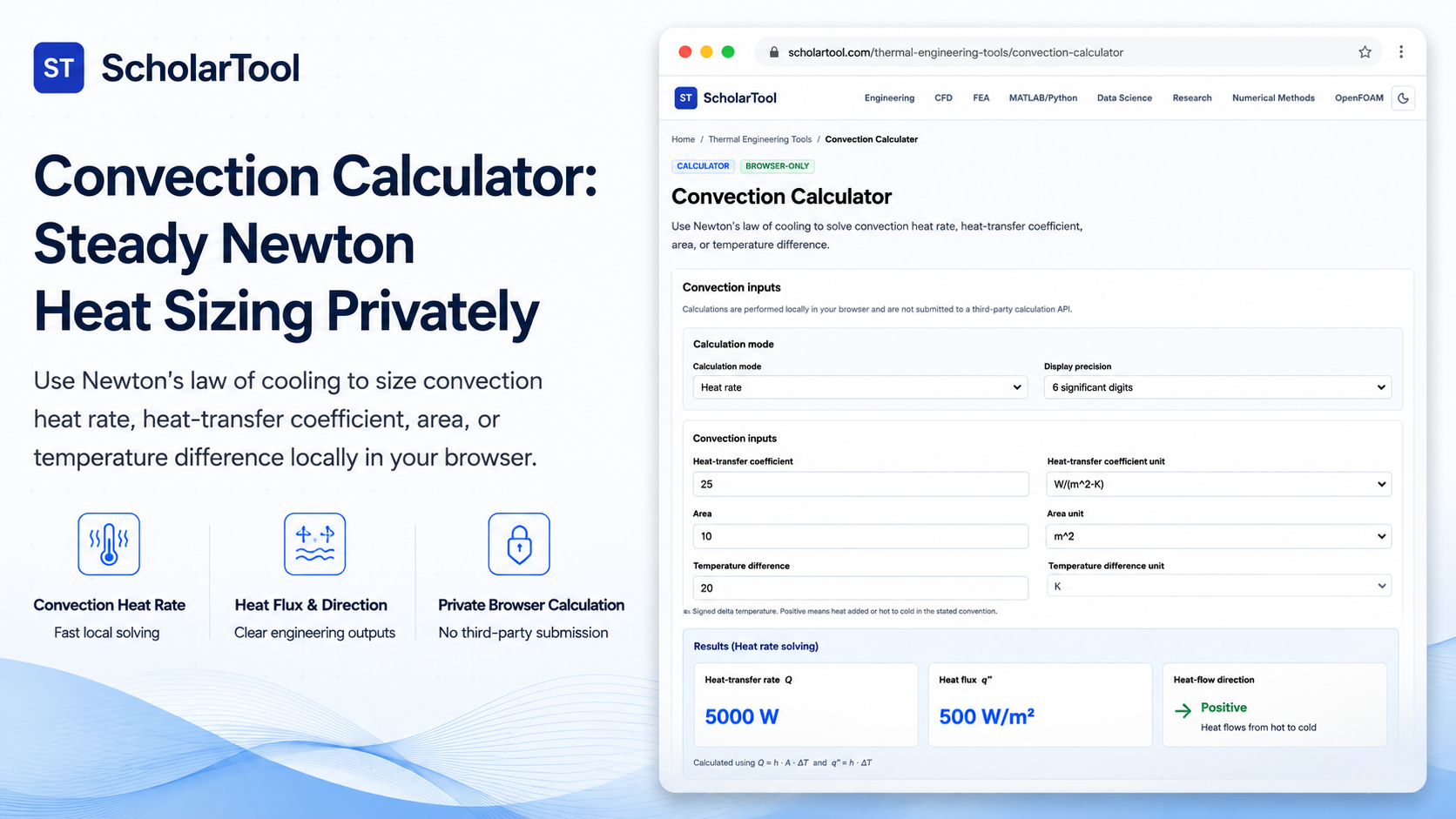
Convection Calculator: Private Newton Heat Rate Sizer
When transitioning a thermal system design from raw conceptual layouts to physical process equipment, predicting convection heat transfer is a major point of friction. Every mechanical engineer and HVAC designer must determine the convection heat-transfer rate or the required surface area to cool or heat a boundary. Guessing these convection currents or convective coefficients without a structured engineering receipt leads to under-insulating critical pipe runs or sizing heat exchangers incorrectly.
To solve this calculation bottleneck with high accuracy and complete privacy, I use the Convection Calculator from ScholarTool. This browser-local utility evaluates convective heat rates using Newton’s law of cooling. Because calculations execute entirely in your local browser tab using client-side TypeScript, your proprietary fluid temperatures, system areas, and process parameters are never uploaded to a cloud database, ensuring 100% data sovereignty.
What the Convection Calculator Helps You Do
The primary purpose of this tool is to act as a preliminary estimation takeoff aid during early process layout and HVAC planning. Rather than requiring you to configure heavy finite element thermal packages, it organizes convective variables into a clean, auditable “math receipt”.
What I find useful here is that the tool allows you to select your solve-for target from a flexible dropdown menu. You can choose to solve for the convection heat rate, the convection heat-transfer coefficient, the wetted surface area, or the signed temperature difference. This flexibility is perfect for reverse-engineering thermal boundary conditions or verifying experimental lab measurements.
While some legacy software requires steep learning curves and cloud uploads, this browser-first utility handles Newton’s law of cooling instantly.
Inputs You Can Customize
The interface features a configuration-first layout to ensure your thermodynamic assumptions are sound before parsing:
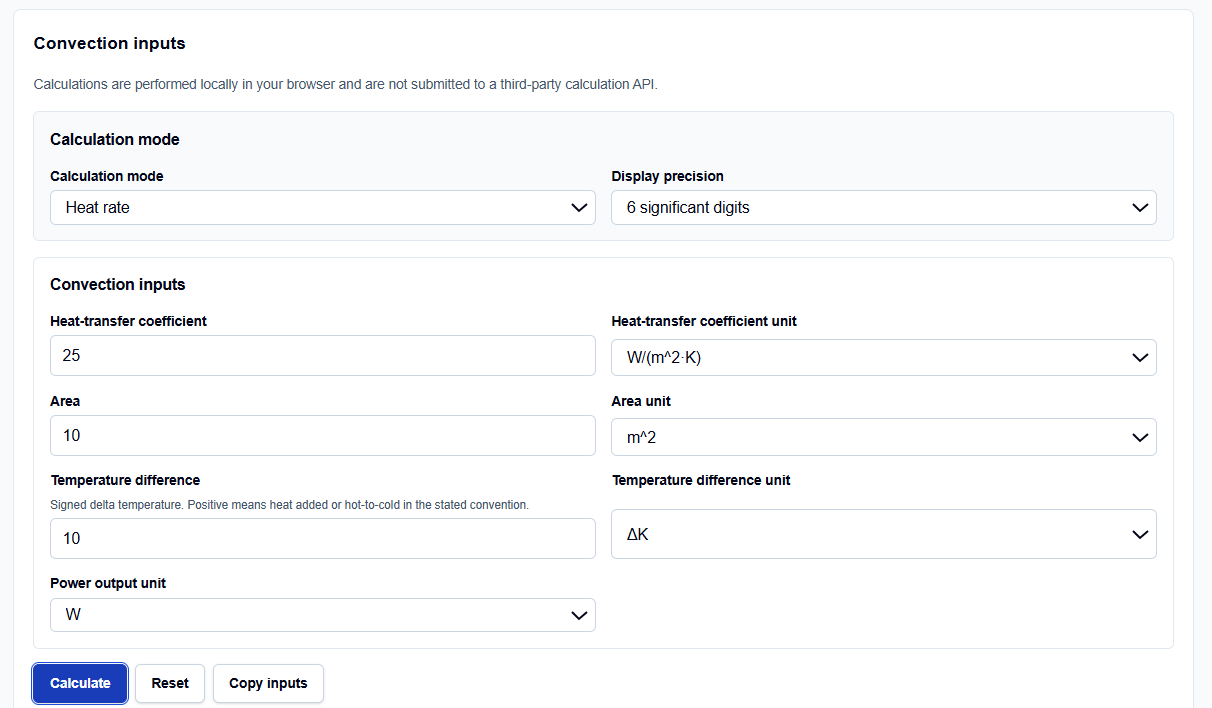
- Solve-For Target: A dropdown to select which variable in Newton’s law of cooling is unknown.
- Convection Coefficient (h): Entered manually in W/(m2 K). The tool does not run correlations, so you must input the coefficient.
- Exposed Area (A): Entered in square meters. This must be the actual wetted or exposed surface area participating in convection.
- Signed Temperature Difference (Delta T): Temperature differences use delta units without absolute offsets. A signed difference is preserved so that cooling processes produce a negative heat rate.
How I Use the Tool
I open the Convection Calculator on ScholarTool. First, select your solve-for target.
When I enter raw conceptual values into the inputs, I verify that they align with the expected parameters. If your data is available in this form, you can input the convective coefficient and exposed coordinates directly in the selected unit system. Once my parameters are set, I click Calculate Convection. All output summaries, visual plots, and secondary wetted heat flux values remain completely hidden until this action succeeds. If you edit any coordinate afterward, results automatically hide.
Understanding the Results
The result section helps you verify the convective balance by presenting several structured parameters:
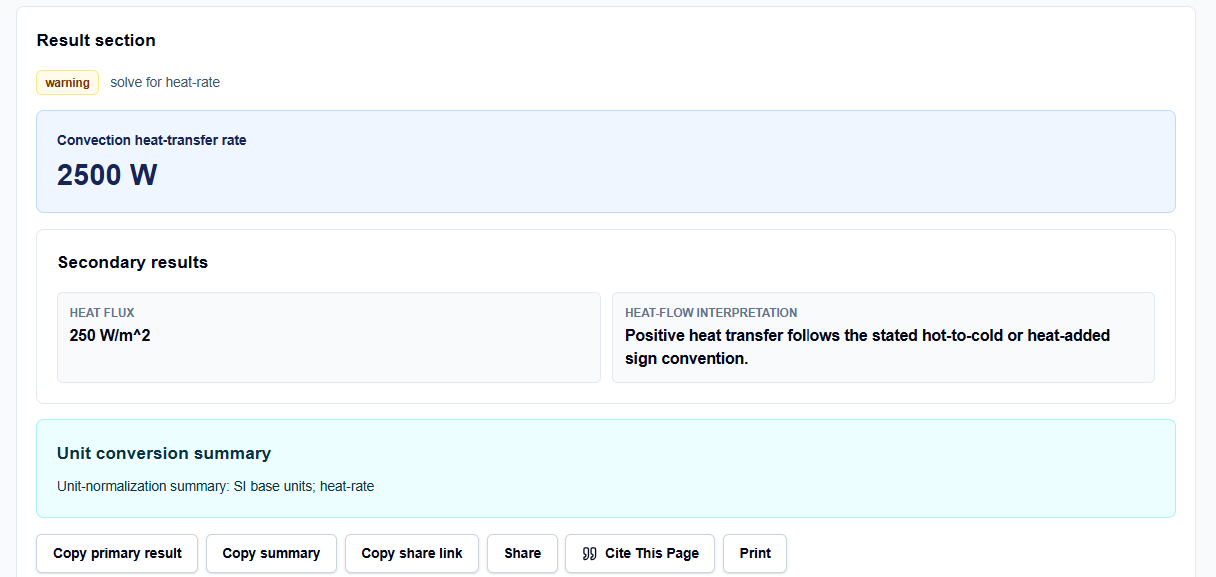
- Primary Result: Displays the solved target parameter, such as a convective heat-transfer rate of 2500 W.
- Heat Flux: Reports the standardized heat flow per unit area in W/m2, which is highly useful for comparing alternative layout densities.
- Heat-Flow Interpretation: Evaluates the signed temperature change to clarify flow direction. Positive heat transfer follows the hot-to-cold convention, while negative values indicate cooling.
- Unit-Normalization Summary: Displays a detailed SI base unit conversion breakdown showing how raw parameters were normalized before applying formulas.
A Practical Example: Sizing Convective Heat Rate
Consider a realistic check. Suppose we need to calculate the steady convective heat loss from a flat duct.
We set the solve-for target to convection heat rate and enter:
- Convection Coefficient (h) of 25 W/(m2 K)
- Exposed Area (A) of 10 m2
- Temperature Difference (Delta T) of 20 K
Upon clicking calculate, the tool applies Newton’s law of cooling: \[Q = h \cdot A \cdot \Delta T\] It calculates a primary heat-transfer rate of 5000 W. The result section helps you verify a thermal heat flux of 500 W/m2 and a positive heat-flow direction, confirming our design limits.
Mistakes I Would Avoid
One critical mistake is using projected area instead of wetted or exposed area. Using a flat projected rectangle for a corrugated duct ignores actual wetted area, leading to severe under-insulation. Always enter the wetted convective area.
Another major pitfall is mixing absolute temperature with temperature difference. Absolute temperature scales and temperature differences are separate physical quantities. Convective calculations require temperature differences using delta units without absolute offsets.
Try the Free Convection Calculator
To eliminate manual conversion errors and protect your design data, try this tool today. It is free, secure, and runs locally.
Try the Convection Calculator on ScholarTool
Chaining this analysis with our Heat Transfer Rate Calculator or Conduction Calculator supports related workflows. You can also convert coefficients using the Heat Transfer Coefficient Converter or calculate fluid flow regimes with the Reynolds Number Calculator.
FAQ
1. Does the Convection Calculator automatically estimate the heat-transfer coefficient (h)?
No. This calculator is designed as a direct solver for Newton’s law of cooling and does not evaluate forced- or natural-convection correlations (such as Nusselt-number, Reynolds-number, boiling, or condensation correlations). The coefficient must be entered manually from your measurement records, a validated correlation, or a separate design source.
2. Are my custom process datasets or fluid temperatures sent to ScholarTool’s servers?
No. All manual coordinates, convective boundaries, and temperature differences are processed entirely locally on your device within your browser’s page state. No data is transmitted to an external server or third-party calculation API, ensuring complete privacy.
3. Why do the results clear automatically if I modify an input on the form?
This is a built-in safety guard. If you modify any variable, coefficient, or boundary dimension, the output block automatically hides until you click “Calculate Convection” again, preventing stale statistical or thermal records from being copied into your worksheets.