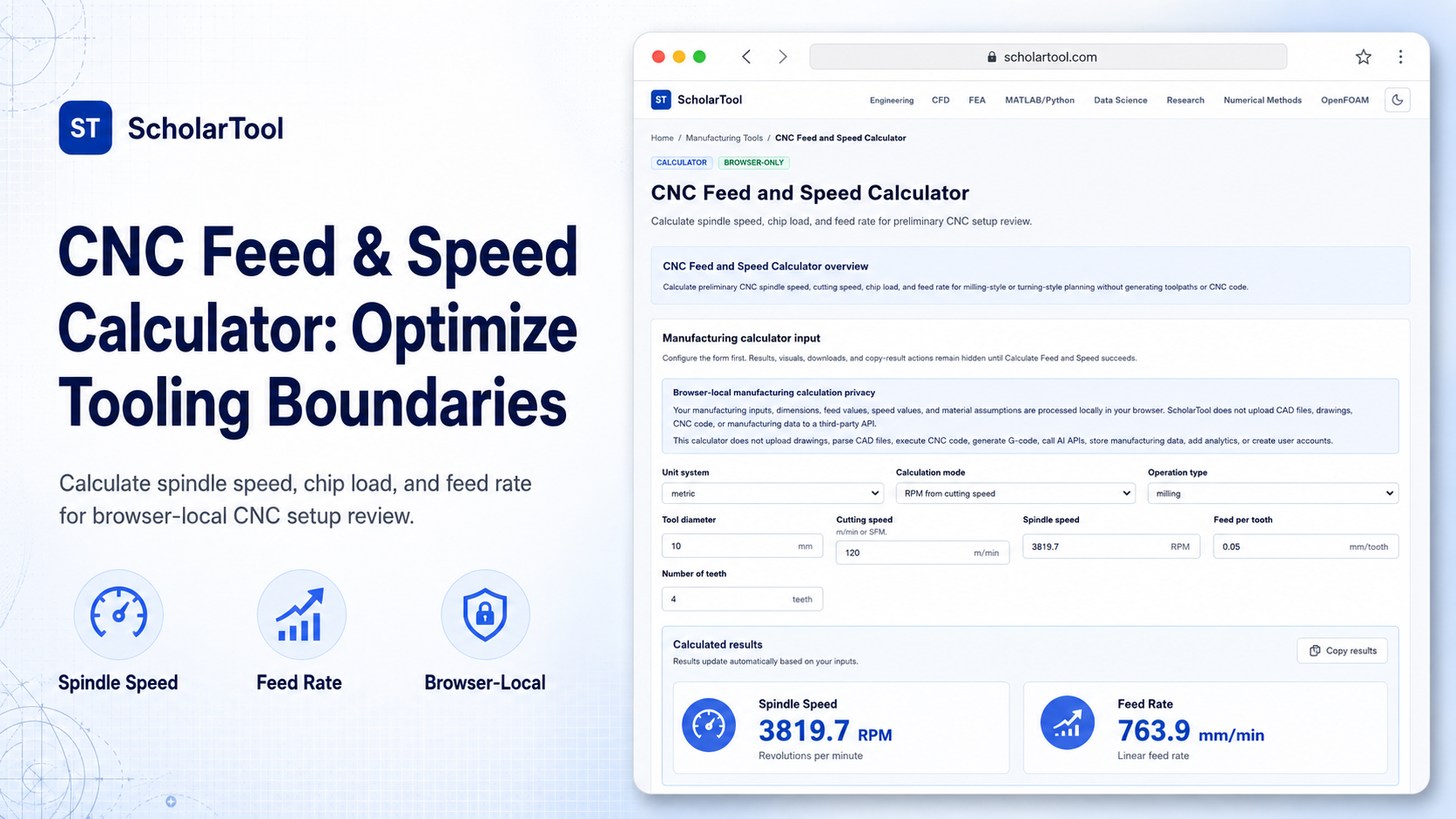
CNC Feed and Speed Calculator: Spindle and Feedrate Sizer
When setting up a new CNC machining job, calculating the correct spindle speeds and table feedrates is a constant point of friction. Every machinist or programmer must determine these starting parameters to avoid breaking cutters or causing premature wear. Guessing these basic cutting values without a validated math receipt leads to expensive tool chipping, surface finish degradation, or part rejection.
To solve this pre-programming setup bottleneck with high precision and complete confidentiality, I use the CNC Feed and Speed Calculator on ScholarTool. This browser-only utility calculates preliminary spindle speed, cutting speed, chip load, and feed rate for milling-style or turning-style planning. Because all calculations run entirely in your local browser tab state using client-side TypeScript, your proprietary material selections and tool dimensions are never uploaded to an external server, ensuring 100% data sovereignty.
What the CNC Feed and Speed Calculator Helps You Do
This calculator acts as a steady-state drafting and process planning takeoff aid during early setup reviews. Rather than forcing you to manually calculate values using a four-function calculator, it structures your cutting relationships into a clean, human-readable layout.
What I find useful here is how the calculator supports multiple calculation directions. You can choose to find RPM from a known cutting speed, reverse-calculate cutting speed from RPM, find table feedrate from chip load, or check chip load back from feedrate. It provides an immediate math receipt to check your speed and feed calculations before you begin CAM programming or shop floor execution.
Inputs You Can Use
The interface features a structured, configuration-first layout to ensure your setup parameters are sound before solving:
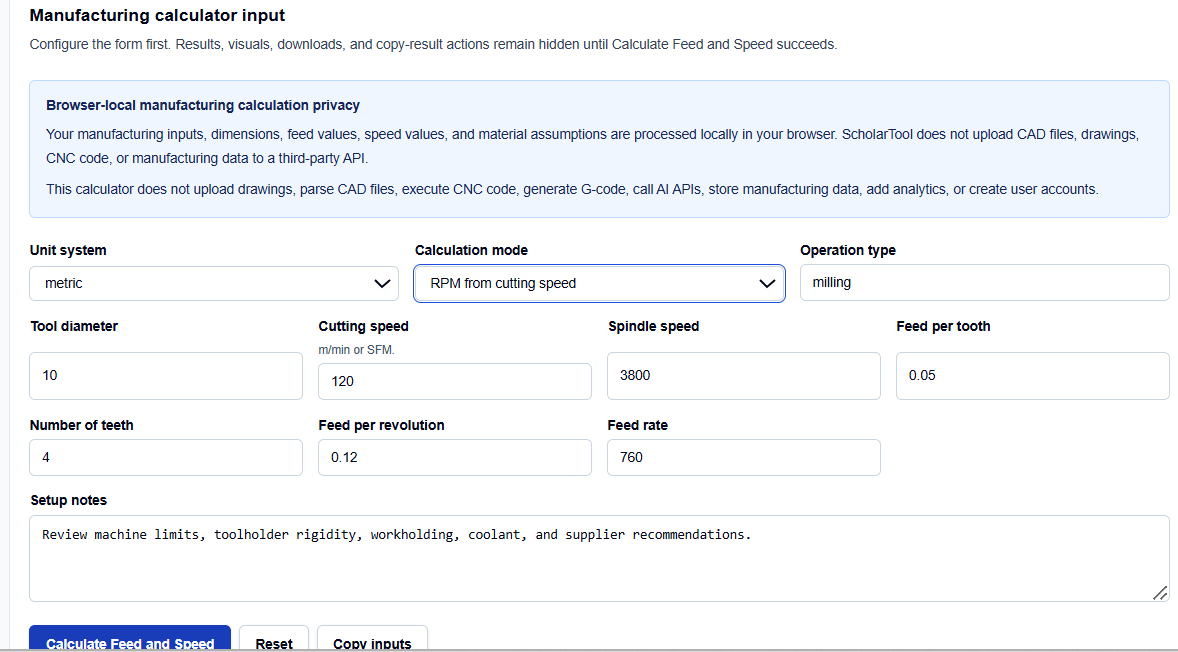
- Unit System: Metric uses tool diameter in millimeters and cutting speed in m/min; inch uses diameter in inches and cutting speed in surface feet per minute (SFM).
- Calculation Mode: Dropdown selections to calculate RPM, cutting speed, feedrate, or chip load.
- Tool Parameters: Input fields for tool or work diameter and the number of cutting flutes.
- Speed and Feed Parameters: Enter cutting speed (Vc), spindle speed (RPM), feed per tooth (fz), feed per revolution, and feedrate (Vf).
- Setup Notes: A plain-text area to record custom notes like machine horsepower limits or workholding rigidity.
How I Use the Tool
I open the CNC Feed and Speed Calculator in my browser window. First, select the correct unit standard.
When I enter our raw tool dimensions and feed values, I verify that tool diameter and cutting speed match our tool vendor’s starting recommendations. If your data is available in this form, you can enter the nominal diameter, feed per tooth, and flute count directly. Once configured, click Calculate Feed and Speed. The result section helps you verify the calculated spindle speed and table feedrate instantly. Results, warnings, and CSV/Markdown downloads remain completely hidden until this succeeds. If you edit any coordinate afterward, the output panel automatically hides to prevent transcribing stale dimensions.
Understanding the Results
The result section helps you verify the completeness of your drawing parameters by presenting several key elements:
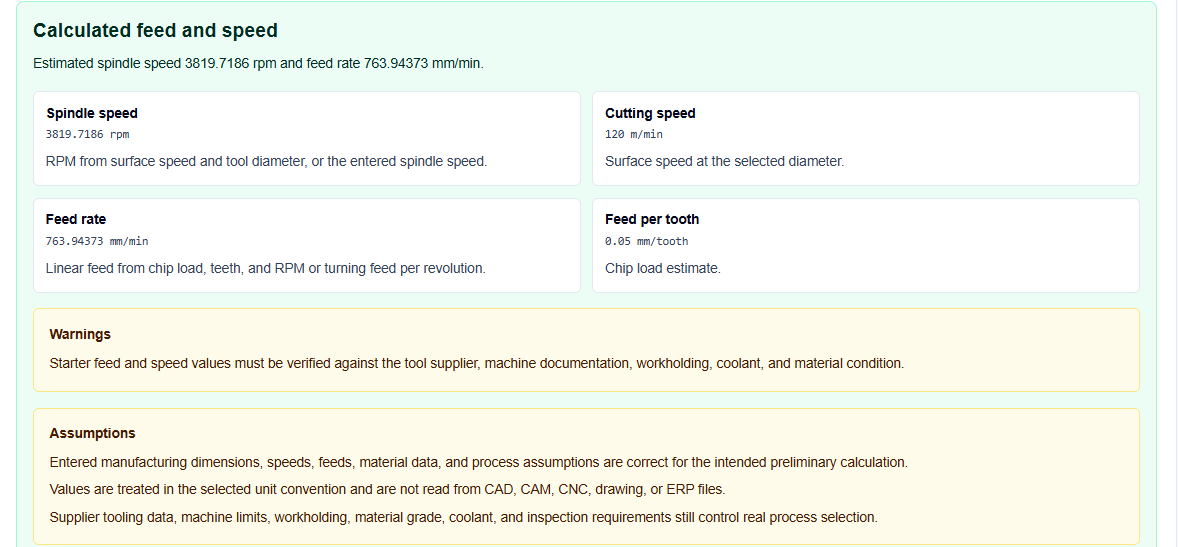
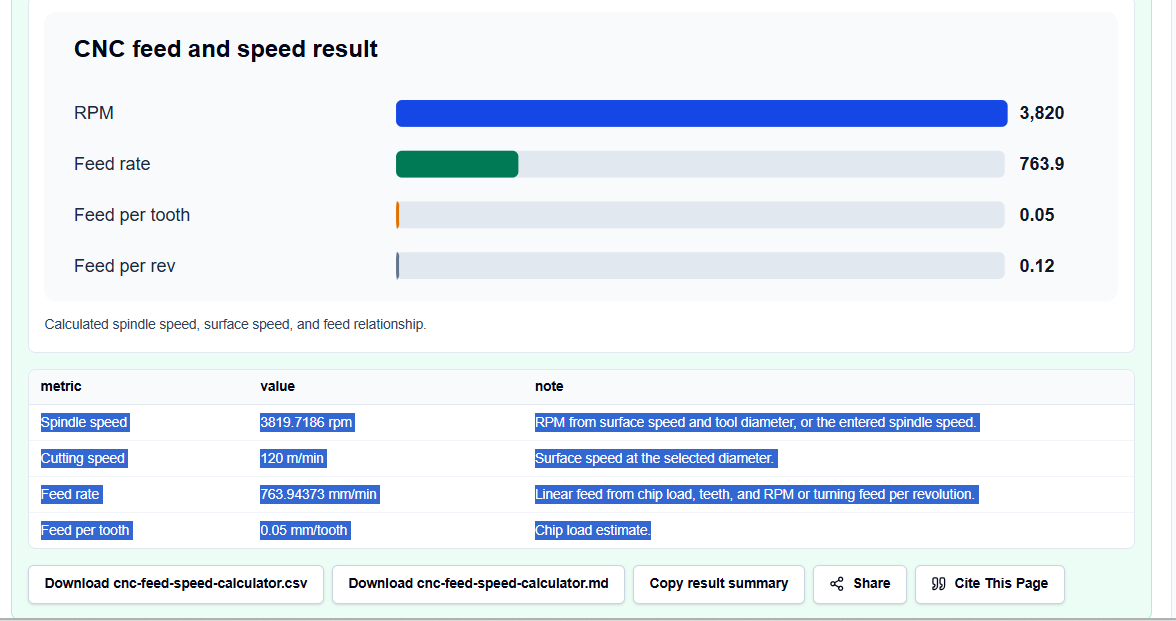
- Calculated Spindle Speed (RPM): Solves the standard surface speed equation.
- Calculated Feed Rate (Vf): Solves the linear table feedrate based on your tooth count and chip load.
- Visual Summary Panel: Displays a clean visual representation of the tool engagement.
- Data Export Buttons: Formats the complete calculation block into copyable Markdown or downloadable CSV files for offline record keeping.
A Practical Example: Sizing a Metric Carbide End Mill
Consider a typical check where we need to find the starting speeds and feeds for a metric carbide end mill.
We configure the inputs: metric unit system, 10 mm cutter, 120 m/min cutting speed, 0.05 mm/tooth feed per tooth, and 4 teeth (flutes).
Upon clicking calculate, the browser-local script applies standard cutting equations: \[\text{RPM} = \frac{1000 \times Vc}{\pi \times D} = \frac{1000 \times 120}{\pi \times 10} \approx 3819.7\text{ RPM}\] \[Vf = fz \times z \times \text{RPM} = 0.05 \times 4 \times 3819.7 \approx 763.9\text{ mm/min}\] The result section helps you verify a starter relationship of about 3820 RPM and 764 mm/min.
Mistakes I Would Avoid
One critical mistake is using inch SFM in the metric RPM formula. If you enter imperial surface speeds into a metric text field, the resulting RPM will be completely wrong, potentially melting your cutter.
Another major pitfall is forgetting flute count in feed-rate calculations. If you calculate table feedrate without multiplying by the tool’s flutes, you will feed far too slowly, causing the tool to rub and fail.
Finally, avoid treating calculated values as supplier-approved parameters. This calculator is an estimation aid; you must verify values against machine documentation and tooling supplier limits.
Try the Free CNC Feed and Speed Calculator
To eliminate manual geometric conversion errors and secure your shop data, try this secure tool today:
Try the CNC Feed and Speed Calculator on ScholarTool
Chaining this review with our Milling Speed Calculator or Drilling Speed Calculator completes your planning. You can also evaluate lathe operations using the Turning Speed Calculator, calculate material volume using the Material Removal Rate Calculator, or plan cycle runtimes with the Machining Time Calculator.
FAQ
1. Does the CNC Feed and Speed Calculator correct for radial chip thinning or tool deflection?
No. This tool calculates steady-state rotary relationships based on standard deterministic surface-speed and feedrate equations. Complex compensations for radial chip thinning, tool deflection, tool wear, runout, interrupted cuts, or machine acceleration are unsupported.
2. Are my proprietary material selections, feed values, or machine limits uploaded to ScholarTool?
No. All calculations are executed entirely locally on your device within your active browser tab using client-side TypeScript logic. ScholarTool does not upload drawings, CAD files, CNC program values, or coordinates to external servers or third-party APIs.
3. Why do the output results automatically clear if I modify an input value?
This is a built-in safety safeguard. If you edit any cutter diameter, flute count, or surface speed, the results card automatically hides until you click “Calculate Feed and Speed” again. This prevents you from copying outdated or inconsistent data into your CAM programs.